
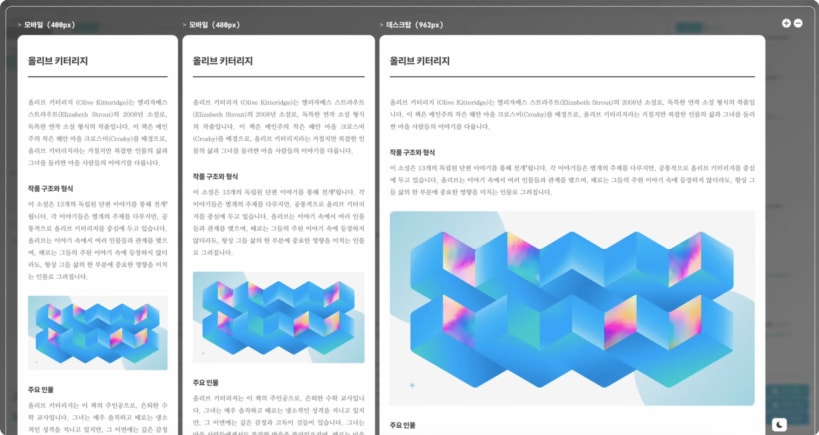

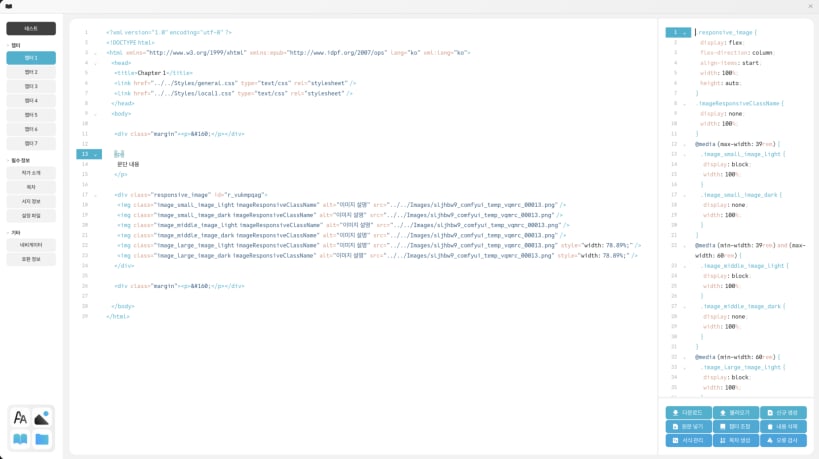
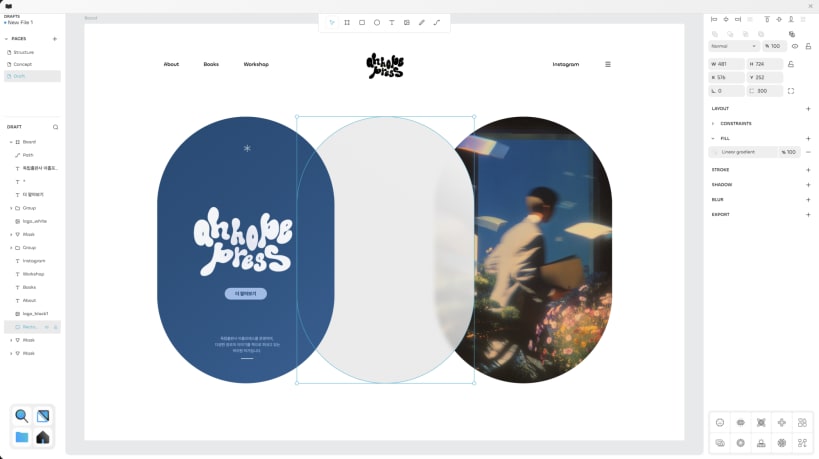
Abstract Builder는 복잡한 코딩 없이도 드래그 앤 드롭만으로 전문적인 EPUB 전자책과 반응형 웹사이트를 제작할 수 있는 차세대 올인원 콘텐츠 에디터입니다. 파워포인트나 워드처럼 직관적이면서도, 프로 개발자 수준의 결과물을 만들 수 있는 강력한 도구입니다.
━━━━━━━━━━━━━━━━━━━━━━ 🎨 완벽한 디자인 자유도 ━━━━━━━━━━━━━━━━━━━━━━
━━━━━━━━━━━━━━━━━━━━━━ 💎 초보자부터 전문가까지 ━━━━━━━━━━━━━━━━━━━━━━
━━━━━━━━━━━━━━━━━━━━━━ 🎯 통합 UXUI 디자인 스튜디오 ━━━━━━━━━━━━━━━━━━━━━━
━━━━━━━━━━━━━━━━━━━━━━ 🔒 완벽한 프라이버시와 빠른 속도 ━━━━━━━━━━━━━━━━━━━━━━
━━━━━━━━━━━━━━━━━━━━━━ 📚 다양한 활용 사례 ━━━━━━━━━━━━━━━━━━━━━━
━━━━━━━━━━━━━━━━━━━━━━ ✨ 왜 Abstract Builder인가? ━━━━━━━━━━━━━━━━━━━━━━
✓ 하나의 에디터로 EPUB 전자책과 반응형 웹사이트 모두 제작 ✓ 템플릿 제공하지만 강제하지 않음 - 백지에서 시작하는 완전한 자유 ✓ 비주얼 편집과 코드 편집을 자유롭게 전환하며 작업 ✓ 웹 브라우저나 Windows 앱 어디서든 동일한 경험 ✓ 데이터는 항상 내 컴퓨터에 - 빠르고 안전하게
작가, 디자이너, 마케터, 개발자 모두를 위한 완벽한 콘텐츠 제작 솔루션. 지금 바로 당신의 아이디어를 현실로 만들어보세요!
You are about to open
Do you wish to proceed?
Thank you for your report. Information you provided will help us investigate further.
There was an error while sending your report. Please try again later.
Snaps are applications packaged with all their dependencies to run on all popular Linux distributions from a single build. They update automatically and roll back gracefully.
Snaps are discoverable and installable from the Snap Store, an app store with an audience of millions.
On Arch Linux, snap can be installed from the Arch User Repository (AUR). The manual build process is the Arch-supported install method for AUR packages, and you’ll need the prerequisites installed before you can install any AUR package. You can then install snap with the following:
git clone https://aur.archlinux.org/snapd.git
cd snapd
makepkg -si
Once installed, the systemd unit that manages the main snap communication socket needs to be enabled:
sudo systemctl enable --now snapd.socket
If AppArmor is enabled in your system, enable the service which loads AppArmor profiles for snaps:
sudo systemctl enable --now snapd.apparmor.service
To enable classic snap support, enter the following to create a symbolic link between /var/lib/snapd/snap and /snap:
sudo ln -s /var/lib/snapd/snap /snap
Either log out and back in again, or restart your system, to ensure snap’s paths are updated correctly.
To install Abstract Builder, simply use the following command:
sudo snap install abstractbuilder
Browse and find snaps from the convenience of your desktop using the snap store snap.

Interested to find out more about snaps? Want to publish your own application? Visit snapcraft.io now.