

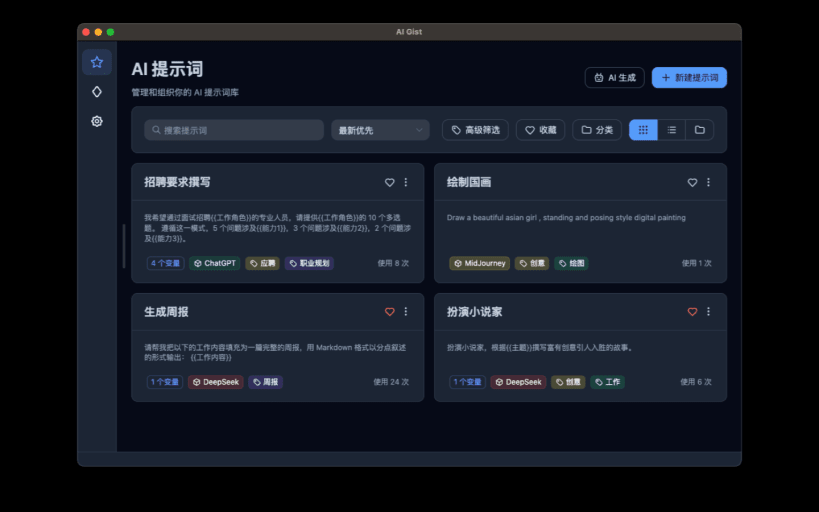
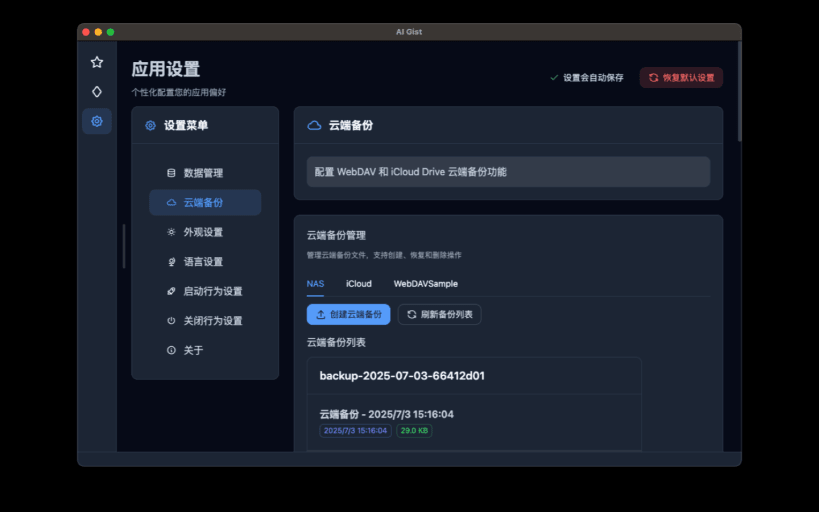

AI Gist 是一款隐私优先的 AI 提示词管理工具,帮助你创建、整理、复用和持续优化自己的提示词。
提示词库默认保存在本机。你可以使用变量和 Jinja 模板复用提示词,通过分类、标签、评分和收藏整理内容,并用历史记录回顾使用过程。AI Gist 支持 Ollama、LM Studio 等本地模型,也支持由你自行配置的在线 AI 服务。
应用不包含广告、分析统计、遥测或崩溃上报。只有在你配置在线 AI 服务、使用 WebDAV 云端备份或主动打开外部支持链接等功能时,应用才会访问相应服务。
You are about to open
Do you wish to proceed?
Thank you for your report. Information you provided will help us investigate further.
There was an error while sending your report. Please try again later.
Snaps are applications packaged with all their dependencies to run on all popular Linux distributions from a single build. They update automatically and roll back gracefully.
Snaps are discoverable and installable from the Snap Store, an app store with an audience of millions.
Snapd can be installed from Manjaro’s Add/Remove Software application (Pamac), found in the launch menu. From the application, search for snapd, select the result, and click Apply.
Alternatively, snapd can be installed from the command line:
sudo pacman -S snapd
Once installed, the systemd unit that manages the main snap communication socket needs to be enabled:
sudo systemctl enable --now snapd.socket
To enable classic snap support, enter the following to create a symbolic link between /var/lib/snapd/snap and /snap:
sudo ln -s /var/lib/snapd/snap /snap
Either log out and back in again, or restart your system, to ensure snap’s paths are updated correctly.
To install AI Gist, simply use the following command:
sudo snap install ai-gist
Browse and find snaps from the convenience of your desktop using the snap store snap.

Interested to find out more about snaps? Want to publish your own application? Visit snapcraft.io now.