
앤츠톡(AntsTalk)은 대화, 파일 공유, AI 에이전트 협업을 한곳에 모으도록 설계된 데스크톱 메신저입니다. 이 패키지는 리눅스에 설치해 실행하는 Electron 앱입니다.
주요 화면과 기능 구성
리눅스 데스크톱에 맞춘 구성
시작하기
시험 채널 설치
sudo snap install antstalk --edge
이미 설치했다면 업데이트
sudo snap refresh antstalk --edge
현재 배포 상태와 확인 범위
현재 공개 버전은 1.1.443이며 latest/edge 시험 채널입니다. 정식 stable 채널은 아직 공개하지 않았습니다. Ubuntu 24.04 amd64에서 스토어 설치·앱 실행·시작 및 로그인 화면·한글 글꼴 표시와 Snap 보안 격리를 확인했습니다. 실제 계정의 로그인·메시지 송수신·첨부·알림 종합 검증과 Windows판의 모든 기능 동등화는 계속 진행 중입니다. 모든 네이티브 기능이 완성된 정식판으로 안내하지 않습니다.
스크린샷 안내
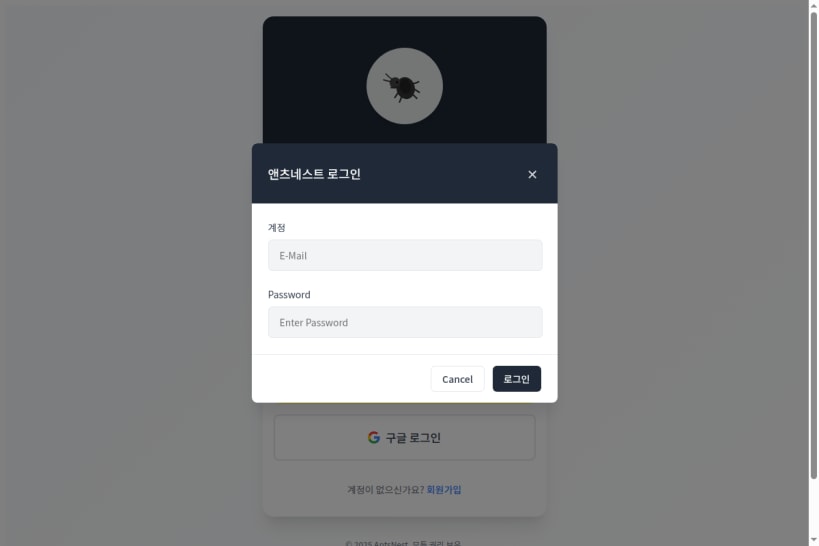
첨부한 2장은 공개된 리눅스 Snap 설치판의 실제 시작 화면과 빈 로그인 화면입니다. 실제 계정이나 개인 대화 내용은 포함하지 않았습니다.
You are about to open
Do you wish to proceed?
Thank you for your report. Information you provided will help us investigate further.
There was an error while sending your report. Please try again later.
Snaps are applications packaged with all their dependencies to run on all popular Linux distributions from a single build. They update automatically and roll back gracefully.
Snaps are discoverable and installable from the Snap Store, an app store with an audience of millions.
On Debian 9 (Stretch) and newer, snap can be installed directly from the command line:
sudo apt update
sudo apt install snapd
After this, install the snapd snap in order to get the latest snapd:
sudo snap install snapd
To install 앤츠톡, simply use the following command:
sudo snap install antstalk --edge
Browse and find snaps from the convenience of your desktop using the snap store snap.

Interested to find out more about snaps? Want to publish your own application? Visit snapcraft.io now.