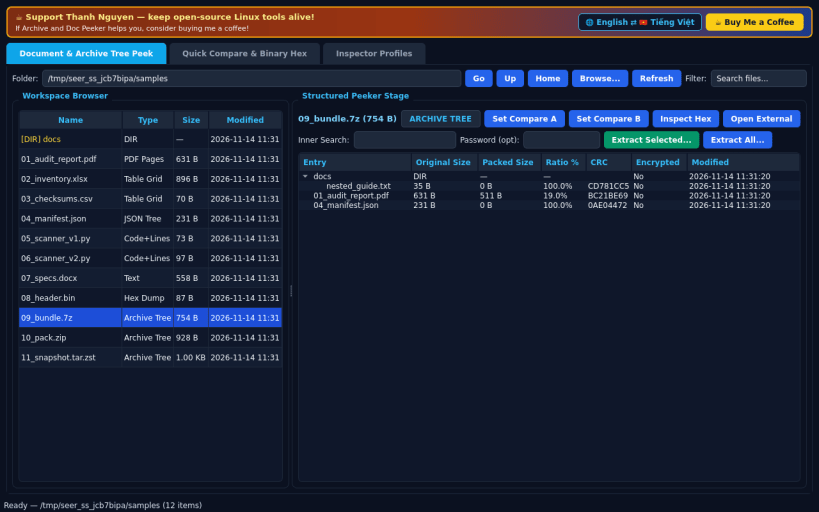
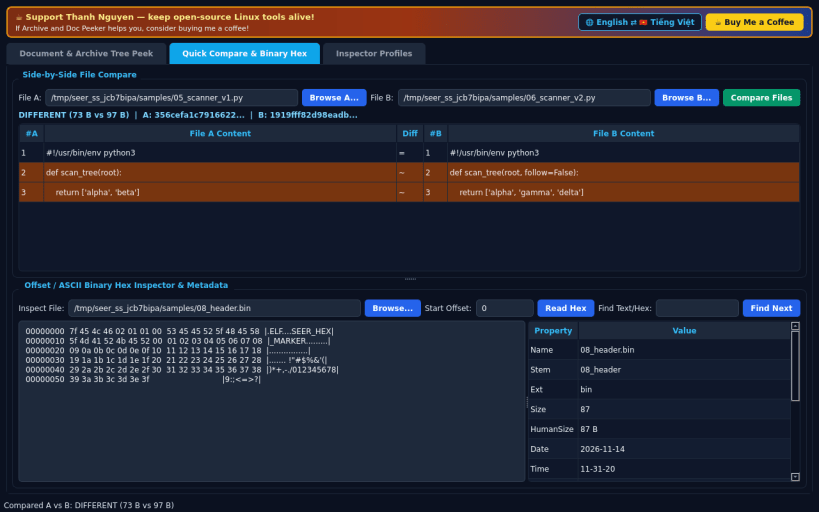
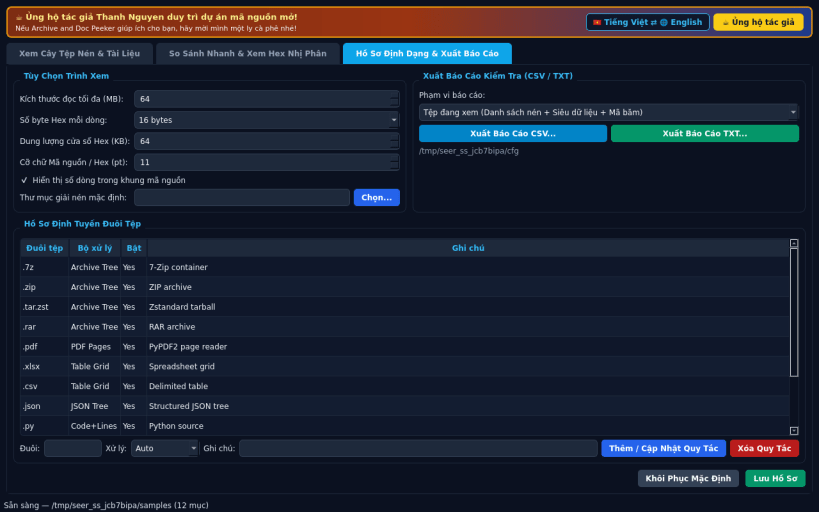
A deep file container and document peeker for Linux, serving as an independent open-source Linux alternative to Seer. Not affiliated with, sponsored by, or endorsed by Corey or Seer.
FEATURES • Tab 0 — Document & Archive Tree Peek: Split real folder browser and instant structured viewer. Inside .7z, .zip, .tar, .tar.gz, .tar.bz2, .tar.xz, .tar.zst, and .rar containers, inspects full hierarchical entry trees (Entry, Original Size, Packed Size, Ratio %, CRC, Encrypted flag) with real selective Extract Selected and Extract All actions via bundled 7z, zstd, and unrar-free. Includes a page-by-page PDF reader (PyPDF2), XLSX multi-sheet & CSV table grid viewer, collapsible JSON tree formatter, and syntax- highlighted source code viewer with line numbers. • Tab 1 — Quick Compare & Binary Hex: Side-by-side line diff comparator with SHA-256 verification alongside an offset/ASCII binary Hex Inspector with pattern search and full file metadata properties. • Tab 2 — Inspector Profiles & Export: Customize extension-to-handler rules, hex width, line-number gutters, default extraction folder, EN/VI bilingual UI, and export inspection reports to CSV or TXT.
SUPPORT & DONATE • Created by Thanh Nguyen — https://buymeacoffee.com/thanhnv128b
You are about to open
Do you wish to proceed?
Thank you for your report. Information you provided will help us investigate further.
There was an error while sending your report. Please try again later.
Snaps are applications packaged with all their dependencies to run on all popular Linux distributions from a single build. They update automatically and roll back gracefully.
Snaps are discoverable and installable from the Snap Store, an app store with an audience of millions.
Snap can be installed on Fedora from the command line:
sudo dnf install snapd
Either log out and back in again, or restart your system, to ensure snap’s paths are updated correctly.
To enable classic snap support, enter the following to create a symbolic link between /var/lib/snapd/snap and /snap:
sudo ln -s /var/lib/snapd/snap /snap
To install Archive and Doc Peeker, simply use the following command:
sudo snap install archive-doc-peeker
Browse and find snaps from the convenience of your desktop using the snap store snap.
Interested to find out more about snaps? Want to publish your own application? Visit snapcraft.io now.