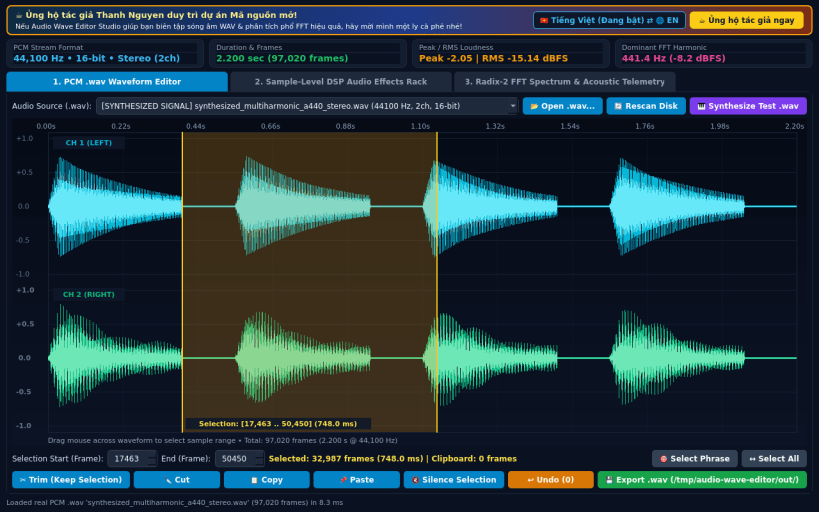
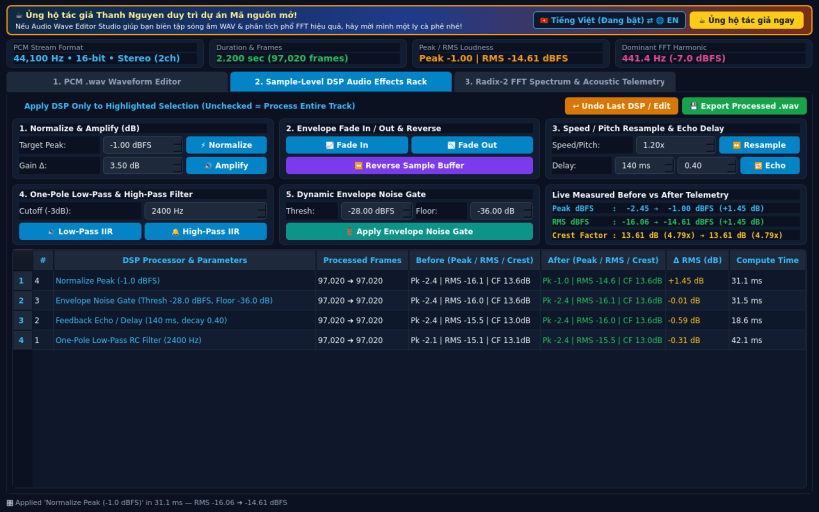
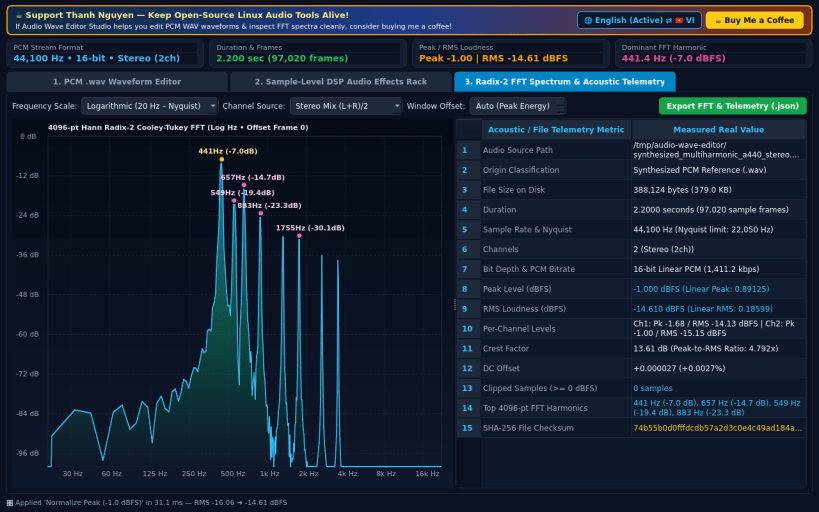
Audio Wave Editor Studio is a native desktop PCM WAV audio editor, sample-level DSP effects processor, and FFT frequency spectrum analyzer for Linux. A lightweight Linux alternative to Audacity for PCM WAV waveform editing, DSP audio effects, and FFT spectrum analysis. A Linux alternative to Audacity designed for fast uncompressed PCM WAV editing and acoustic telemetry.
KEY FEATURES: • Real PCM WAV Waveform Editor: Open mono and stereo 8/16/24/32-bit PCM .wav files, render peak + RMS waveform envelopes per pixel column, select sample ranges, Trim, Cut, Copy, Paste, Silence, Undo, and Export .wav audio. • Sample-Level DSP Audio Effects Rack: Apply mathematical Normalize, Amplify (dB), Fade In, Fade Out, Reverse, Speed/Pitch Resample, Echo/Delay, One-Pole Low-Pass & High-Pass Filters, and Noise Gate with measured Before vs After Peak dBFS, RMS dBFS, and Crest Factor. • Radix-2 Cooley-Tukey FFT Spectrum & Telemetry: Plot 4096-sample Hann-windowed dBFS vs Frequency (Hz) spectrum graphs and inspect Duration, Sample Rate, Channels, Bit Depth, Peak dBFS, RMS dBFS, DC Offset, Clipped Samples, and SHA-256 hashes.
Disclaimer: Independent open-source project, not affiliated with Audacity or Muse Group. Not affiliated with or endorsed by Audacity or Muse Group.
SUPPORT & DONATE: • Created by Thanh Nguyen — Support ongoing development: https://buymeacoffee.com/thanhnv128b
You are about to open
Do you wish to proceed?
Thank you for your report. Information you provided will help us investigate further.
There was an error while sending your report. Please try again later.
Snaps are applications packaged with all their dependencies to run on all popular Linux distributions from a single build. They update automatically and roll back gracefully.
Snaps are discoverable and installable from the Snap Store, an app store with an audience of millions.
Snap can be installed on Pop!_OS from the command line. Open Terminal from the Applications launcher and type the following:
sudo apt update
sudo apt install snapd
Either log out and back in again, or restart your system, to ensure snap’s paths are updated correctly.
To install Audio Wave Editor Studio, simply use the following command:
sudo snap install audio-wave-editor
Browse and find snaps from the convenience of your desktop using the snap store snap.
Interested to find out more about snaps? Want to publish your own application? Visit snapcraft.io now.