Bashir — Prayer Times & Hijri Calendar
Beautifully simple prayer times and Hijri calendar, fully offline.
Bashir calculates prayer times directly on your computer, so it works anywhere without an internet connection, accounts, or advertisements. It lives in the Ubuntu top bar, reminds you before each prayer, and plays the adhan at the correct time.
Features
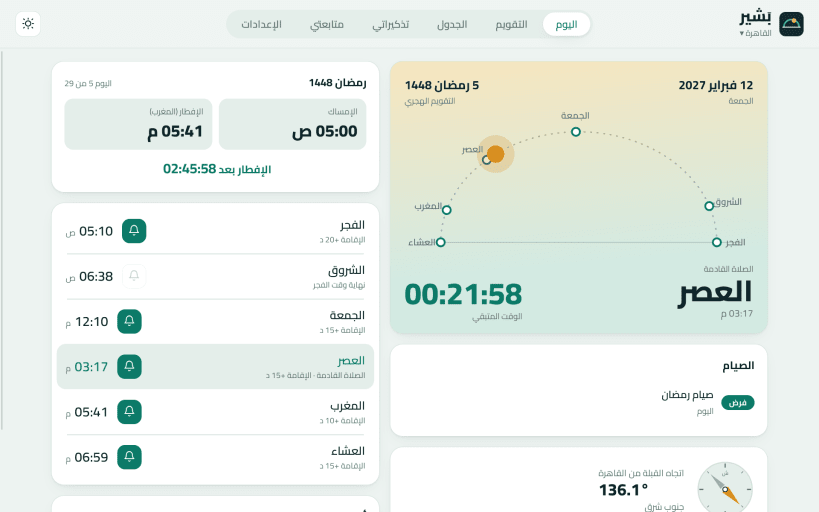
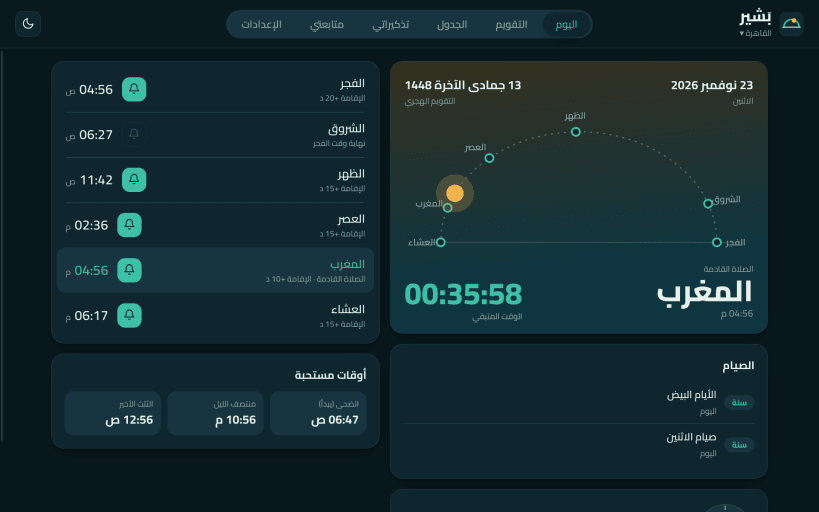
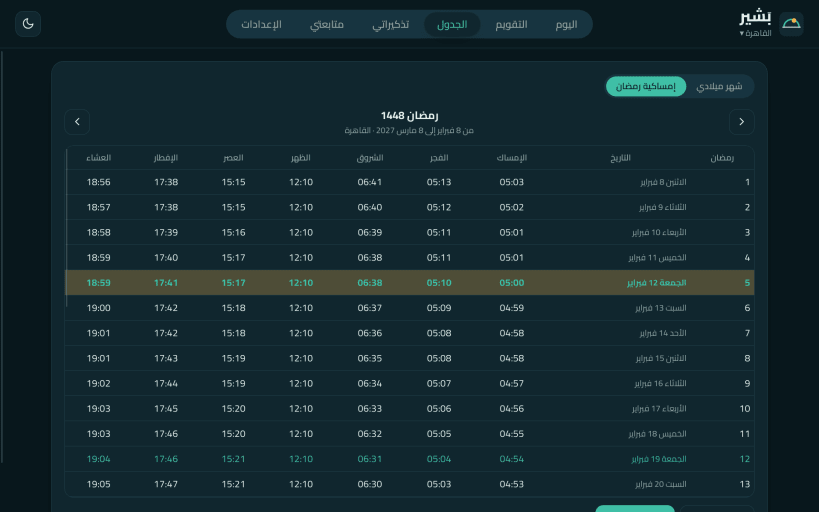
- Prayer times for Fajr, Sunrise, Dhuhr (Jumu'ah on Fridays), Asr, Maghrib, and Isha, with a live countdown and a sun-path view of the day.
- Multiple calculation methods: Egyptian General Authority of Survey (default), Umm al-Qura, Muslim World League, ISNA, and Karachi.
- Shafi'i or Hanafi Asr calculation, with individual minute adjustments for each prayer.
- Hijri calendar based on the Umm al-Qura table (1400–1499 AH), with a ±1-day adjustment to match local moon sightings.
- Upcoming Islamic occasions with countdowns, including Ramadan, Eid al-Fitr, Arafah, Eid al-Adha, Hijri New Year, Ashura, and Mawlid.
- Hijri and Gregorian date converter.
- Qibla direction based on your city.
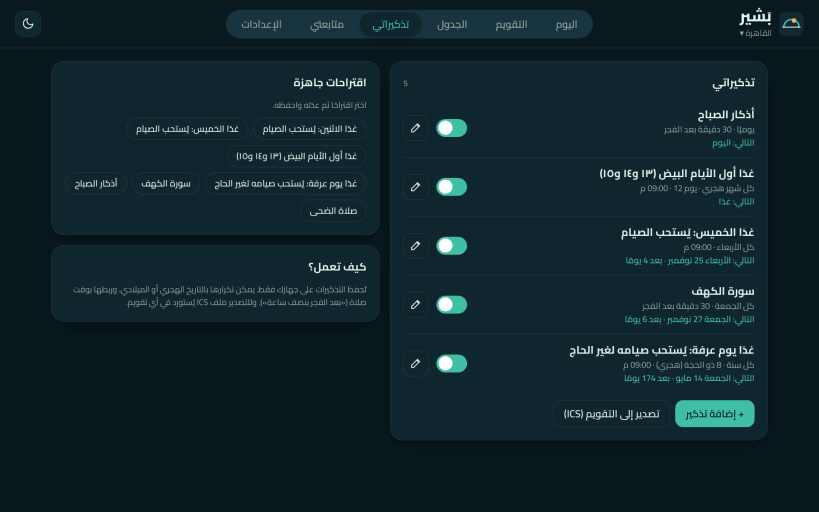
- Desktop notifications, optional advance reminders, a separate Fajr adhan, and bundled adhan voices. Custom sounds are also supported.
- Ubuntu top-bar indicator displaying the next prayer, with background operation even when the main window is closed.
- More than 50 built-in cities, with automatic offline city detection using your system time zone, or an optional one-time approximate online location lookup.
- Light, dark, and automatic themes.
- Full Arabic interface with right-to-left layout.
Privacy
No accounts, analytics, or advertisements.
Your location and settings remain on your device. The only network request is made when you explicitly use the optional approximate location feature. It contacts the public IP lookup service ipwho.is once to estimate your location.
Support
Bashir is free to use. If you find it useful, you can support its continued development through the Settings page.
بَشِير — مواقيت الصلاة والتقويم الهجري
مواقيت الصلاة والتقويم الهجري، ببساطة وجمال، مع إمكانية العمل دون اتصال بالإنترنت.
يحسب بَشِير مواقيت الصلاة مباشرة على جهازك، ليعمل في أي مكان دون الحاجة إلى اتصال بالإنترنت أو إنشاء حسابات أو مشاهدة إعلانات. يظهر في الشريط العلوي لأوبونتو، وينبّهك قبل كل صلاة، ويرفع الأذان في موعده.
المزايا
- مواقيت الفجر والشروق والظهر (وصلاة الجمعة يوم الجمعة) والعصر والمغرب والعشاء، مع عدّاد تنازلي مباشر وعرض لمسار الشمس على مدار اليوم.
- طرق متعددة لحساب المواقيت: الهيئة المصرية العامة للمساحة (الطريقة الافتراضية)، وأم القرى، ورابطة العالم الإسلامي، وأمريكا الشمالية، وكراتشي.
- اختيار طريقة حساب العصر وفق المذهب الشافعي أو الحنفي، مع إمكانية ضبط عدد الدقائق لكل صلاة بشكل مستقل.
- تقويم هجري يعتمد على جدول أم القرى للأعوام من ١٤٠٠ إلى ١٤٩٩ هـ، مع إمكانية تقديم التاريخ أو تأخيره يومًا واحدًا لمطابقة رؤية الهلال المحلية.
- عرض المناسبات الإسلامية القادمة مع عدّاد الأيام المتبقية، ومنها رمضان، وعيد الفطر، ويوم عرفة، وعيد الأضحى، ورأس السنة الهجرية، وعاشوراء، والمولد النبوي وغيرها.
- محوّل للتواريخ بين التقويمين الهجري والميلادي.
- تحديد اتجاه القبلة انطلاقًا من مدينتك.
- إشعارات سطح المكتب، مع إمكانية تفعيل التنبيه المسبق، وتخصيص أذان مستقل لصلاة الفجر، ومجموعة من أصوات المؤذنين المضمّنة، مع إمكانية إضافة أصواتك الخاصة.
- مؤشر في الشريط العلوي لأوبونتو يعرض موعد الصلاة القادمة، مع استمرار عمل التطبيق في الخلفية حتى بعد إغلاق النافذة الرئيسية.
- أكثر من ٥٠ مدينة مضمّنة، مع تحديد المدينة تلقائيًا دون اتصال بالإنترنت اعتمادًا على المنطقة الزمنية للنظام، أو إمكانية تحديد الموقع التقريبي عبر الإنترنت لمرة واحدة عند الطلب.
- أوضاع عرض فاتح وداكن وتلقائي.
- واجهة عربية متكاملة تدعم اتجاه الكتابة من اليمين إلى اليسار.
الخصوصية
لا حسابات، ولا تحليلات، ولا إعلانات.
يحتفظ التطبيق بموقعك وإعداداتك على جهازك. ولا يُجري أي طلب عبر الإنترنت إلا عند استخدامك الاختياري لميزة تحديد الموقع التقريبي، حيث يتصل مرة واحدة بالخدمة العامة ipwho.is لتقدير موقعك اعتمادًا على عنوان الإنترنت.
الدعم
بَشِير تطبيق مجاني. إذا وجدت فيه فائدة، يمكنك دعم استمرار تطويره من خلال صفحة الإعدادات.