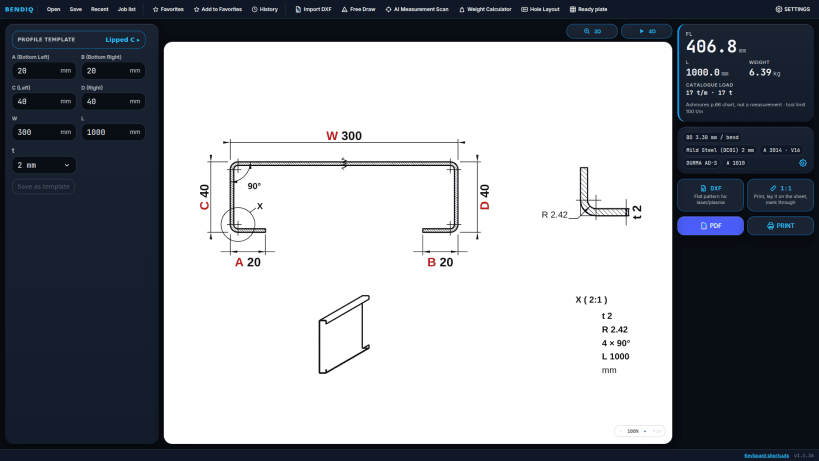
Set the bend deduction specific to your machine; see the flat pattern and bending steps before you cut the sheet.
BENDIQ is a bend calculation, flat pattern and cut-size app for press brake operators and sheet metal shops. It brings bend deduction, bend allowance, K-factor and setback calculations together with calibration, tool compatibility and pre-production checks.
CALCULATE → CHECK → SEE → BEND → EXPORT
BENDIQ PRO for Linux: €24.99 per month or €199 per year (excl. VAT), paid via Stripe — cancel anytime.
1. CALCULATE — FLAT PATTERN AND BEND DEDUCTION
Enter material, sheet thickness, V-die and bend angle; see the cut width and dimensions before you cut.
Choose from L, U, Z, Hat, Lipped C and flat plate profiles, or draw your own section freehand. Enter 0 for a flange to skip that bend — for example, set the lips of a Lipped C to 0 to get a U profile.
2. CHECK — CALIBRATION FOR YOUR MACHINE
Enter the value you measured in a test bend; BENDIQ then uses your machine's own bend deduction for that material–thickness–die combination.
Dies that suit the thickness are shown in green, unsuitable ones in red. When an incompatible die is selected, results and exports are locked to reduce the risk of a wrong cut.
3. SEE — 2D, 3D AND 4D BENDING SIMULATION
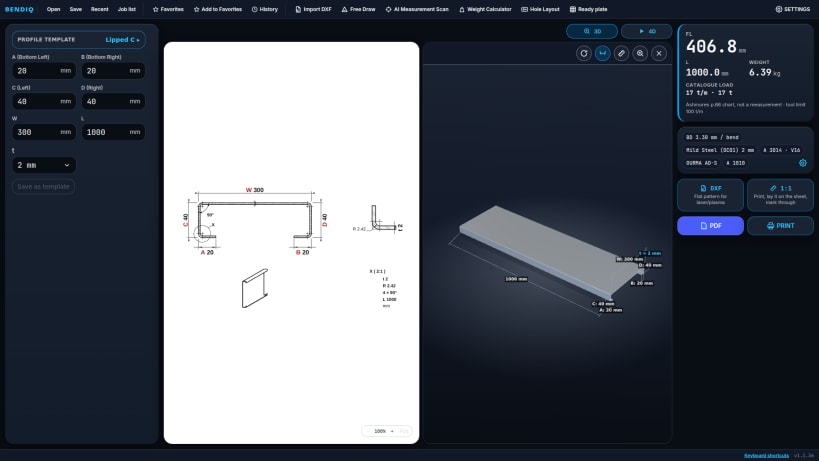
- Dimensioned 2D technical drawing
- 3D model showing the bend radii
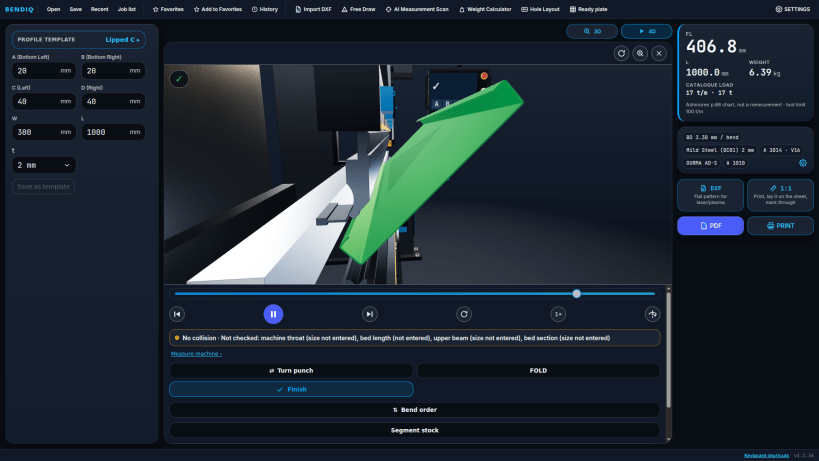
- 4D step-by-step bending simulation on a true-scale industrial press brake: ram, tool holders, back gauge, CNC panel
Review die and punch choices with 621 catalog tools. Run collision checks against tool, machine frame and back gauge models.
4. CONE TEMPLATE — STEP BENDING
Enter the inlet diameter, outlet diameter and height to create the cone flat pattern and step-bending plan, with a 1:1 cutting template, DXF and detailed PDF.
5. EXPORT — DXF, 1:1 TEMPLATE AND PDF
- R12 DXF flat pattern for laser or plasma, generated from the same data as the cut width on screen
- 1:1 cutting template on A4 pages with a 100 mm check ruler on every page
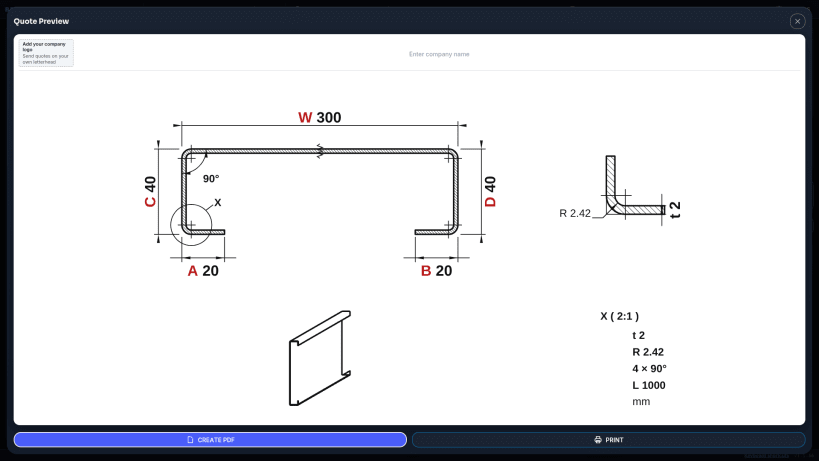
- Technical report or quote PDF with your company name and logo
- Hole layout per face, measured from the X0/Y0 origin
6. DESKTOP SHOP TOOLS
- Job list with quantity and weight; batch PDF and DXF into a folder
- Project files (.bendiq): Open, Save, Recent
- Setup sheet (PDF) from the 4D view, FOLD mode, back gauge calibration
- Wide screen: 2D next to 3D/4D, Ctrl+Z / Ctrl+Y, distance measuring in 3D
- 25 languages
DISCLAIMER
Calculation and simulation results are for guidance. Verify critical dimensions and tool suitability with a test bend on your own machine before production. BENDIQ cannot be held liable for production losses.