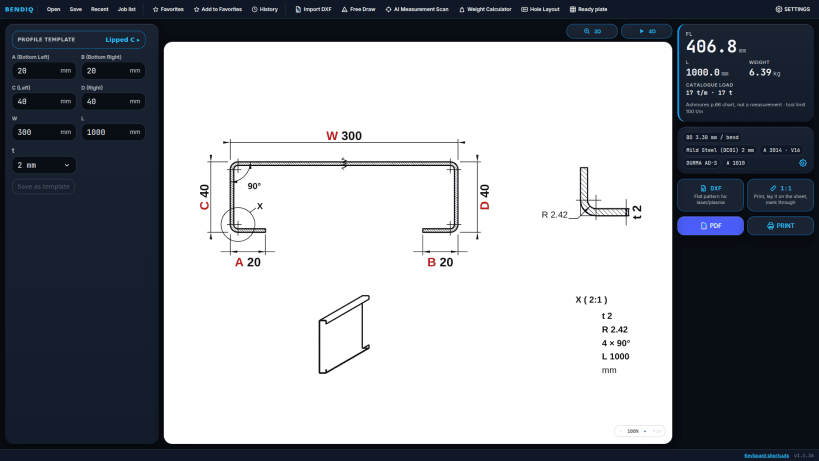
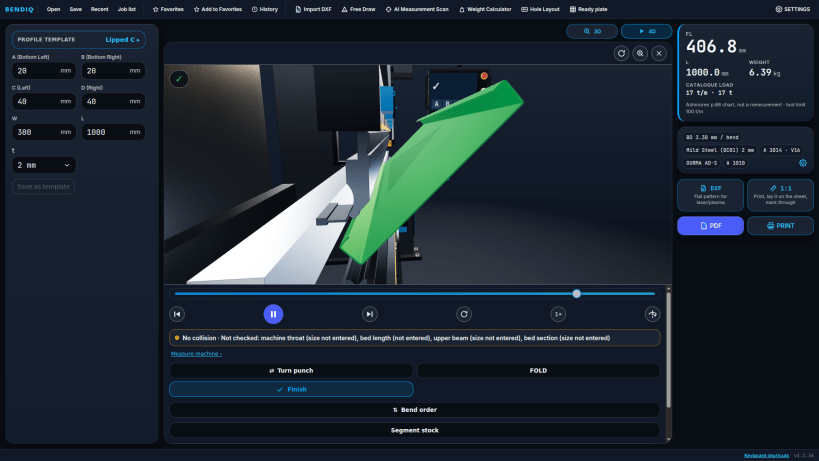
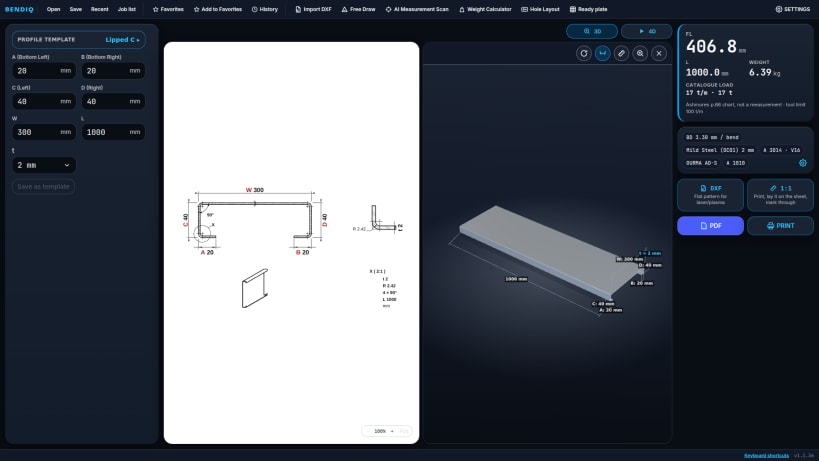
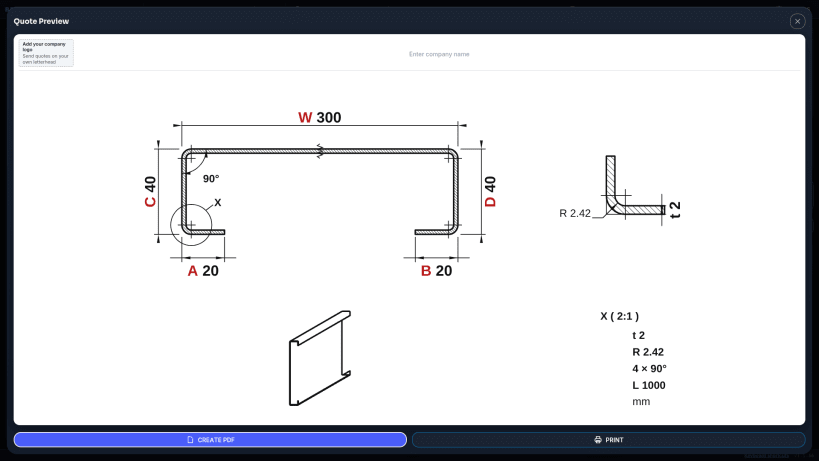
Set the bend deduction specific to your machine; see the flat pattern and bending steps before you cut the sheet.
BENDIQ is a bend calculation, flat pattern and cut-size app for press brake operators and sheet metal shops. It brings bend deduction, bend allowance, K-factor and setback calculations together with calibration, tool compatibility and pre-production checks.
CALCULATE → CHECK → SEE → BEND → EXPORT
BENDIQ PRO for Linux: €24.99 per month or €199 per year (excl. VAT), paid via Stripe — cancel anytime.
1. CALCULATE — FLAT PATTERN AND BEND DEDUCTION
Enter material, sheet thickness, V-die and bend angle; see the cut width and dimensions before you cut.
Choose from L, U, Z, Hat, Lipped C and flat plate profiles, or draw your own section freehand. Enter 0 for a flange to skip that bend — for example, set the lips of a Lipped C to 0 to get a U profile.
2. CHECK — CALIBRATION FOR YOUR MACHINE
Enter the value you measured in a test bend; BENDIQ then uses your machine's own bend deduction for that material–thickness–die combination.
Dies that suit the thickness are shown in green, unsuitable ones in red. When an incompatible die is selected, results and exports are locked to reduce the risk of a wrong cut.
3. SEE — 2D, 3D AND 4D BENDING SIMULATION
Review die and punch choices with 621 catalog tools. Run collision checks against tool, machine frame and back gauge models.
4. CONE TEMPLATE — STEP BENDING
Enter the inlet diameter, outlet diameter and height to create the cone flat pattern and step-bending plan, with a 1:1 cutting template, DXF and detailed PDF.
5. EXPORT — DXF, 1:1 TEMPLATE AND PDF
6. DESKTOP SHOP TOOLS
DISCLAIMER
Calculation and simulation results are for guidance. Verify critical dimensions and tool suitability with a test bend on your own machine before production. BENDIQ cannot be held liable for production losses.
You are about to open
Do you wish to proceed?
Thank you for your report. Information you provided will help us investigate further.
There was an error while sending your report. Please try again later.
Snaps are applications packaged with all their dependencies to run on all popular Linux distributions from a single build. They update automatically and roll back gracefully.
Snaps are discoverable and installable from the Snap Store, an app store with an audience of millions.
Snap can be installed from the command line on openSUSE Leap 15.x and Tumbleweed.
You need first add the snappy repository from the terminal. Choose the appropriate command depending on your installed openSUSE flavor.
Tumbleweed:
sudo zypper addrepo --refresh https://download.opensuse.org/repositories/system:/snappy/openSUSE_Tumbleweed snappy
Leap 15.x:
sudo zypper addrepo --refresh https://download.opensuse.org/repositories/system:/snappy/openSUSE_Leap_15.6 snappy
If needed, Swap out openSUSE_Leap_15. for, openSUSE_Leap_16.0 if you’re using a different version of openSUSE.
With the repository added, import its GPG key:
sudo zypper --gpg-auto-import-keys refresh
Finally, upgrade the package cache to include the new snappy repository:
sudo zypper dup --from snappy
Snap can now be installed with the following:
sudo zypper install snapd
You then need to either reboot, logout/login or source /etc/profile to have /snap/bin added to PATH.
Additionally, enable and start both the snapd and the snapd.apparmor services with the following commands:
sudo systemctl enable --now snapd
sudo systemctl enable --now snapd.apparmor
To install BENDIQ, simply use the following command:
sudo snap install bendiq
Browse and find snaps from the convenience of your desktop using the snap store snap.
Interested to find out more about snaps? Want to publish your own application? Visit snapcraft.io now.