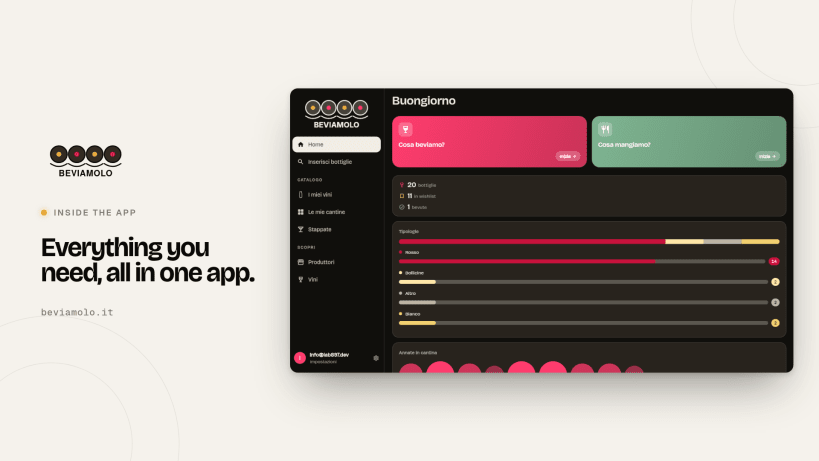
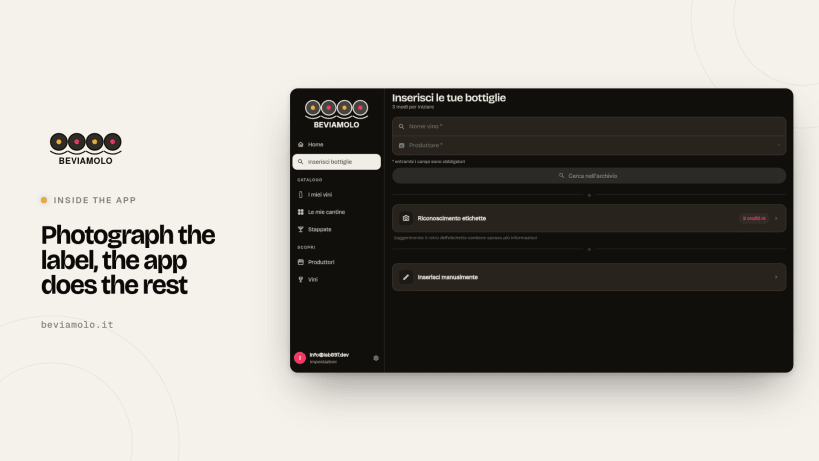
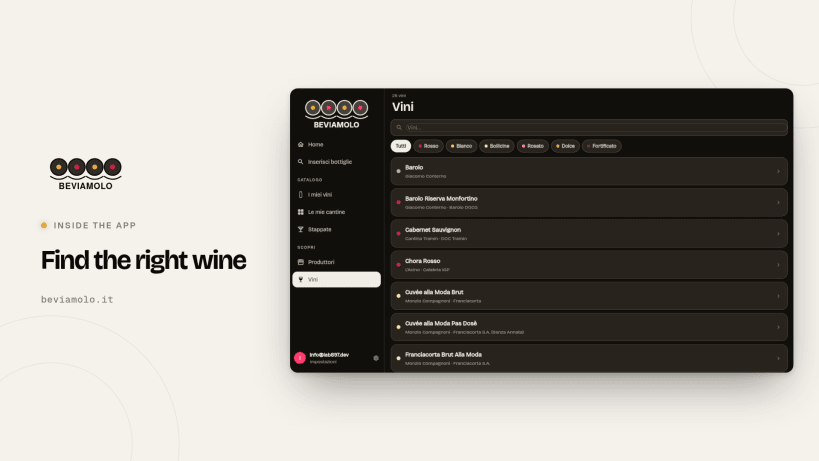
🇬🇧 Beviamolo is the free app for your wine cellar. Photograph the label and the AI fills in name, producer, grapes and tasting notes.
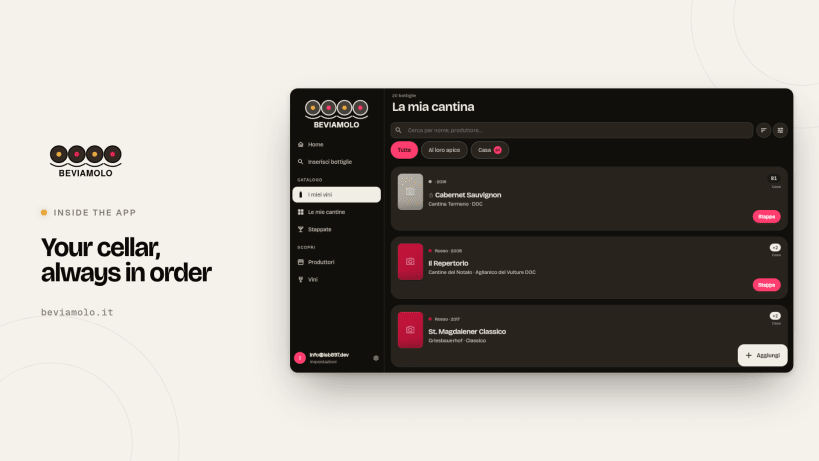
• Cellars with shelf/row/slot grid
• When each bottle is ready to open
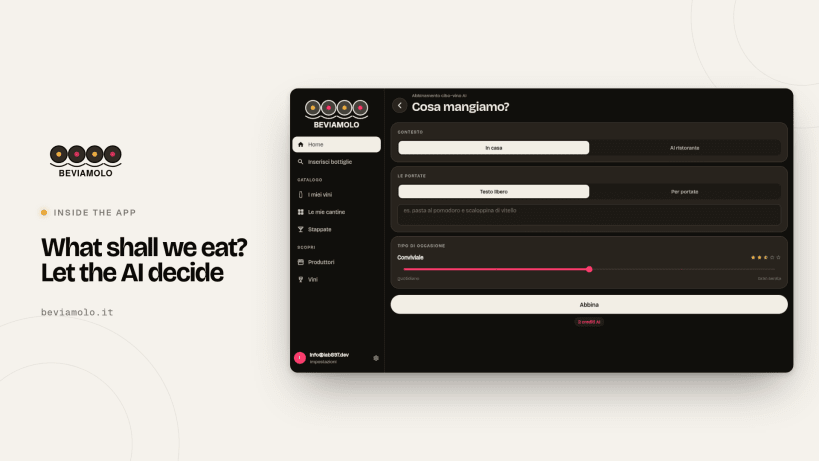
• Food & wine pairing from your own bottles
• Track bottles in/out (purchase, gift, opened, sold), ratings, stats
• Share lists by link or PDF: no account needed, your storage spots stay private
• Printable PDF gift card (A5/A4, 6 themes)
• Excel/CSV import, works offline
Coming soon: restaurant wine list and menu scan, selling price for shops.
Light/dark theme, 6 languages. Free, monthly AI credits included.
🇮🇹 Beviamolo è l'app gratuita per la tua cantina. Fotografa l'etichetta e l'AI compila nome, produttore, uve e note di degustazione.
• Più cantine con griglia scaffale/fila/posto
• Quando ogni bottiglia è pronta da aprire
• Abbinamento cibo-vino con le tue bottiglie
• Entrate e uscite (acquisto, regalo, stappata, venduta), voti, statistiche
• Liste condivisibili con link o PDF: senza account, la posizione resta privata
• Scheda regalo PDF stampabile (A5/A4, 6 temi)
• Import Excel/CSV, funziona offline
In arrivo: carta dei vini e menu al ristorante, prezzo di vendita per enoteche.
Tema chiaro/scuro, 6 lingue. Gratis, crediti AI mensili inclusi.
🇵🇹 O Beviamolo é a app gratuita para a sua adega. Fotografe o rótulo e a IA preenche nome, produtor, castas e notas de prova.
• Várias adegas com grelha prateleira/fila/lugar
• Quando cada garrafa está pronta a abrir
• Harmonização comida-vinho com as suas garrafas
• Entradas e saídas (compra, oferta, aberta, vendida), notas, estatísticas
• Listas por link ou PDF: sem conta, a localização fica privada
• Ficha de oferta PDF (A5/A4, 6 temas)
• Importação Excel/CSV, funciona offline
Em breve: carta de vinhos e menu no restaurante, preço de venda para garrafeiras.
Tema claro/escuro, 6 idiomas. Grátis, créditos de IA mensais incluídos.
🇪🇸 Beviamolo es la app gratuita para tu bodega. Fotografía la etiqueta y la IA completa nombre, productor, uvas y notas de cata.
• Varias bodegas con cuadrícula estante/fila/hueco
• Cuándo está lista cada botella
• Maridaje comida-vino con tus botellas
• Entradas y salidas (compra, regalo, abierta, vendida), valoraciones, estadísticas
• Listas por enlace o PDF: sin cuenta, la ubicación sigue privada
• Ficha de regalo PDF (A5/A4, 6 temas)
• Importación Excel/CSV, funciona sin conexión
Próximamente: carta de vinos y menú en el restaurante, precio de venta para vinotecas.
Tema claro/oscuro, 6 idiomas. Gratis, créditos de IA mensuales incluidos.
🇫🇷 Beviamolo est l'application gratuite pour votre cave. Photographiez l'étiquette et l'IA remplit nom, producteur, cépages et notes de dégustation.
• Plusieurs caves avec grille étagère/rangée/emplacement
• Quand chaque bouteille est prête
• Accord mets-vins avec vos bouteilles
• Entrées et sorties (achat, cadeau, ouverte, vendue), notes, statistiques
• Listes par lien ou PDF : sans compte, l'emplacement reste privé
• Fiche cadeau PDF (A5/A4, 6 thèmes)
• Import Excel/CSV, fonctionne hors ligne
Bientôt : carte des vins et menu au restaurant, prix de vente pour cavistes.
Thème clair/sombre, 6 langues. Gratuit, crédits IA mensuels inclus.
🇩🇪 Beviamolo ist die kostenlose App für Ihren Weinkeller. Etikett fotografieren, die KI ergänzt Name, Erzeuger, Rebsorten und Verkostungsnotizen.
• Mehrere Keller mit Raster Regal/Reihe/Platz
• Wann jede Flasche trinkreif ist
• Wein zum Essen aus Ihrem Keller
• Eingang und Ausgang (Kauf, Geschenk, geöffnet, verkauft), Bewertungen, Statistiken
• Listen per Link oder PDF: ohne Konto, Lagerort bleibt privat
• Geschenkkarte als PDF (A5/A4, 6 Designs)
• Excel/CSV-Import, auch offline
Demnächst: Weinkarte und Speisekarte im Restaurant, Verkaufspreis für Weinhandlungen.
Helles/dunkles Design, 6 Sprachen. Kostenlos, monatliche KI-Credits inklusive.