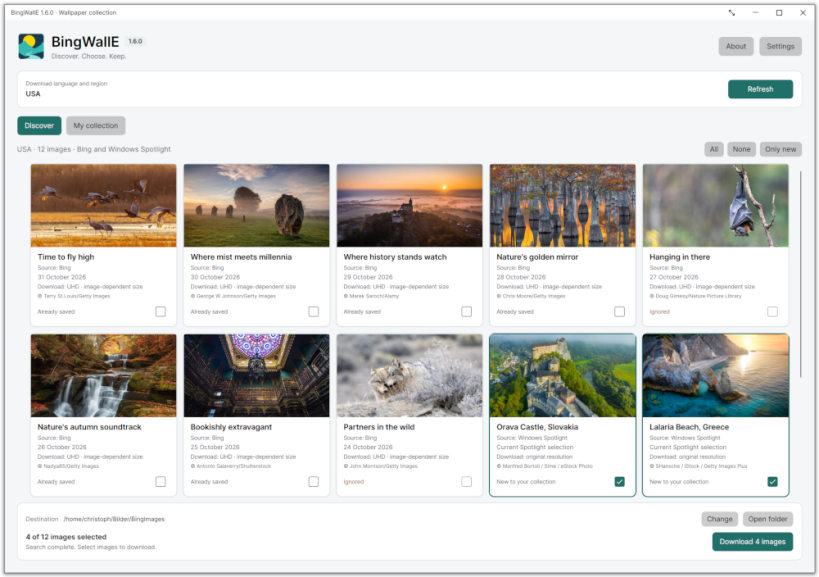
Discover Bing’s and Windows Spotlight’s photographs and keep your favourites in your own collection. Browse Bing’s latest eight days of images from twelve regions, explore optional Spotlight images and download wallpapers in HD, Full HD or UHD where available. Spotlight images retain their original resolution.
Browse downloaded images offline in 'My collection'. Open large, resizable previews to view descriptions, copyright, resolution and keywords. Add your own keywords, remove unwanted tags and save your changes to downloaded JPEGs.
Downloaded JPEGs include descriptive metadata using EXIF and standard XMP: title, description, copyright, keywords, publication date and source links where available. Existing photographer and camera metadata is preserved, and JPEG image data is not recompressed.
Keywords are derived from image titles and descriptions. Optional local image recognition adds further suggestions after a one-time model download. You can run recognition again and review or remove its suggestions. Images are not uploaded for recognition, runtime telemetry is disabled, and suggested keywords may be incorrect.
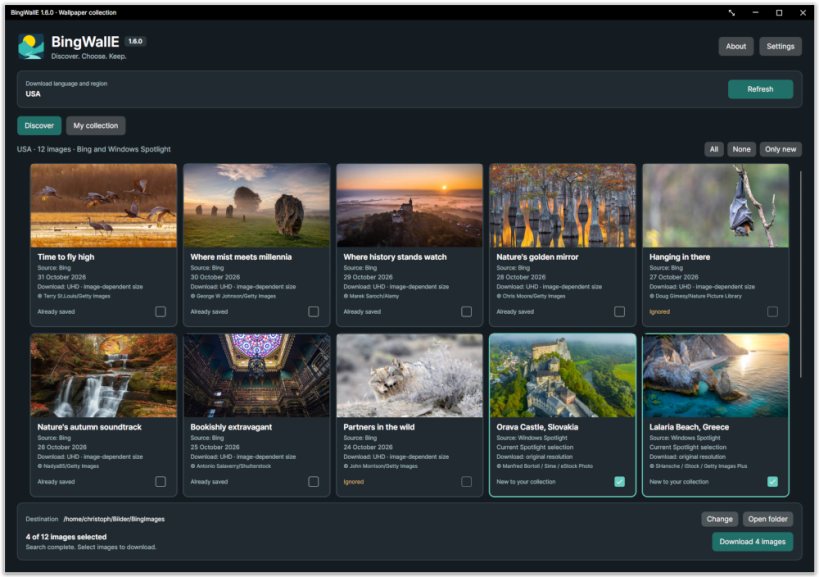
Choose German or English for the interface independently of the image source region. BingWallE includes light and dark themes, remembered window size and maximised state, optional refresh on startup, existing-file detection and actions for opening folders, ignoring images and deleting local files.
BingWallE is developed by Grütze-Software. It is an independent project and is not an official Microsoft or Bing application. Image copyrights remain with the credited photographers and rights holders. The application does not change the desktop wallpaper automatically.
Enjoy BingWallE? Support its development with a voluntary contribution on Ko-fi: https://ko-fi.com/gruetzesoftware
You are about to open
Do you wish to proceed?
Thank you for your report. Information you provided will help us investigate further.
There was an error while sending your report. Please try again later.
Snaps are applications packaged with all their dependencies to run on all popular Linux distributions from a single build. They update automatically and roll back gracefully.
Snaps are discoverable and installable from the Snap Store, an app store with an audience of millions.
On Arch Linux, snap can be installed from the Arch User Repository (AUR). The manual build process is the Arch-supported install method for AUR packages, and you’ll need the prerequisites installed before you can install any AUR package. You can then install snap with the following:
git clone https://aur.archlinux.org/snapd.git
cd snapd
makepkg -si
Once installed, the systemd unit that manages the main snap communication socket needs to be enabled:
sudo systemctl enable --now snapd.socket
If AppArmor is enabled in your system, enable the service which loads AppArmor profiles for snaps:
sudo systemctl enable --now snapd.apparmor.service
To enable classic snap support, enter the following to create a symbolic link between /var/lib/snapd/snap and /snap:
sudo ln -s /var/lib/snapd/snap /snap
Either log out and back in again, or restart your system, to ensure snap’s paths are updated correctly.
To install BingWallE, simply use the following command:
sudo snap install bingwalle

Browse and find snaps from the convenience of your desktop using the snap store snap.

Interested to find out more about snaps? Want to publish your own application? Visit snapcraft.io now.