
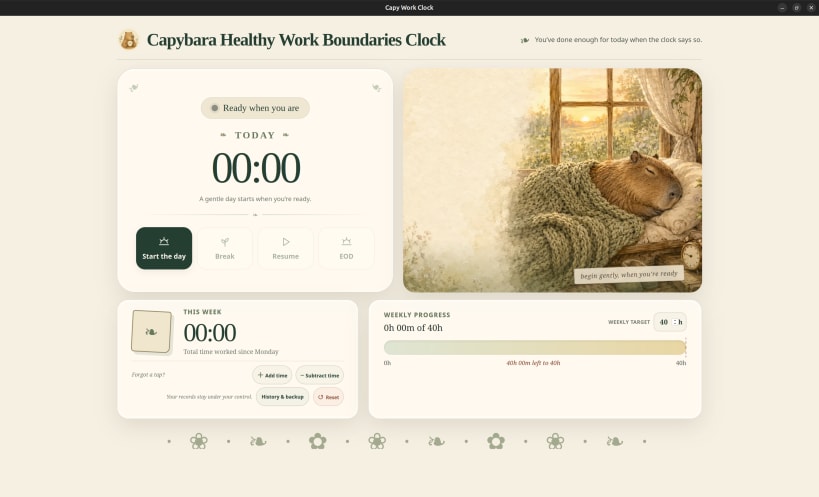




Clyde the Capybara works remotely from a pond-side desk where the Wi-Fi is suspiciously powered by coconuts. One evening, he got so absorbed in a spreadsheet that he worked straight through sunset soaking club. So he built Capy Work Clock to remember when work ends and the important business of soaking begins.
Capy Work Clock is a gentle timer that helps remote workers protect the boundary between work and rest. Start the day, take breaks, resume, and clock off while seeing exact daily and Monday-to-Sunday totals.
The snap uses minimal resources: instead of ticking every second, it records timestamped events and ordinarily recalculates the display only once per minute.
Recorded time stays on this device. The app has no account, analytics, application backend, or network requirement. It supports manual corrections, configurable weekly targets, recent-history undo, validated JSON backup and restore, and exact rollups for older history.
Almost entirely done by GPT 5.6, but modest care have been taken to minimize required permissions (Wayland only), dependencies, and other garbage. (~650 KB)
You are about to open
Do you wish to proceed?
Thank you for your report. Information you provided will help us investigate further.
There was an error while sending your report. Please try again later.
Snaps are applications packaged with all their dependencies to run on all popular Linux distributions from a single build. They update automatically and roll back gracefully.
Snaps are discoverable and installable from the Snap Store, an app store with an audience of millions.
Snap can be installed from the command line. Open the Konsole terminal and enter the following:
sudo apt update
sudo apt install snapd
To install Capy Work Clock, simply use the following command:
sudo snap install capy-work-clock
Browse and find snaps from the convenience of your desktop using the snap store snap.

Interested to find out more about snaps? Want to publish your own application? Visit snapcraft.io now.