
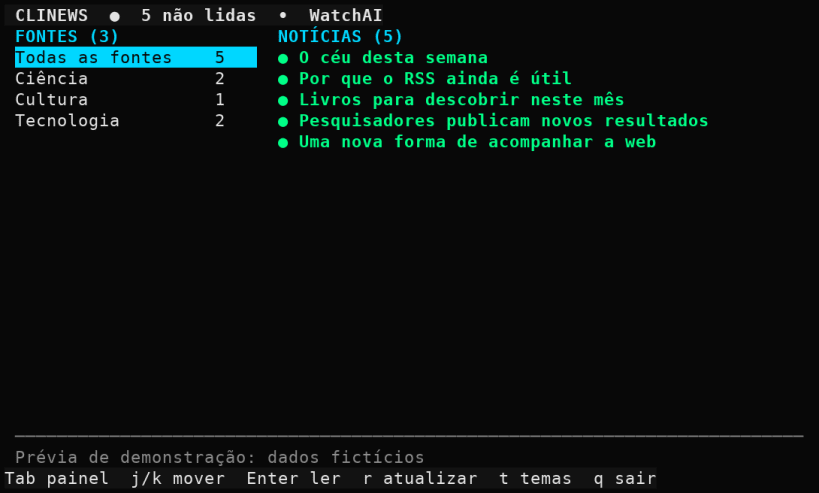
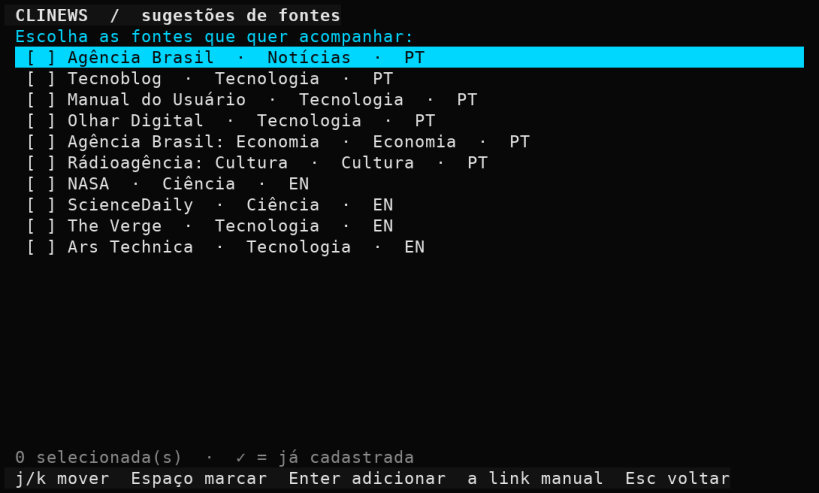
O clinews reúne notícias de feeds RSS e Atom em uma interface para o terminal. Você decide quais sites acompanhar e quando buscar novidades.
Comece escolhendo entre fontes sugeridas de notícias, tecnologia, ciência, economia e cultura. Também é possível colar o endereço de um site ou o link direto do feed; quando o site anuncia um RSS ou Atom, o clinews tenta encontrá-lo.
Na tela principal, navegue entre fontes e matérias pelo teclado, veja quais
notícias ainda não foram lidas e abra o resumo sem sair do terminal. Cada
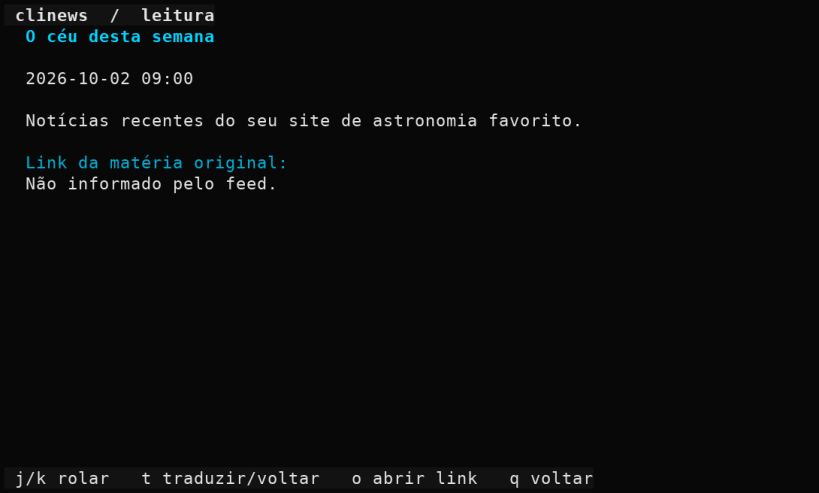
matéria mostra o link original, que pode ser aberto no navegador. Fontes e
notícias recebidas ficam salvas localmente para consulta sem conexão. A
atualização é manual, pelo atalho r.
Os atalhos m e x permitem marcar como lidas ou excluir todas as notícias
do portal selecionado, sem remover a fonte. A exclusão pede confirmação.
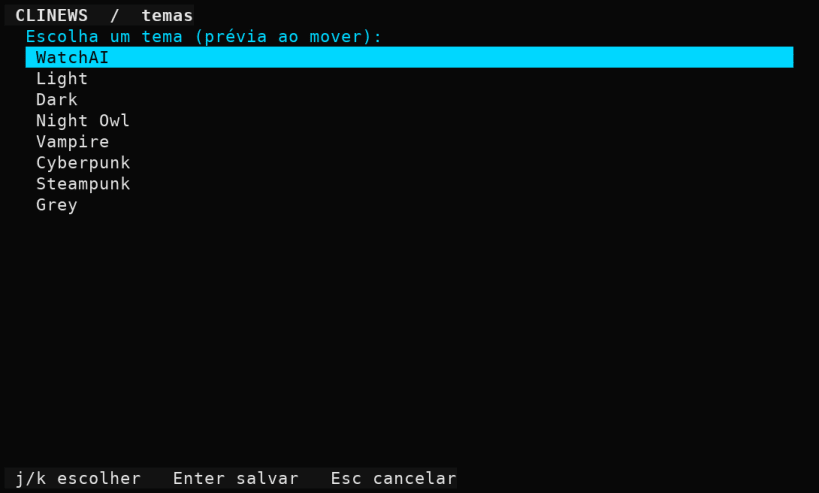
O aplicativo oferece oito temas, as mesmas paletas do WatchAI: WatchAI, Light, Dark, Night Owl, Vampire, Cyberpunk, Steampunk e Grey.
Em notícias em outro idioma, o atalho t na tela de leitura traduz o título e
o resumo para português do Brasil pela API pública do MyMemory, sem chave e
sem cadastro. As traduções já feitas ficam guardadas no computador.
O texto disponível depende do conteúdo enviado pelo feed. Quando um site fornece apenas um trecho, use o link original para ler a matéria completa.
You are about to open
Do you wish to proceed?
Thank you for your report. Information you provided will help us investigate further.
There was an error while sending your report. Please try again later.
Snaps are applications packaged with all their dependencies to run on all popular Linux distributions from a single build. They update automatically and roll back gracefully.
Snaps are discoverable and installable from the Snap Store, an app store with an audience of millions.
On Arch Linux, snap can be installed from the Arch User Repository (AUR). The manual build process is the Arch-supported install method for AUR packages, and you’ll need the prerequisites installed before you can install any AUR package. You can then install snap with the following:
git clone https://aur.archlinux.org/snapd.git
cd snapd
makepkg -si
Once installed, the systemd unit that manages the main snap communication socket needs to be enabled:
sudo systemctl enable --now snapd.socket
If AppArmor is enabled in your system, enable the service which loads AppArmor profiles for snaps:
sudo systemctl enable --now snapd.apparmor.service
To enable classic snap support, enter the following to create a symbolic link between /var/lib/snapd/snap and /snap:
sudo ln -s /var/lib/snapd/snap /snap
Either log out and back in again, or restart your system, to ensure snap’s paths are updated correctly.
To install clinews, simply use the following command:
sudo snap install clinews
Browse and find snaps from the convenience of your desktop using the snap store snap.

Interested to find out more about snaps? Want to publish your own application? Visit snapcraft.io now.


