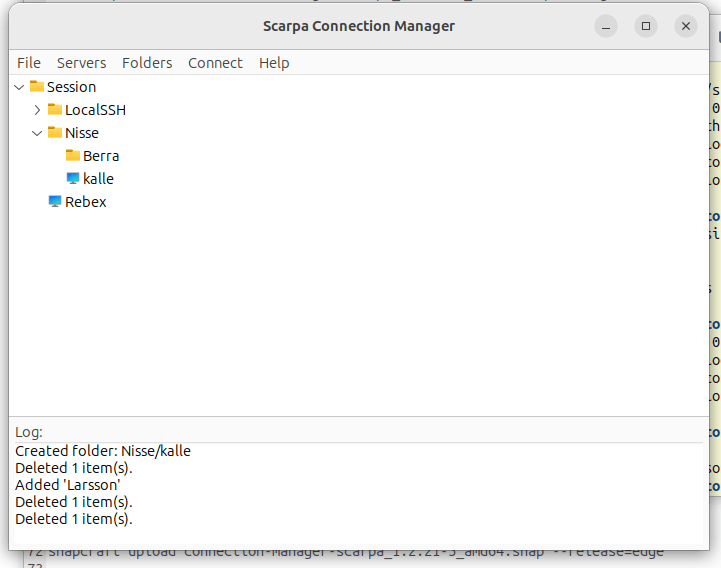
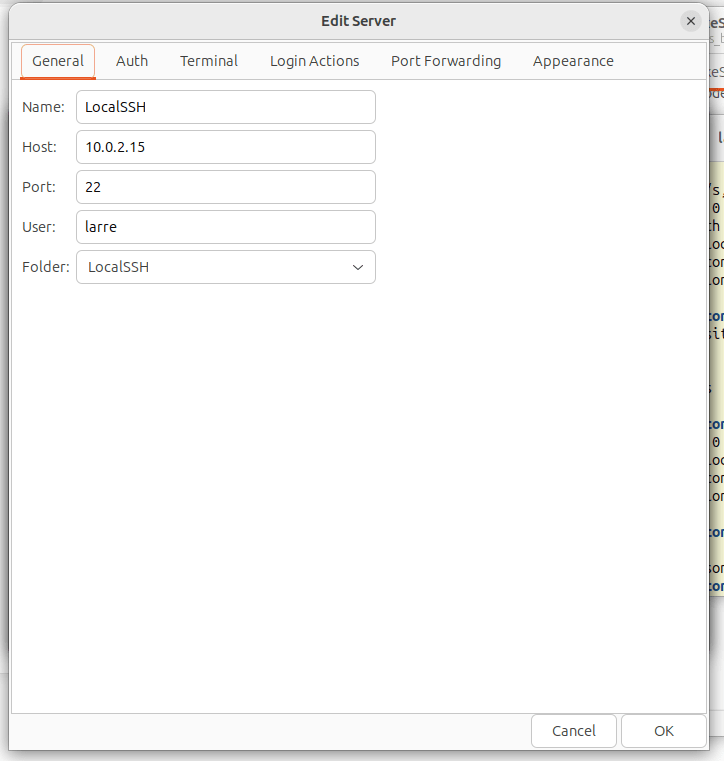
Scarpa Connection Manager is a premium, GTK3-based desktop application designed for sysadmins, developers, and power users who need to logically organize and securely manage hundreds of remote servers.
Built for Security Your data is your business. Scarpa protects your sensitive credentials using a robust, GnuPG-based encryption system, ensuring your passwords and private keys remain completely safe on your local machine.
Core Features:
Smart Organization: Group servers into deeply nested folders. Features seamless drag-and-drop, natural alphanumeric sorting, and smart collision protection.
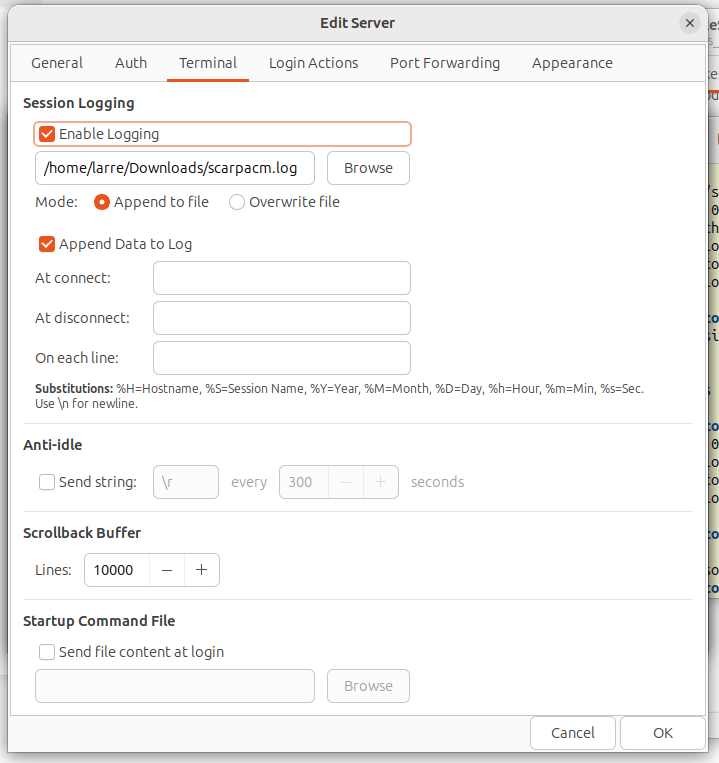
Embedded Terminal: A lightning-fast VTE terminal that perfectly scales to your remote host, featuring smart copy/paste and customizable fonts, colors, and scrollback buffers.
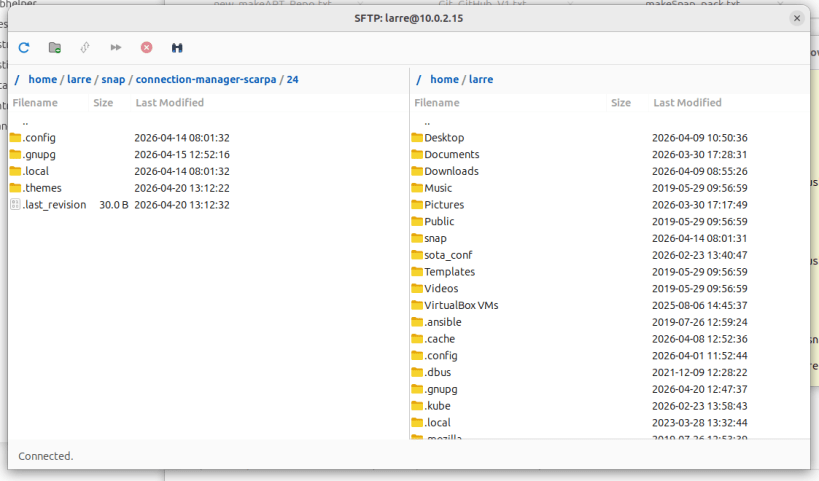
Native SFTP GUI: A fully integrated dual-pane file manager for rapidly transferring files to your remote servers.
Advanced Automation: Automate complex login sequences with Expect/Send rules, set up Anti-Idle keepalives, and automatically execute startup scripts.
Port Forwarding: Easily configure Local, Remote, and Dynamic (SOCKS5) port forwarding directly from the UI.
Multi-Selection Power: Use Ctrl and Shift clicks to batch-copy, batch-move, or batch-delete servers and folders instantly.
Take control of your infrastructure with a connection manager that is fast, safe, and beautifully integrated into your Linux desktop. SSH Client SFTP Client
Riposa in pace, Aquila di Filottrano. Sarai sempre con noi!
You are about to open
Do you wish to proceed?
Thank you for your report. Information you provided will help us investigate further.
There was an error while sending your report. Please try again later.
Snaps are applications packaged with all their dependencies to run on all popular Linux distributions from a single build. They update automatically and roll back gracefully.
Snaps are discoverable and installable from the Snap Store, an app store with an audience of millions.
On Arch Linux, snap can be installed from the Arch User Repository (AUR). The manual build process is the Arch-supported install method for AUR packages, and you’ll need the prerequisites installed before you can install any AUR package. You can then install snap with the following:
git clone https://aur.archlinux.org/snapd.git
cd snapd
makepkg -si
Once installed, the systemd unit that manages the main snap communication socket needs to be enabled:
sudo systemctl enable --now snapd.socket
If AppArmor is enabled in your system, enable the service which loads AppArmor profiles for snaps:
sudo systemctl enable --now snapd.apparmor.service
To enable classic snap support, enter the following to create a symbolic link between /var/lib/snapd/snap and /snap:
sudo ln -s /var/lib/snapd/snap /snap
Either log out and back in again, or restart your system, to ensure snap’s paths are updated correctly.
To install Scarpa Connection Manager, simply use the following command:
sudo snap install connection-manager-scarpa
Browse and find snaps from the convenience of your desktop using the snap store snap.

Interested to find out more about snaps? Want to publish your own application? Visit snapcraft.io now.