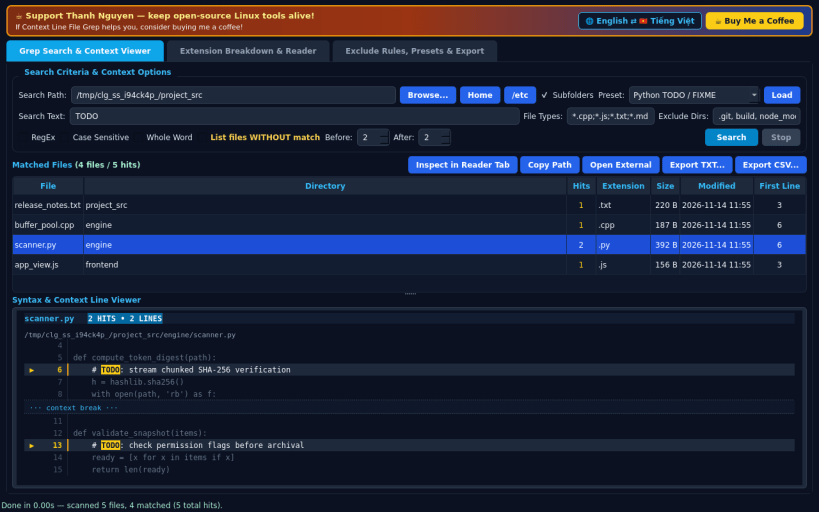
A fast developer-focused file grep and context-line viewer for Linux, serving as an independent open-source Linux alternative to AstroGrep. Not affiliated with, sponsored by, or endorsed by AstroGrep contributors.
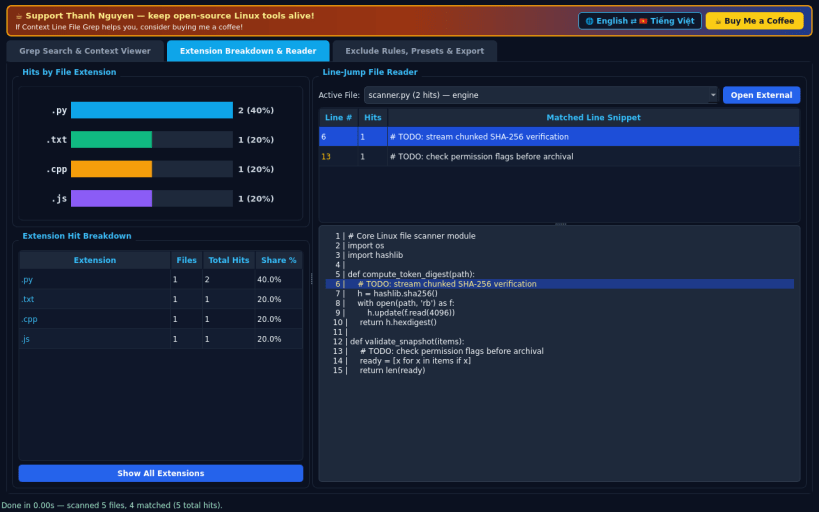
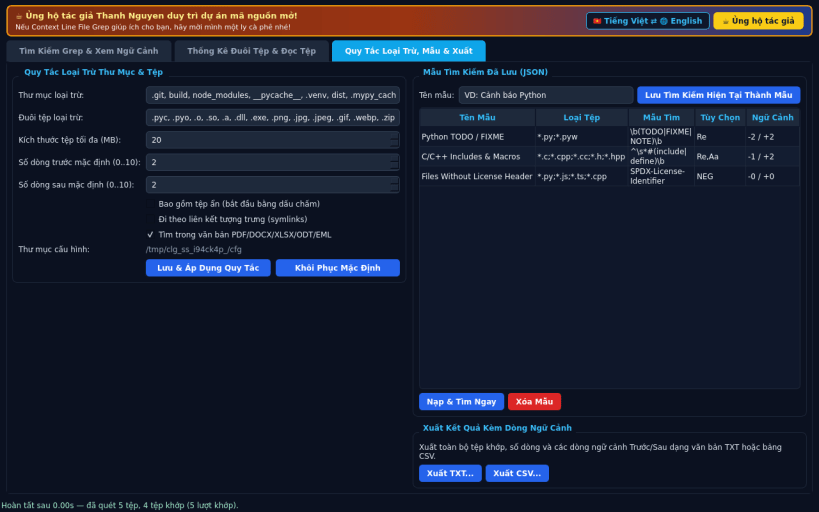
FEATURES • Tab 0 — Grep Search & Syntax Context Viewer: Recursively search directories (supporting real home, removable media, and host read-only system paths such as /etc and /usr) using file type masks (e.g. .py;.cpp;.js;.txt), Plain text, RegEx, Whole Word, Case Sensitive, and Negation mode (list files WITHOUT match). Inspect matching files alongside a rich line-numbered context viewer showing configurable 0 to 10 Before/After context lines, dimmed context hunks, and bright highlighted matching spans. • Tab 1 — Extension Hit Breakdown & File Reader: Interactive extension breakdown chart and table grouping matched files and total hit counts by file extension, paired with a line-jump file reader to jump directly to any matched line in full source context. • Tab 2 — Exclude Rules, Presets & Export: Configure directory and extension exclusion filters, optional PDF/Office document text search, manage saved JSON grep presets, switch between English and Vietnamese UI, and export full search results with context lines to formatted TXT or CSV reports.
SUPPORT & DONATE • Created by Thanh Nguyen — https://buymeacoffee.com/thanhnv128b
You are about to open
Do you wish to proceed?
Thank you for your report. Information you provided will help us investigate further.
There was an error while sending your report. Please try again later.
Snaps are applications packaged with all their dependencies to run on all popular Linux distributions from a single build. They update automatically and roll back gracefully.
Snaps are discoverable and installable from the Snap Store, an app store with an audience of millions.
Snap can be installed on elementary OS from the command line. Open Terminal from the Applications launcher and type the following:
sudo apt update
sudo apt install snapd
Either log out and back in again, or restart your system, to ensure snap’s paths are updated correctly.
To install Context Line File Grep, simply use the following command:
sudo snap install context-line-grep
Browse and find snaps from the convenience of your desktop using the snap store snap.
Interested to find out more about snaps? Want to publish your own application? Visit snapcraft.io now.