
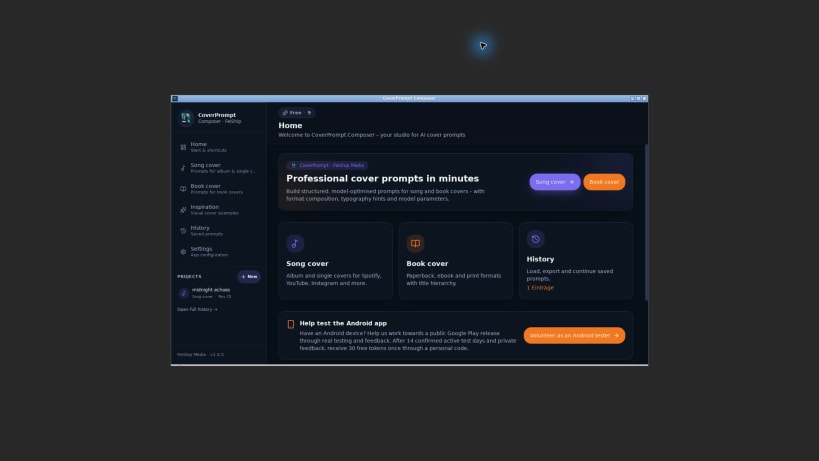
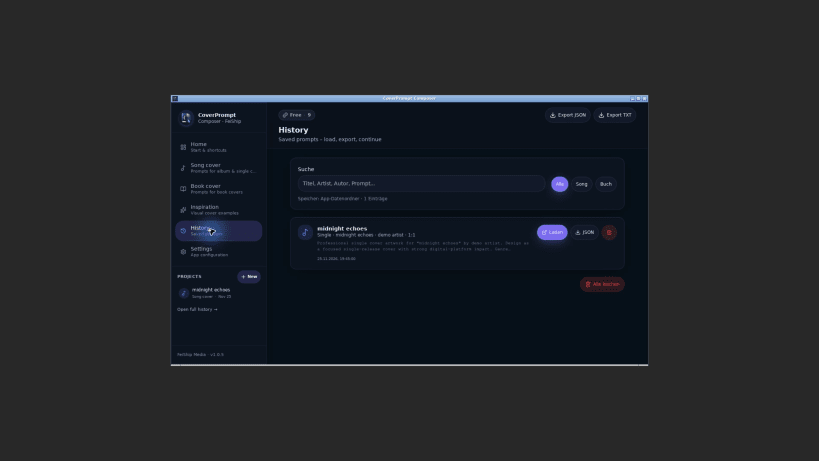
Create structured text prompts for song and book cover artwork. Choose a creator level, visual style, image model and prompt language, then copy the result to your preferred image generator. CoverPrompt Composer creates text prompts locally; it does not generate images or include credits for external image services.
New installations receive ten one-time starter tokens with no monthly refill. Generating or refining a prompt costs one token. The seven-step tutorial, copying, clearing, saving and exporting existing output do not spend tokens.
Optional paid token packs are available through an external Stripe checkout when configured. A ten-token pack is intended to cost EUR 2.99; availability, price and terms shown at checkout apply. Paid activation uses a personal code. This release contains no advertising. No login is required to try it.
The app includes a voluntary Android alpha-test request, a 14-day test plan and a private-feedback template. Registration is a user-sent email draft; the app does not automatically enroll testers or send their details. Manually approved active testers may receive a personal code for 30 additional tokens after at least 14 days and honest private feedback. No purchase, reciprocal test or public review is required, and registration alone does not grant the reward.
The interface offers 16 language choices, including English and German. Some creator-form labels and help text still remain in German. Upgrading from recent existing versions adds five starter tokens once, preserving spending, purchases and tester rewards.
In the confined Snap, custom history paths must be in accessible non-hidden home folders. Access to removable drives requires connecting the optional removable-media interface. The Snap package uses a separate data area from directly installed DEB/RPM/AppImage versions; token transfers are not promised.
Support and private feedback: FeiShipMedia@gmail.com Privacy notice: https://coverprompt-license-delivery.feiship-media.workers.dev/privacy
You are about to open
Do you wish to proceed?
Thank you for your report. Information you provided will help us investigate further.
There was an error while sending your report. Please try again later.
Snaps are applications packaged with all their dependencies to run on all popular Linux distributions from a single build. They update automatically and roll back gracefully.
Snaps are discoverable and installable from the Snap Store, an app store with an audience of millions.
On Arch Linux, snap can be installed from the Arch User Repository (AUR). The manual build process is the Arch-supported install method for AUR packages, and you’ll need the prerequisites installed before you can install any AUR package. You can then install snap with the following:
git clone https://aur.archlinux.org/snapd.git
cd snapd
makepkg -si
Once installed, the systemd unit that manages the main snap communication socket needs to be enabled:
sudo systemctl enable --now snapd.socket
If AppArmor is enabled in your system, enable the service which loads AppArmor profiles for snaps:
sudo systemctl enable --now snapd.apparmor.service
To enable classic snap support, enter the following to create a symbolic link between /var/lib/snapd/snap and /snap:
sudo ln -s /var/lib/snapd/snap /snap
Either log out and back in again, or restart your system, to ensure snap’s paths are updated correctly.
To install CoverPrompt Composer, simply use the following command:
sudo snap install coverprompt-composer

Browse and find snaps from the convenience of your desktop using the snap store snap.

Interested to find out more about snaps? Want to publish your own application? Visit snapcraft.io now.