
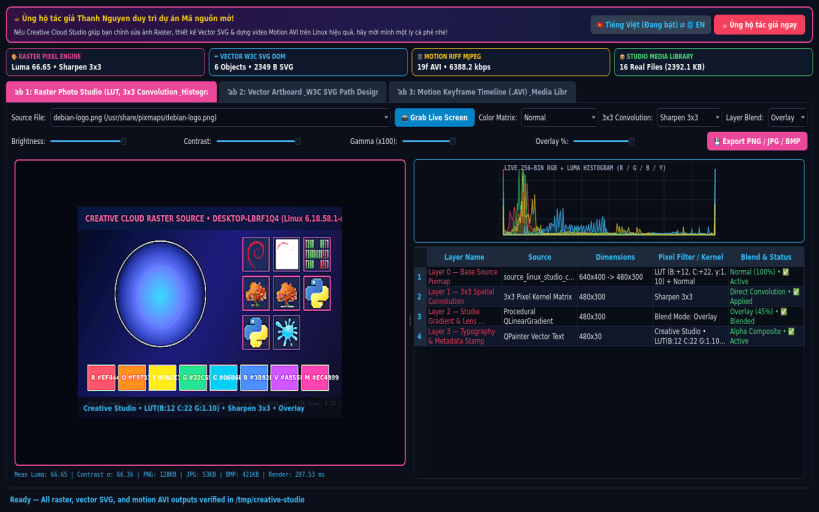
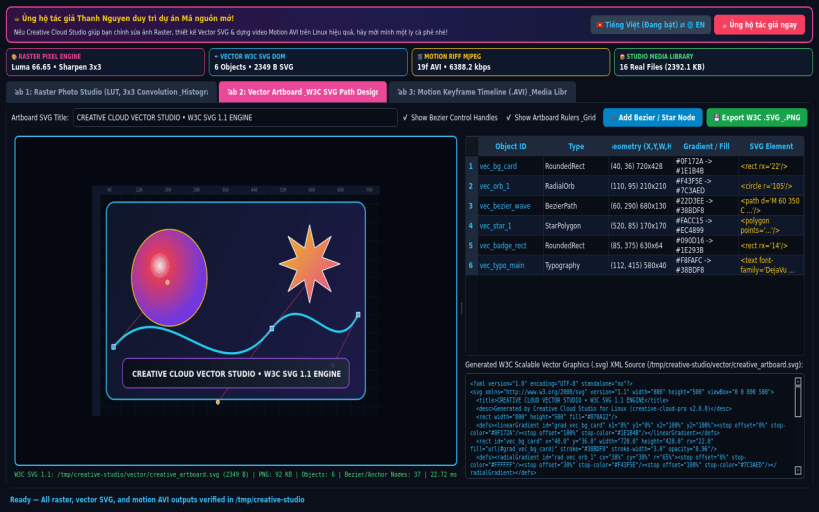
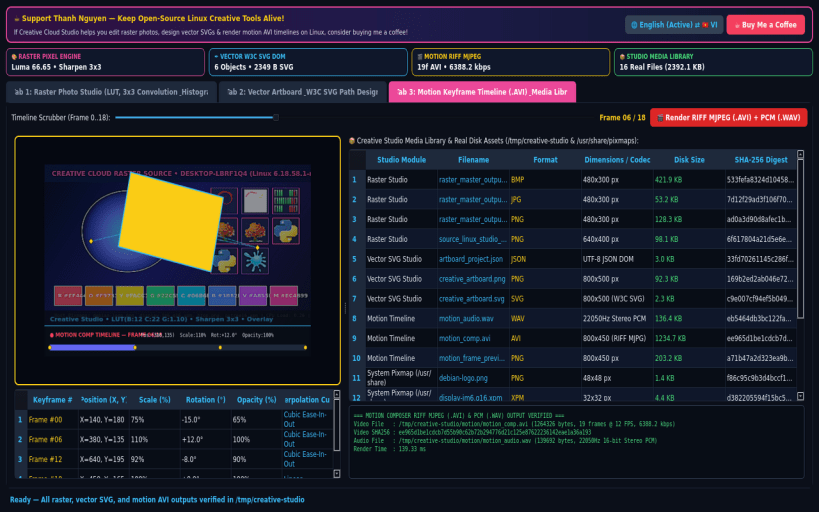
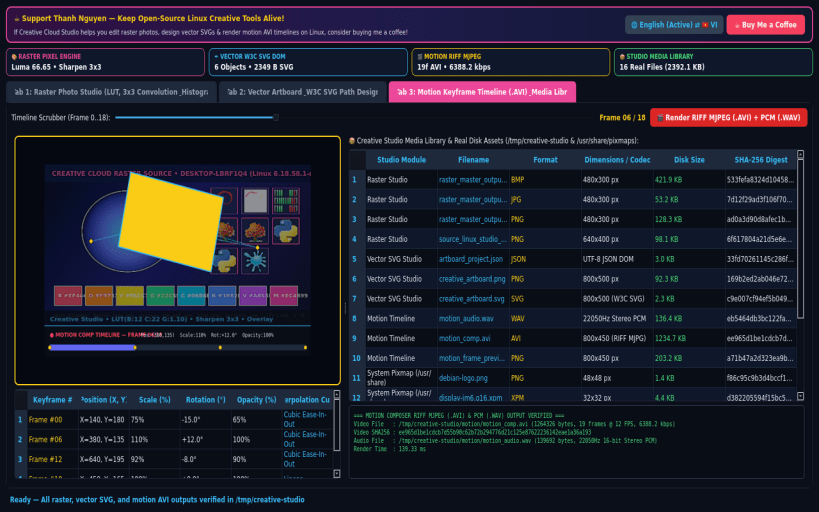
Creative Cloud Studio for Linux (creative-cloud-pro) is a native all-in-one digital creation suite combining a Photoshop-style Multi-Layer Raster Pixel Editor, an Illustrator-style Vector Artboard & W3C SVG Designer, and an After Effects / Premiere-style Keyframe Motion Timeline & RIFF MJPEG (.avi) Video Composer.
KEY FEATURES: • Raster Photo Studio (Multi-Layer Filters, Convolution & RGB Histogram): Loads real Linux system images (/usr/share/pixmaps), custom images, or live X11/Wayland desktop captures into a real QImage pixel processor. Applies Brightness/Contrast/Gamma LUTs, 3x3 Convolution Kernels (Sharpen, Edge-Detect, Box-Blur, Emboss), Color Grading (Sepia, Grayscale, Invert, Cyber-Neon, Channel Swap), Multi-Layer Blending (Multiply, Screen, Overlay), and live 256-bin RGB Histogram analysis, exporting real .png, .jpg, and .bmp files to /tmp/creative-studio/raster/. • Vector Artboard & W3C SVG Path Designer: Builds real multi-object vector artboards (Cubic Bezier Paths, Rounded Badges, Starbursts/Polygons, Linear/Radial Gradient Orbs, and Typography Layers) rendered via QPainterPath with control handles and exports standards-compliant W3C XML .svg and high-DPI .png files to /tmp/creative-studio/vector/. • Motion Keyframe & Video Timeline Composer: Interpolates real Position, Scale, Rotation, and Opacity keyframes across timeline frames into playable RIFF MJPEG (.avi) motion video and PCM (.wav) audio in /tmp/creative-studio/motion/, with a full SHA-256 Media Library & Asset Inspector.
SUPPORT & DONATE: • Created by Thanh Nguyen — Support ongoing development: https://buymeacoffee.com/thanhnv128b
Disclaimer: This project is an independent open-source tool and is not affiliated with, sponsored by, or endorsed by Adobe Inc.
You are about to open
Do you wish to proceed?
Thank you for your report. Information you provided will help us investigate further.
There was an error while sending your report. Please try again later.
Snaps are applications packaged with all their dependencies to run on all popular Linux distributions from a single build. They update automatically and roll back gracefully.
Snaps are discoverable and installable from the Snap Store, an app store with an audience of millions.
Snap is available for CentOS 7.6+, and Red Hat Enterprise Linux 7.6+, from the Extra Packages for Enterprise Linux (EPEL) repository. The EPEL repository can be added to your system with the following command:
sudo yum install epel-release
Snap can now be installed as follows:
sudo yum install snapd
Once installed, the systemd unit that manages the main snap communication socket needs to be enabled:
sudo systemctl enable --now snapd.socket
To enable classic snap support, enter the following to create a symbolic link between /var/lib/snapd/snap and /snap:
sudo ln -s /var/lib/snapd/snap /snap
Either log out and back in again, or restart your system, to ensure snap’s paths are updated correctly.
To install Raster Vector Motion Studio, simply use the following command:
sudo snap install creative-cloud-pro
Browse and find snaps from the convenience of your desktop using the snap store snap.
Interested to find out more about snaps? Want to publish your own application? Visit snapcraft.io now.