A Linux X11 alternative to CursorFX. Independent open-source project, not affiliated with or endorsed by Stardock.
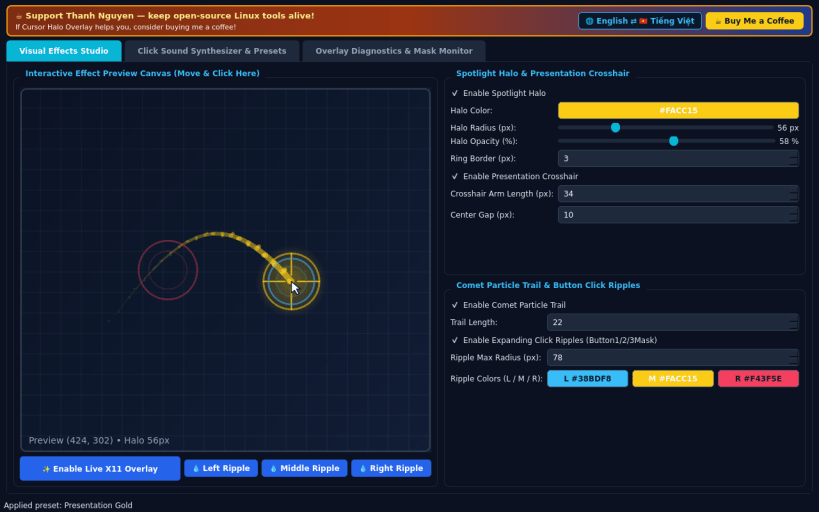
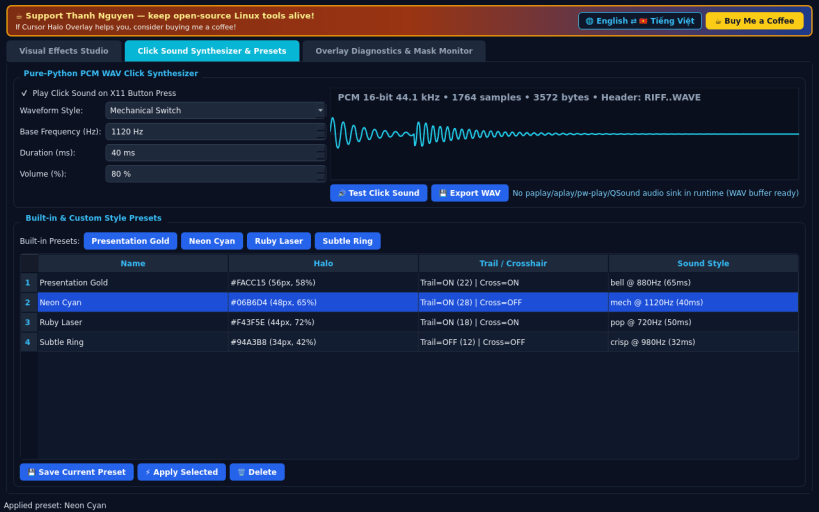
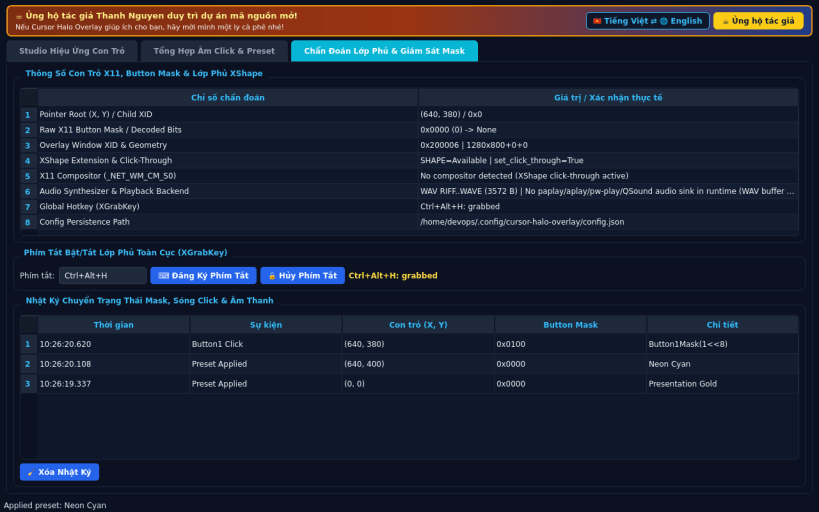
FEATURES • Visual Effects Studio: real fullscreen transparent X11 click-through overlay (XShape Input empty mask via XShapeCombineRectangles) tracking pointer coordinates and X11 button mask bits at 60 FPS via XQueryPointer. Renders customizable Spotlight Halo, Comet Particle Trail, Presentation Crosshair, and Left/Middle/Right Click Expanding Ripples (Button1Mask, Button2Mask, Button3Mask) alongside a live interactive studio preview canvas. • Click Sound Synthesizer & Presets: pure-Python PCM WAV synthesizer generating crisp click, soft pop, mechanical switch, and studio bell buffers (16-bit 44.1 kHz RIFF/WAVE) with live waveform plot, runtime audio sink detection (paplay/aplay/pw-play/QSound), built-in presets (Presentation Gold, Neon Cyan, Ruby Laser, Subtle Ring), and custom JSON presets. • Overlay Diagnostics & Mask Monitor: live readout of pointer (x, y), raw X11 button mask bits, overlay XID, XShape click-through status, compositor check, and XGrabKey global hotkey toggle.
SUPPORT & DONATE • Created by Thanh Nguyen — https://buymeacoffee.com/thanhnv128b
You are about to open
Do you wish to proceed?
Thank you for your report. Information you provided will help us investigate further.
There was an error while sending your report. Please try again later.
Snaps are applications packaged with all their dependencies to run on all popular Linux distributions from a single build. They update automatically and roll back gracefully.
Snaps are discoverable and installable from the Snap Store, an app store with an audience of millions.
Snap can be installed on Fedora from the command line:
sudo dnf install snapd
Either log out and back in again, or restart your system, to ensure snap’s paths are updated correctly.
To enable classic snap support, enter the following to create a symbolic link between /var/lib/snapd/snap and /snap:
sudo ln -s /var/lib/snapd/snap /snap
To install Cursor Halo Overlay, simply use the following command:
sudo snap install cursor-halo-overlay
Browse and find snaps from the convenience of your desktop using the snap store snap.
Interested to find out more about snaps? Want to publish your own application? Visit snapcraft.io now.