
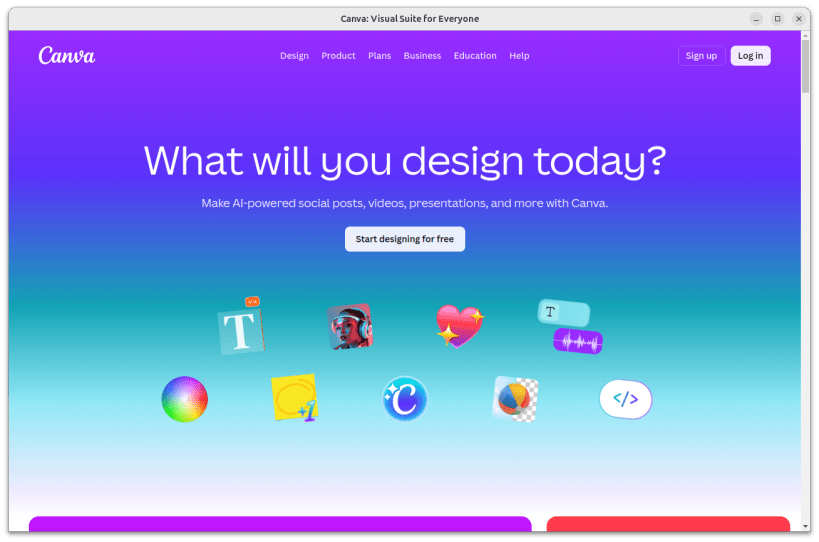



Bring your creative workflow directly to your Linux desktop. Design Studio PWA is a standalone wrapper that brings powerful web-based graphic design suites out of your browser tabs and into a native, dedicated application window.
Packaged securely under Ubuntu's strict AppArmor confinement, this application ensures your host system remains entirely safe while granting you full, uninterrupted access to your favorite cloud-based design tools.
Key Features:
Dedicated Workspace: Keep your graphic design projects separated from your daily web browsing.
Strict Confinement: Runs in a heavily restricted sandbox, ensuring the app cannot access your system files without explicit permission.
Multimedia Ready: Pre-configured with custom audio routing to ensure video playback and UI notification sounds work seamlessly out of the box on modern Linux hosts.
Native Desktop Integration: Binds perfectly to the GNOME/Ubuntu Activities menu for a native application feel.
Disclaimer: Design Studio PWA is NOT is not affiliated with, endorsed by, or certified by Canva. This is an independent open-source project. All trademarks belong to their respective owners.
Initial Public Release (v1.0) Welcome to the first official release of Design Studio PWA!
Changelog:
Packaged as a strict snap for maximum host system security.
Implemented custom liboss4-salsa2 overrides to resolve legacy audio dependency crashes in the Electron wrapper.
Enabled native GTK3 fallback support for modern Linux display servers.
Verified and tested for high stability on Ubuntu 24.04 LTS.
You are about to open
Do you wish to proceed?
Thank you for your report. Information you provided will help us investigate further.
There was an error while sending your report. Please try again later.
Snaps are applications packaged with all their dependencies to run on all popular Linux distributions from a single build. They update automatically and roll back gracefully.
Snaps are discoverable and installable from the Snap Store, an app store with an audience of millions.
Snap can be installed on elementary OS from the command line. Open Terminal from the Applications launcher and type the following:
sudo apt update
sudo apt install snapd
Either log out and back in again, or restart your system, to ensure snap’s paths are updated correctly.
To install design-studio-pwa, simply use the following command:
sudo snap install design-studio-pwa
Browse and find snaps from the convenience of your desktop using the snap store snap.

Interested to find out more about snaps? Want to publish your own application? Visit snapcraft.io now.