
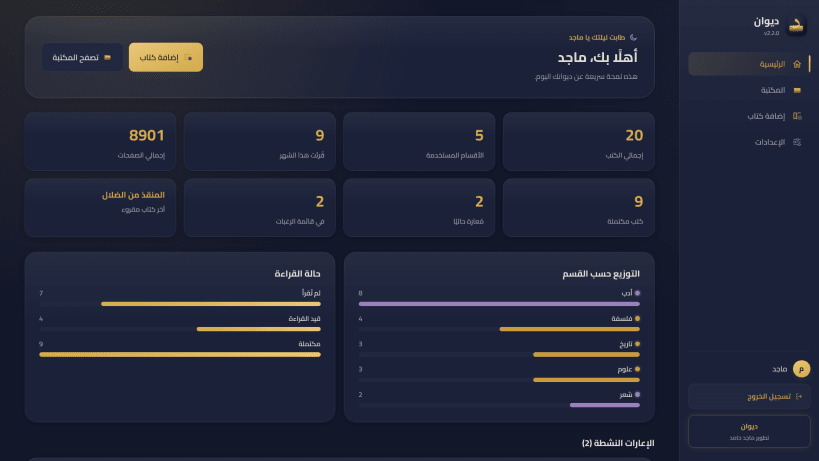


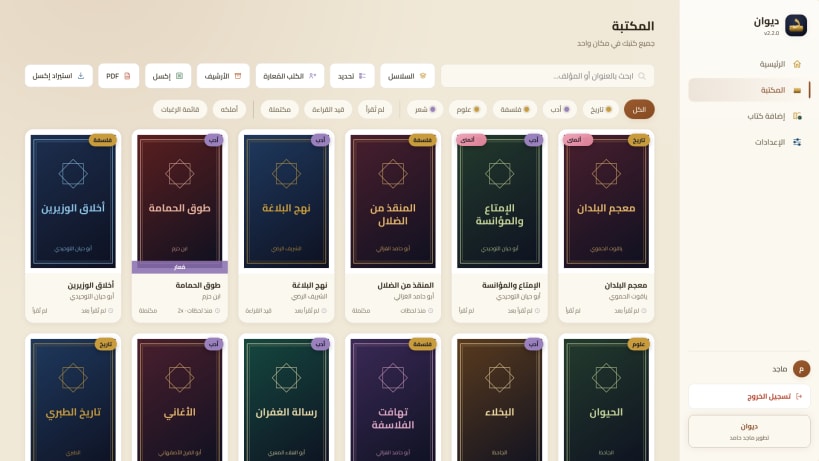
ديوان هو أسهل طريقة لتعرف ماذا تملك من كتب، وماذا قرأت منها، وأين وضعتها.
صوّر غلاف الكتاب أو امسح رمزه بالكاميرا، فيكتب لك ديوان اسمه ومؤلفه ويضع صورته تلقائيًا. ثم رتّب كتبك في أقسام وسلاسل، وسجّل ما قرأت وما تنوي قراءته.
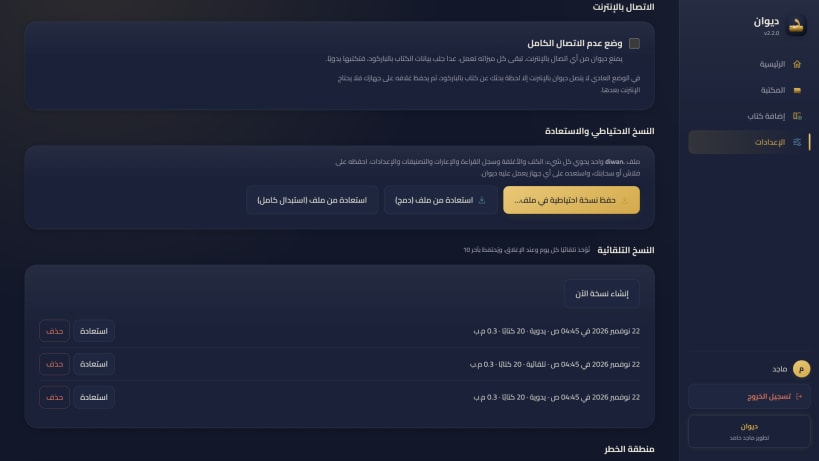
لماذا ستحبه • لا تنسَ كتابًا أعرته: تعرف من أخذه ومتى يعود، وينبّهك إلى المتأخر. • لا تشترِ كتابًا مرتين: ينبّهك فورًا إذا كان عندك بالفعل. • تابع قراءتك: عدد الكتب والصفحات، وتاريخ كل مرة قرأت فيها كتابًا، وتقييمك له. • اطبع قائمة مكتبتك كاملة، أو احفظها في ملف جدول. • بياناتك لك وحدك: تبقى على جهازك، بحساب خاص بك، بلا اشتراك وبلا إعلانات. • لا تخف من ضياعها: نسخة احتياطية تلقائية كل يوم، وتنقل مكتبتك كلها إلى أي جهاز بملف واحد. • واجهة عربية كاملة، وبأربعة ألوان تختار منها ما يريحك.
لتشغيل الكاميرا لمسح الكتب، اكتب هذا الأمر مرة واحدة في الطرفية:
sudo snap connect diwan:camera
Diwan helps you keep track of your paper books: what you own, what you have read, and who borrowed what. Scan a barcode or snap a cover and the details fill in for you. Everything stays on your computer, with automatic daily backups. No account in the cloud, no subscription, no ads.
You are about to open
Do you wish to proceed?
Thank you for your report. Information you provided will help us investigate further.
There was an error while sending your report. Please try again later.
Snaps are applications packaged with all their dependencies to run on all popular Linux distributions from a single build. They update automatically and roll back gracefully.
Snaps are discoverable and installable from the Snap Store, an app store with an audience of millions.
If you’re running Kubuntu 16.04 LTS (Xenial Xerus) or later, including Kubuntu 18.04 LTS (Bionic Beaver) and Kubuntu 18.10 (Cosmic Cuttlefish), you don’t need to do anything. Snap is already installed and ready to go.
Versions of Kubuntu between 14.04 LTS (Trusty Tahr) and 15.10 (Wily Werewolf) don’t include snap by default, but snap can be installed from the command line as follows:
sudo apt update
sudo apt install snapd
To install Diwan — ديوان, simply use the following command:
sudo snap install diwan
Browse and find snaps from the convenience of your desktop using the snap store snap.
Interested to find out more about snaps? Want to publish your own application? Visit snapcraft.io now.