


DocFlow helps you create, organize, and reuse document and note templates with ease. Designed for developers, writers, and teams who deal with repetitive content, DocFlow combines a clean interface with powerful features that boost your productivity.
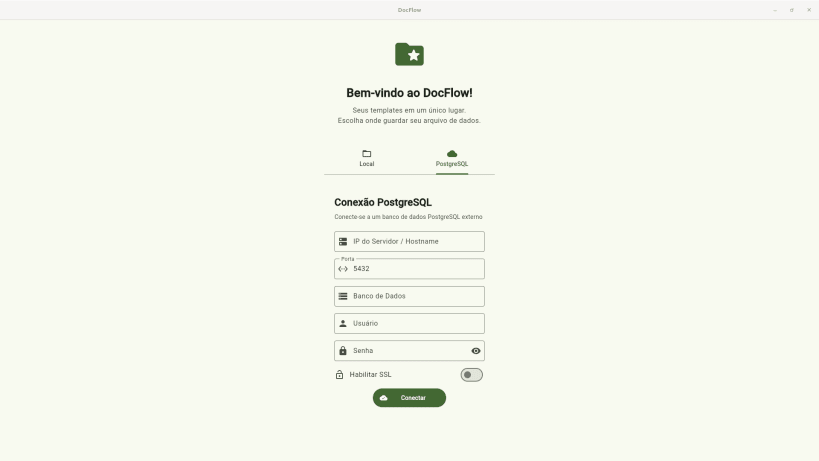
Store your templates in a local SQLite file that you control — choose where to save it, open an existing one, or switch databases at any time. For teams or shared workflows, DocFlow also supports connecting to a remote PostgreSQL database, with credentials securely encrypted via your operating system's keyring (GNOME Keyring / KWallet).
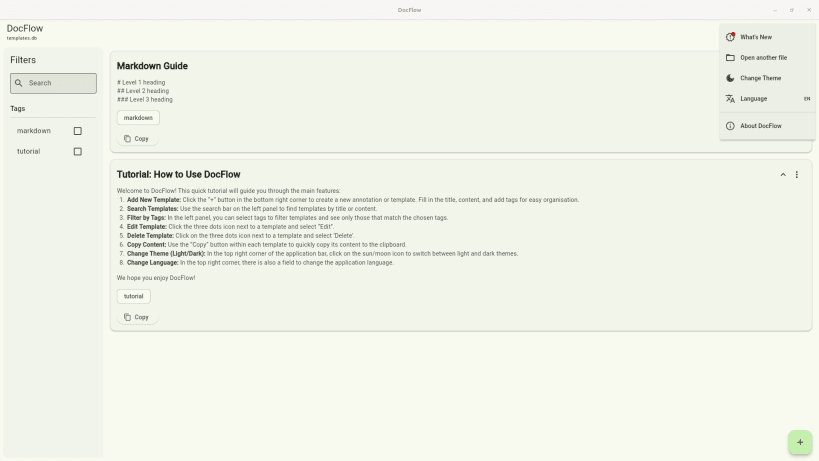
Templates support Markdown rendering with syntax highlighting for code blocks, making technical content easy to read and navigate. Expandable cards let you preview or display the full content with a single click, and copying is instant with a dedicated button.
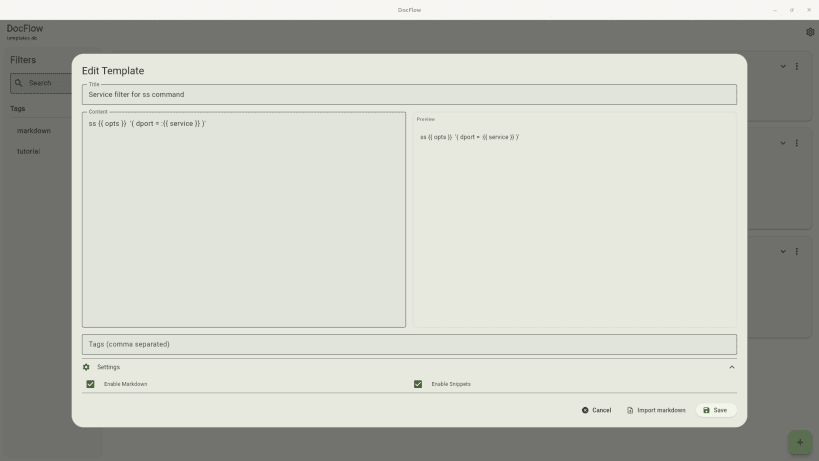
Use dynamic snippets to insert variables into your templates: DocFlow detects placeholders like {{name}} and prompts you to fill them in before copying, turning your templates into powerful, reusable text generators.
Find what you need instantly with full-text search and multi-tag filtering. Keyboard shortcuts (Ctrl+N, Ctrl+F, Ctrl+T, Ctrl+L) keep your hands on the keyboard. Switch between light and dark themes, and use the app in your preferred language — English, Portuguese, or Spanish are supported, with automatic system language detection.
All local data stays on your device. No accounts, no cloud required.
Thank you for your report. Information you provided will help us investigate further.
There was an error while sending your report. Please try again later.
Snaps are applications packaged with all their dependencies to run on all popular Linux distributions from a single build. They update automatically and roll back gracefully.
Snaps are discoverable and installable from the Snap Store, an app store with an audience of millions.
On Arch Linux, snap can be installed from the Arch User Repository (AUR). The manual build process is the Arch-supported install method for AUR packages, and you’ll need the prerequisites installed before you can install any AUR package. You can then install snap with the following:
git clone https://aur.archlinux.org/snapd.git
cd snapd
makepkg -si
Once installed, the systemd unit that manages the main snap communication socket needs to be enabled:
sudo systemctl enable --now snapd.socket
If AppArmor is enabled in your system, enable the service which loads AppArmor profiles for snaps:
sudo systemctl enable --now snapd.apparmor.service
To enable classic snap support, enter the following to create a symbolic link between /var/lib/snapd/snap and /snap:
sudo ln -s /var/lib/snapd/snap /snap
Either log out and back in again, or restart your system, to ensure snap’s paths are updated correctly.
To install docflow, simply use the following command:
sudo snap install docflow
Browse and find snaps from the convenience of your desktop using the snap store snap.

Interested to find out more about snaps? Want to publish your own application? Visit snapcraft.io now.


