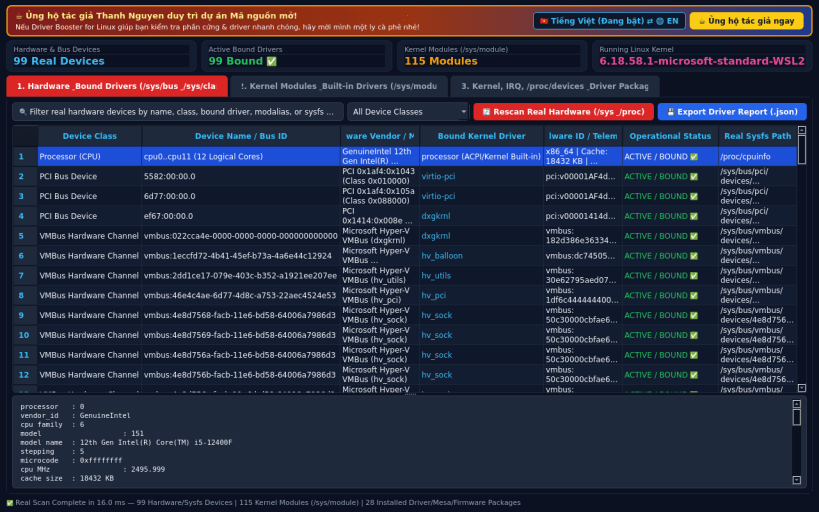
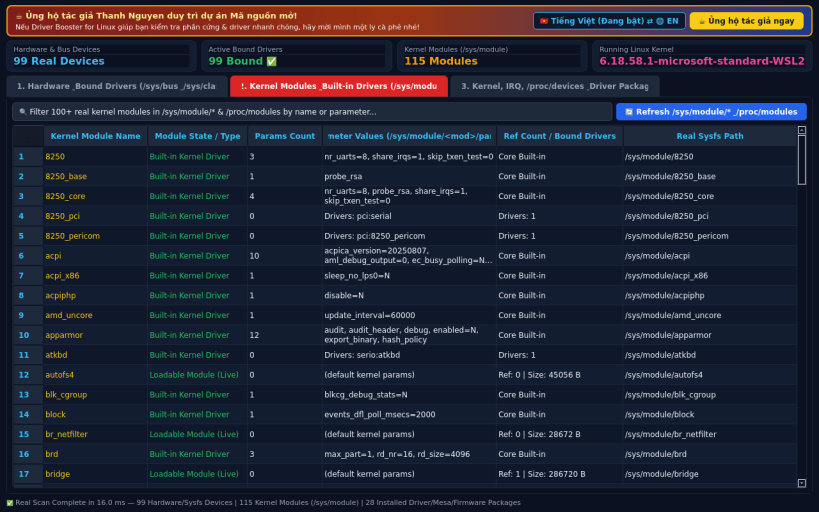
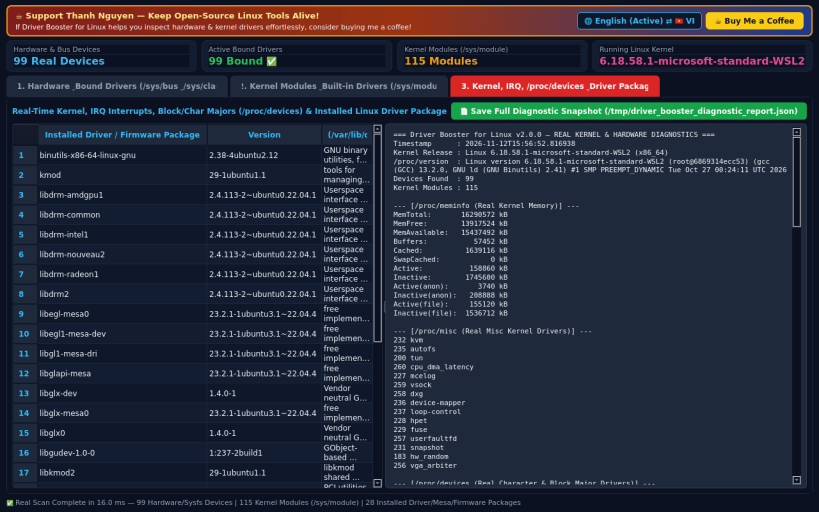
Driver Booster for Linux is a native hardware device, PCI/USB/VMBus bus, network and storage controller, and Linux kernel module driver inspector. It scans live sysfs (/sys/bus, /sys/class, /sys/devices, /sys/module) and procfs (/proc/cpuinfo, /proc/modules, /proc/devices, /proc/interrupts, /proc/iomem, /proc/ioports) to provide complete visibility into bound kernel drivers, module parameters, IRQ vectors, and system firmware packages.
KEY FEATURES: • Hardware Device & Bound Kernel Driver Scanner: Inspect PCI, VMBus, ACPI, Network (/sys/class/net), Block Storage (/sys/class/block), Graphics/DRM, Input, TTY, and Misc devices with live sysfs attribute trees. • Kernel Modules & Built-in Drivers Inspector: Audit all loaded and built-in kernel modules (/sys/module/*, /proc/modules, /proc/devices, /proc/misc), inspect live module parameter values, reference counts, and driver bindings. • System Kernel, IRQ, I/O & Driver Diagnostic Exporter: Inspect /proc/version, CPU topology, kernel memory, hardware interrupts (/proc/interrupts), I/O ports, installed driver/Mesa/firmware packages, and export JSON/TXT diagnostic reports.
SUPPORT & DONATE: • Created by Thanh Nguyen — Support ongoing development: https://buymeacoffee.com/thanhnv128b
You are about to open
Do you wish to proceed?
Thank you for your report. Information you provided will help us investigate further.
There was an error while sending your report. Please try again later.
Snaps are applications packaged with all their dependencies to run on all popular Linux distributions from a single build. They update automatically and roll back gracefully.
Snaps are discoverable and installable from the Snap Store, an app store with an audience of millions.
Snap can be installed on Pop!_OS from the command line. Open Terminal from the Applications launcher and type the following:
sudo apt update
sudo apt install snapd
Either log out and back in again, or restart your system, to ensure snap’s paths are updated correctly.
To install Driver Booster Hardware Inspector, simply use the following command:
sudo snap install driver-booster
Browse and find snaps from the convenience of your desktop using the snap store snap.
Interested to find out more about snaps? Want to publish your own application? Visit snapcraft.io now.