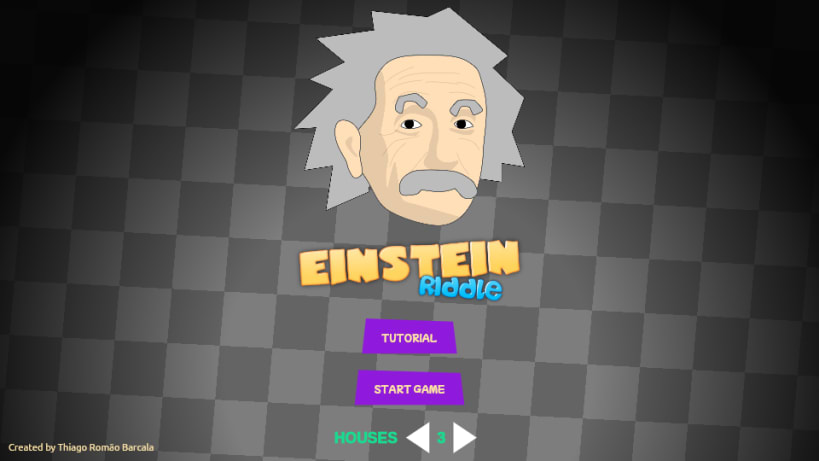

Based on the famous logic puzzle attributed to Albert Einstein, the app challenges players to solve a series of increasingly difficult riddles using deductive reasoning and creative thinking. The game is designed to be both challenging and educational, making it a great way to pass the time while also exercising your brain.
The app features a clean and intuitive interface, with a sleek design that is both easy on the eyes and easy to use. Players can choose the number of houses, ranging from 3 (easy) to 6 (expert), ensuring that there is always a challenge that is just right for your skill level.
One of the most exciting features of the app is the ability to participate in a daily challenge. This challenge presents a new and unique riddle every day, which is the same across all devices. This means that players from all over the world can compete against each other, solving the same puzzle to see who can do it the fastest.
The daily challenge is a great way to test your skills against other players and see how you stack up. You can compete with friends, family, or other players from around the world, making the challenge even more exciting.
Whether you are a fan of logic puzzles, a lover of brain teasers, or just looking for a fun and engaging way to exercise your mind, the "Einstein Riddle Challenge" app is the perfect choice. So download it today, and get ready to put your problem-solving skills to the ultimate test!
Thank you for your report. Information you provided will help us investigate further.
There was an error while sending your report. Please try again later.
Snaps are applications packaged with all their dependencies to run on all popular Linux distributions from a single build. They update automatically and roll back gracefully.
Snaps are discoverable and installable from the Snap Store, an app store with an audience of millions.
On Debian 9 (Stretch) and newer, snap can be installed directly from the command line:
sudo apt update
sudo apt install snapd
After this, install the snapd snap in order to get the latest snapd:
sudo snap install snapd
To install Daily Einstein's Riddle, simply use the following command:
sudo snap install einstein-riddle
Browse and find snaps from the convenience of your desktop using the snap store snap.

Interested to find out more about snaps? Want to publish your own application? Visit snapcraft.io now.