
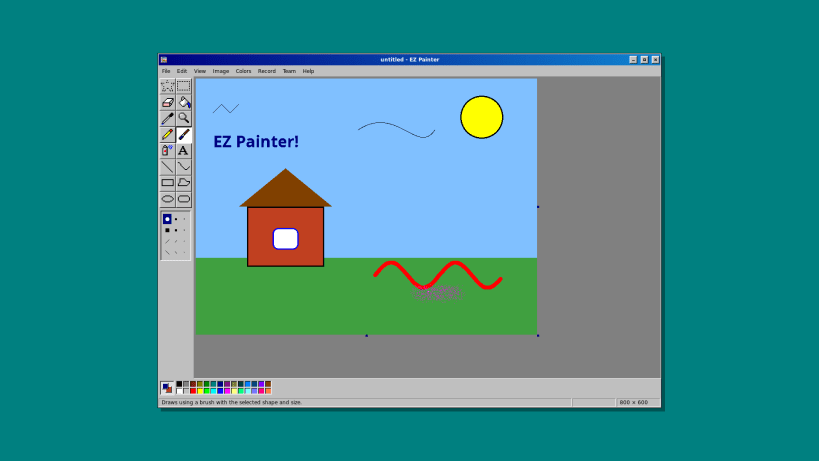
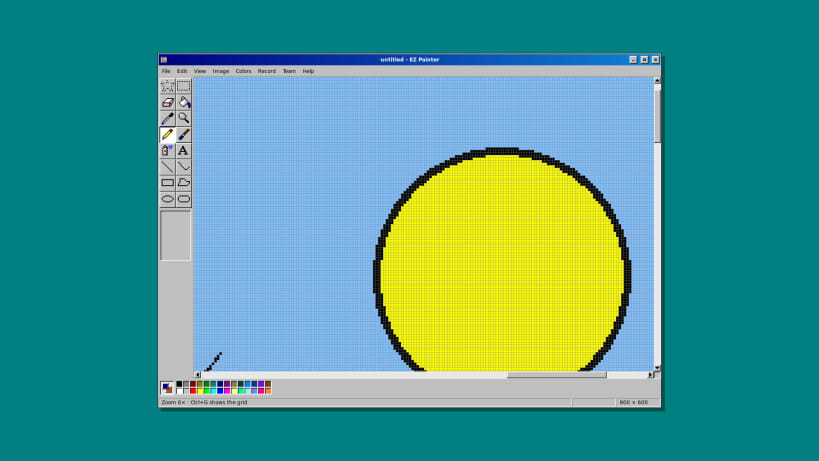

EZ Painter by Team of Monkeys .com is a paint program in the style of the 90s: grey 3D buttons, a navy title bar, a tool box with sixteen tools, a 28-colour palette and crisp, pixel-perfect drawing. Draw something, and it can film itself while you draw it, or let friends draw on the same picture with you.
★ The tool box
★ Record your drawing
Press F9 and EZ Painter films the picture while you draw: every stroke, the shape you are dragging and everyone's pointers, as a WebM video that any browser or video player opens. Choose real time or a time-lapse (2x to 16x) and 10 to 30 frames a second; pause and carry on whenever you like.
★ Draw together
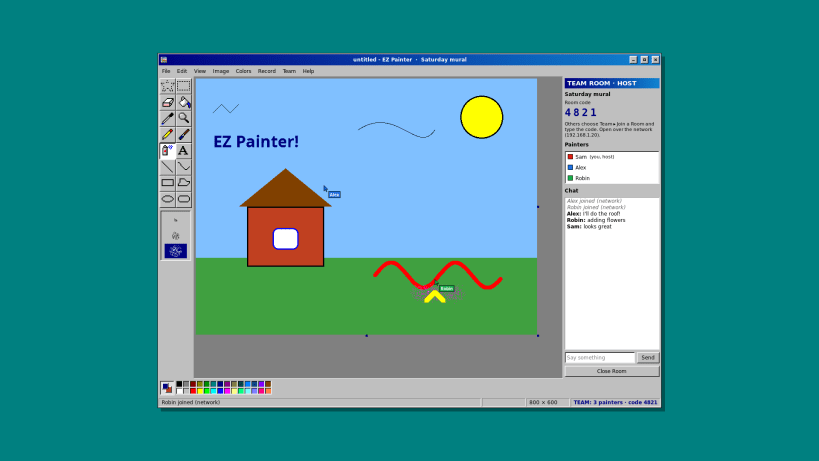
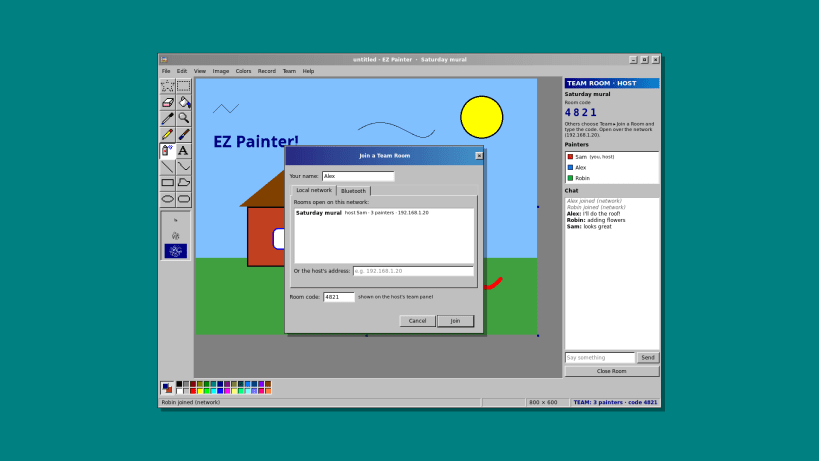
Open a team room and up to 8 friends can draw on the same picture at the same time, each with their own coloured pointer and name, plus a small chat. Rooms work over the local network (Wi-Fi or cable), where they show up in a list, or over Bluetooth between paired computers. There is no server and no account: the room runs on the computer that opens it, the others connect straight to it, and they need its 4-digit room code to get in. Undo takes back only your own last change.
Team rooms over Bluetooth use the system's Bluetooth service, which a snap may only use after this command (run it once): snap connect ezpaint-team:bluez. The local network needs nothing extra.
Bluetooth is a registered trademark of Bluetooth SIG, Inc.; EZ Painter is not affiliated with or endorsed by Bluetooth SIG.
You are about to open
Do you wish to proceed?
Thank you for your report. Information you provided will help us investigate further.
There was an error while sending your report. Please try again later.
Snaps are applications packaged with all their dependencies to run on all popular Linux distributions from a single build. They update automatically and roll back gracefully.
Snaps are discoverable and installable from the Snap Store, an app store with an audience of millions.
On Debian 9 (Stretch) and newer, snap can be installed directly from the command line:
sudo apt update
sudo apt install snapd
After this, install the snapd snap in order to get the latest snapd:
sudo snap install snapd
To install EZ Painter, simply use the following command:
sudo snap install ezpaint-team
Browse and find snaps from the convenience of your desktop using the snap store snap.

Interested to find out more about snaps? Want to publish your own application? Visit snapcraft.io now.