A Linux alternative to Altap Salamander. Independent open-source project, not affiliated with or endorsed by Altap spol. s r.o.
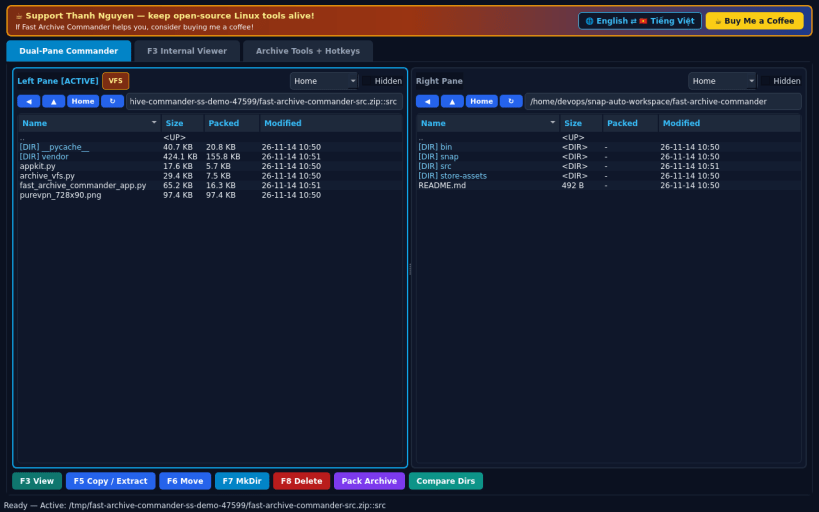
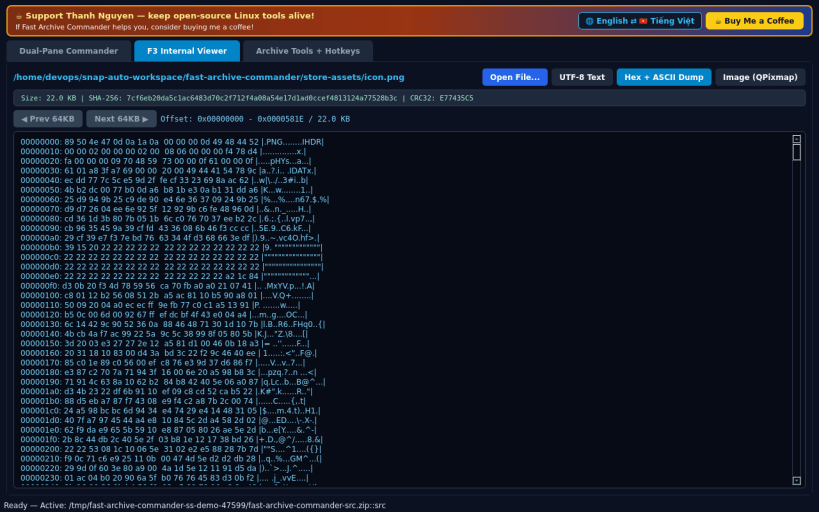
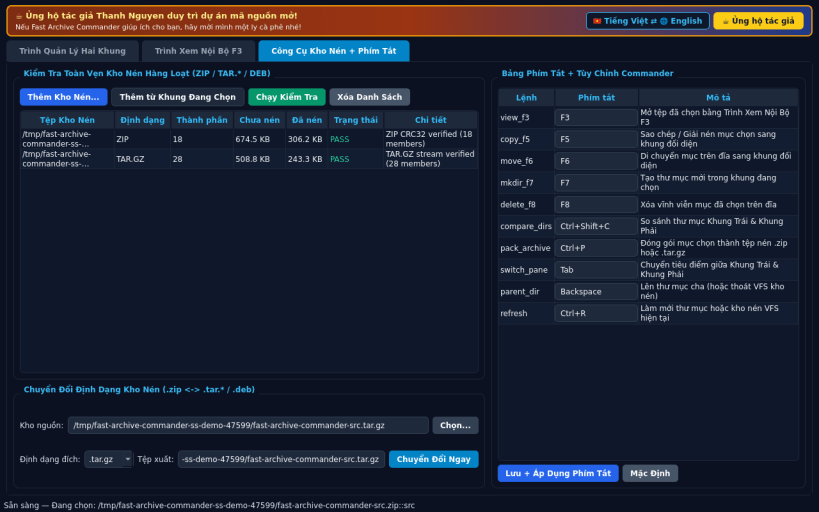
FEATURES • Dual-Pane Commander with Seamless Archive VFS: browse Left and Right panes side-by-side; double-click .zip, .tar, .tar.gz, .tar.bz2, .tar.xz, or .deb packages to enter archives like virtual folders, inspect compressed vs uncompressed sizes, extract to the opposite pane, pack new archives, and run F5 Copy, F6 Move, F7 MkDir, F8 Delete, and Ctrl+Shift+C Directory Compare. • F3 Internal Viewer (Text / Hex / Image): switch cleanly between UTF-8 text with search, streamed 16-byte Hex + ASCII offset dump for arbitrary binaries, and zoomable QPixmap image preview with live SHA-256 and CRC32 inspection. • Archive Builder, Unpacker & Hotkey Map: batch archive integrity tester (Zip/Tar verification), lossless archive format converter (.zip <-> .tar.*), and customizable commander hotkeys with EN/VI interface support.
SUPPORT & DONATE • Created by Thanh Nguyen — https://buymeacoffee.com/thanhnv128b
You are about to open
Do you wish to proceed?
Thank you for your report. Information you provided will help us investigate further.
There was an error while sending your report. Please try again later.
Snaps are applications packaged with all their dependencies to run on all popular Linux distributions from a single build. They update automatically and roll back gracefully.
Snaps are discoverable and installable from the Snap Store, an app store with an audience of millions.
On Debian 9 (Stretch) and newer, snap can be installed directly from the command line:
sudo apt update
sudo apt install snapd
After this, install the snapd snap in order to get the latest snapd:
sudo snap install snapd
To install Fast Archive Commander, simply use the following command:
sudo snap install fast-archive-commander
Browse and find snaps from the convenience of your desktop using the snap store snap.
Interested to find out more about snaps? Want to publish your own application? Visit snapcraft.io now.