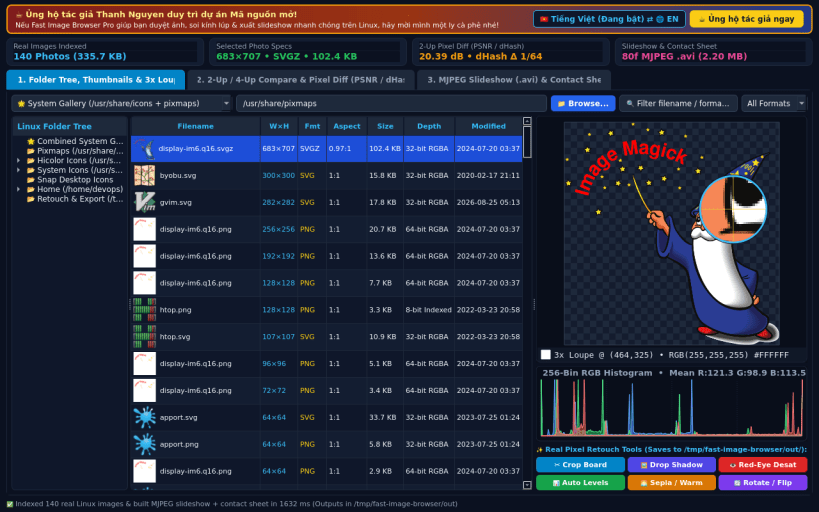
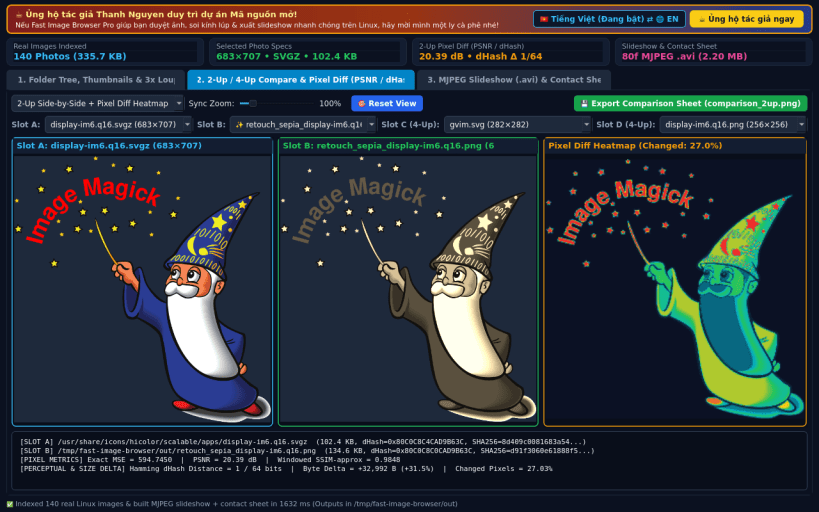
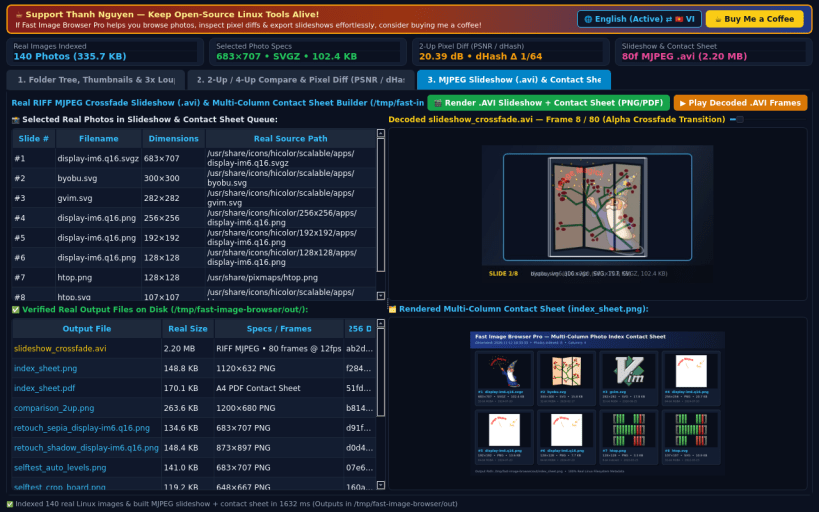
A lightweight Linux alternative to FastStone Image Viewer for dual-tree thumbnail browsing, 2-up/4-up side-by-side photo comparison, magnifier loupe inspection, red-eye/retouch tools, and framed slideshow/contact-sheet export. Disclaimer: Independent open-source project, not affiliated with or endorsed by FastStone Soft.
KEY FEATURES: • Directory Tree, Thumbnail Browser & 3x Magnifier Loupe: Scan real Linux folders (/usr/share/pixmaps, /usr/share/icons/hicolor, user home, or custom directories), inspect image dimensions, color depth, aspect ratio, live 3x pixel magnifier loupe, and 256-bin RGB histogram, plus quick pixel retouch tools (Crop Board, Drop Shadow Frame, Red-Eye / Spot Desaturate, Auto Levels, Sepia / Warm Tone, Rotate / Flip). • 2-Up / 4-Up Side-by-Side Comparison & Pixel Diff Inspector: Synchronized zoom/pan comparison panels with real computed Pixel Difference Heatmap, exact MSE, PSNR (dB), windowed SSIM approximation, 64-bit Hamming dHash distance, byte-size delta, and 1-click comparison sheet PNG export. • RIFF MJPEG Crossfade Slideshow (.avi) & Contact Sheet Builder: Render selected photos into a standards-compliant RIFF MJPEG .avi video with alpha crossfade transitions and multi-column PNG/PDF thumbnail contact sheets with SHA-256 verification.
SUPPORT & DONATE: • Created by Thanh Nguyen — Support ongoing development: https://buymeacoffee.com/thanhnv128b
Thank you for your report. Information you provided will help us investigate further.
There was an error while sending your report. Please try again later.
Snaps are applications packaged with all their dependencies to run on all popular Linux distributions from a single build. They update automatically and roll back gracefully.
Snaps are discoverable and installable from the Snap Store, an app store with an audience of millions.
Snap can be installed on Fedora from the command line:
sudo dnf install snapd
Either log out and back in again, or restart your system, to ensure snap’s paths are updated correctly.
To enable classic snap support, enter the following to create a symbolic link between /var/lib/snapd/snap and /snap:
sudo ln -s /var/lib/snapd/snap /snap
To install Fast Image Browser Pro, simply use the following command:
sudo snap install fast-image-browser-pro
Browse and find snaps from the convenience of your desktop using the snap store snap.
Interested to find out more about snaps? Want to publish your own application? Visit snapcraft.io now.