
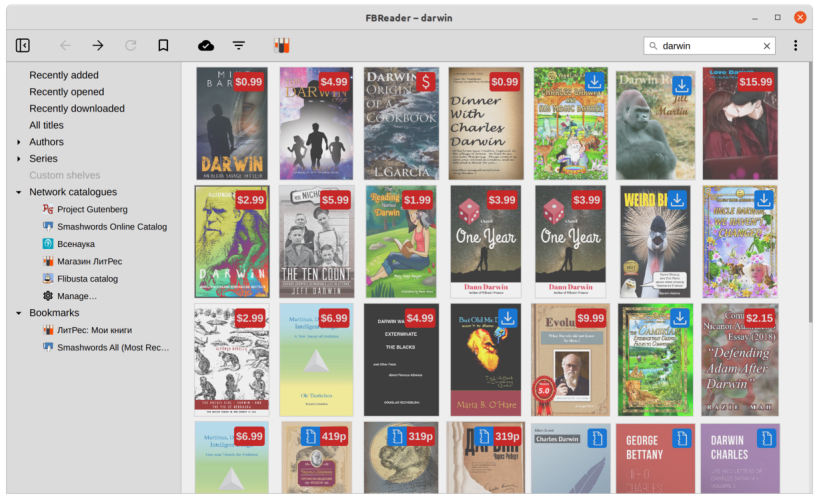



FBReader is a cross-platform ebook reader available on all major desktop operating systems (Linux, macOS, Windows) as well as mobile platforms (iOS and Android).
FBReader supports both unencrypted ebooks and ePub files protected with Readium LCP DRM.
Comfortable reading
Customisable text styles and colours for day and night modes, convenient navigation, and bookmarking provide a smooth and distraction-free reading experience.
Flexible book sources
Access books from a wide range of sources. You can configure network catalogues to download free or paid ebooks, open local files, or add your preferred OPDS catalogues. FBReader includes a powerful catalogue browser with search, browsing history, and bookmarks.
Cloud synchronisation
Keep your library in sync across all devices. FBReader synchronises your books, reading positions, and bookmarks, allowing you to start reading on one device and continue seamlessly on another.
Supported formats
You are about to open
Do you wish to proceed?
Thank you for your report. Information you provided will help us investigate further.
There was an error while sending your report. Please try again later.
Snaps are applications packaged with all their dependencies to run on all popular Linux distributions from a single build. They update automatically and roll back gracefully.
Snaps are discoverable and installable from the Snap Store, an app store with an audience of millions.
Snap can be installed on Pop!_OS from the command line. Open Terminal from the Applications launcher and type the following:
sudo apt update
sudo apt install snapd
Either log out and back in again, or restart your system, to ensure snap’s paths are updated correctly.
To install FBReader 2.1, simply use the following command:
sudo snap install fbreader
Browse and find snaps from the convenience of your desktop using the snap store snap.

Interested to find out more about snaps? Want to publish your own application? Visit snapcraft.io now.