
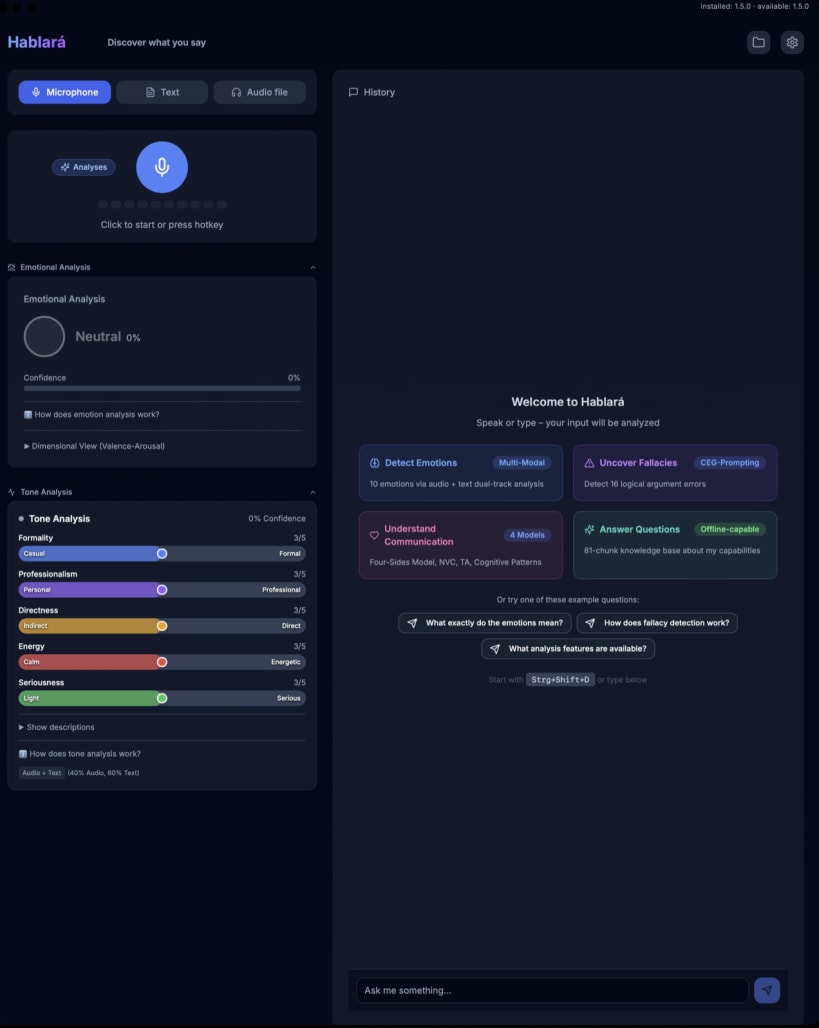
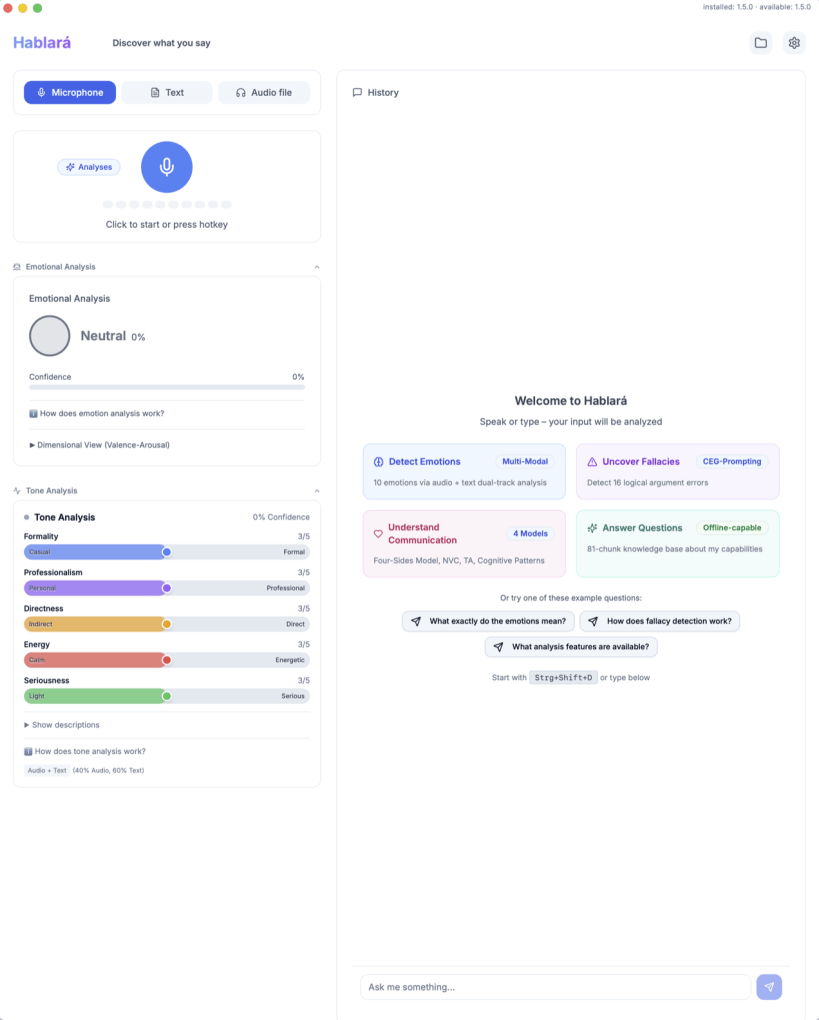
Hablará uses AI for psychological analysis of audio and text, including entire conversations. Each feature can be individually enabled or disabled in the settings.
REFLECTION MODE • Three perspectives: self-reflection, other-reflection (e.g. others' emails) and conversation analysis • Automatic recognition of multi-speaker format • Per-speaker emotion, fallacy and tone detection
GROUNDED ANALYSES • Emotion detection from voice and text, Plutchik's Wheel of Emotions, Russell (Circumplex Model) • Tone Analysis across five dimensions • Logical Fallacies (Detection of 16 types) • Nonviolent Communication (NVC by Rosenberg) • Cognitive Distortions (CBT by Beck) • Four-Sides Model (Schulz von Thun) • Transactional Analysis (Eric Berne) • Appraisal Analysis (Appraisal Theory by Lazarus/Scherer) • Regulatory Focus (Higgins) • Topic Classification (7 categories)
COACHING • Depending on mode: reflect on your own behaviour, respond to others, or understand conversation dynamics • AI synthesis of all analyses in one step • Follow-up questions possible via AI chat
RESPONSE ALTERNATIVES • Self-reflection: How could I say this differently? • Other-reflection: How could I respond to this? • Three styles: Direct, Empathetic, or De-escalating
AI CHAT • Automatic conversation summary in the chat history • Contextual AI chat about your recordings • AI chat about the app and its psychological models
EXPORT • Analysis export as PDF, Markdown, JSON or CSV • Chat export in 5 formats (Markdown, TXT, PDF, HTML, DOCX) • Download recordings as WAV
QUICK ACCESS • Start and stop recordings via System Tray icon • Global hotkey (Ctrl+Shift+D) with visual feedback • Transcription lands automatically in your clipboard • Ctrl+Shift+R: send clipboard to Response Alternatives instantly • Dictation mode: voice-controlled punctuation
100% OFFLINE CAPABLE • Local transcription via whisper.cpp • Local AI via Ollama (free) • Your data stays on your device • No cloud required, no subscription fees
FLEXIBLE LLM CHOICE • Ollama (default, local, free) • OpenAI (optional, cloud) • Anthropic Claude (optional, cloud) • Mistral (optional, cloud, EU data residency)
PRIVACY & GDPR • API keys encrypted in Secret Service (Linux keyring) • Recordings stored locally • Configurable automatic deletion • Anonymous crash reporting with opt-in only (EU servers)
WHO IS IT FOR? • Self-reflection & journaling • Communication training • Preparing for important conversations • Recognising patterns in your own thinking
IMPORTANT NOTES • Not a substitute for professional advice • For self-reflection, not diagnosis • AI-generated analyses may be inaccurate (EU AI Act Art. 52)
After installation, connect microphone access: sudo snap connect hablara:audio-record sudo snap connect hablara:password-manager-service
You are about to open
Do you wish to proceed?
Thank you for your report. Information you provided will help us investigate further.
There was an error while sending your report. Please try again later.
Snaps are applications packaged with all their dependencies to run on all popular Linux distributions from a single build. They update automatically and roll back gracefully.
Snaps are discoverable and installable from the Snap Store, an app store with an audience of millions.
Snap can be installed on Fedora from the command line:
sudo dnf install snapd
Either log out and back in again, or restart your system, to ensure snap’s paths are updated correctly.
To enable classic snap support, enter the following to create a symbolic link between /var/lib/snapd/snap and /snap:
sudo ln -s /var/lib/snapd/snap /snap
To install Hablará, simply use the following command:
sudo snap install hablara
Browse and find snaps from the convenience of your desktop using the snap store snap.

Interested to find out more about snaps? Want to publish your own application? Visit snapcraft.io now.