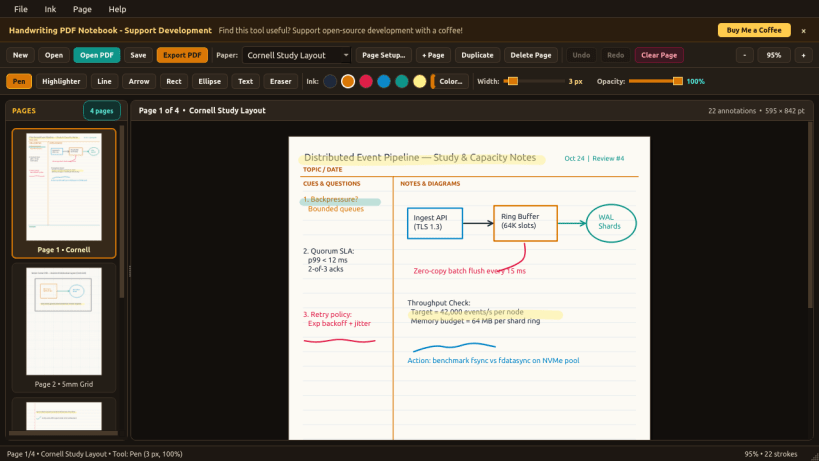
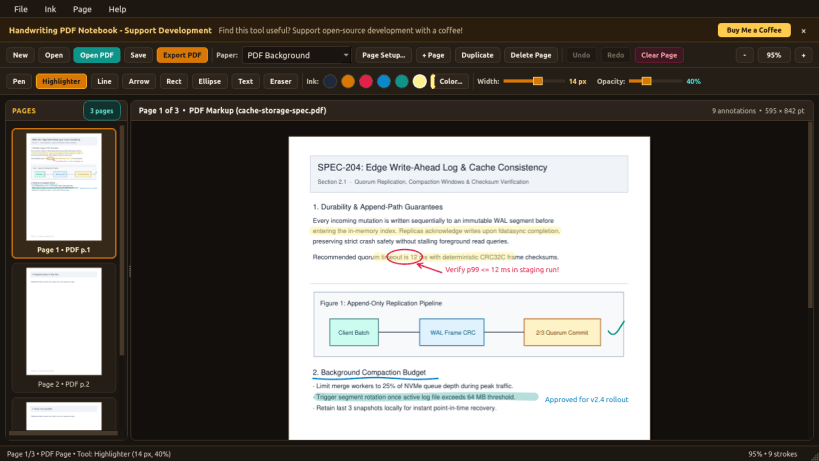
Handwriting PDF Notebook is a freehand ink notebook and direct PDF markup workspace for Linux desktops. Take handwritten notes on customizable paper templates, sketch structured diagrams, and annotate multi-page PDF files with antialiased vector ink and translucent highlighters.
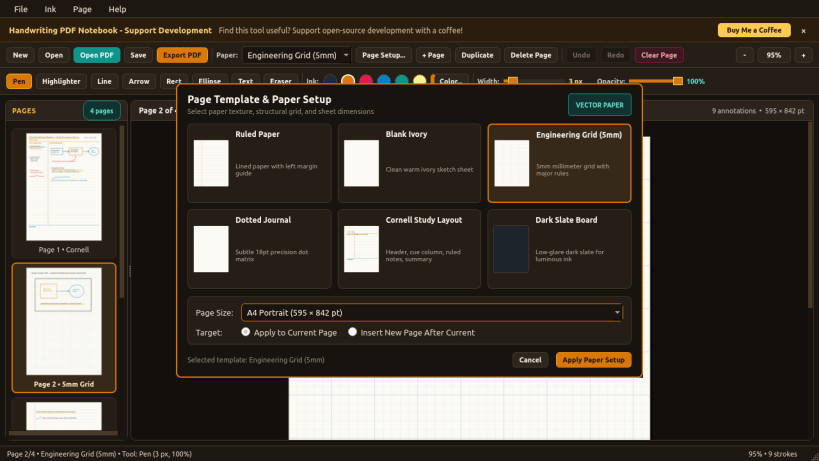
Switch effortlessly between Blank Ivory, Ruled Paper, Engineering Grid (5mm), Dotted Journal, Cornell Study Layout, and Dark Slate Board templates, or load any existing PDF document as page backgrounds. Annotate with Pen, Highlighter, Line, Arrow, Rectangle, Ellipse, Text Note, and Stroke Eraser tools with quick color swatches, adjustable width and opacity, per-page undo and redo, live page thumbnails, portable JSON notebooks, and direct vector PDF export.
Released as open-source software under AGPL-3.0-or-later.
You are about to open
Do you wish to proceed?
Thank you for your report. Information you provided will help us investigate further.
There was an error while sending your report. Please try again later.
Snaps are applications packaged with all their dependencies to run on all popular Linux distributions from a single build. They update automatically and roll back gracefully.
Snaps are discoverable and installable from the Snap Store, an app store with an audience of millions.
On Debian 9 (Stretch) and newer, snap can be installed directly from the command line:
sudo apt update
sudo apt install snapd
After this, install the snapd snap in order to get the latest snapd:
sudo snap install snapd
To install Handwriting PDF Notebook, simply use the following command:
sudo snap install handwriting-pdf-notebook

Browse and find snaps from the convenience of your desktop using the snap store snap.

Interested to find out more about snaps? Want to publish your own application? Visit snapcraft.io now.