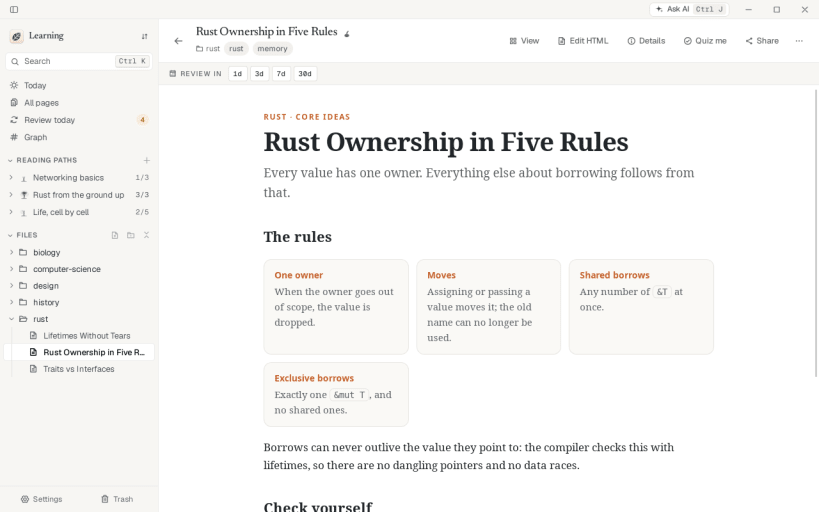
Herbarium is a quiet home for the HTML explainers, cheat sheets and tiny interactive tools that AI makes. Save a page from the browser, a chat export or a file, read it offline with its interactivity intact, highlight it, and let adaptive review bring it back right before you would forget it.
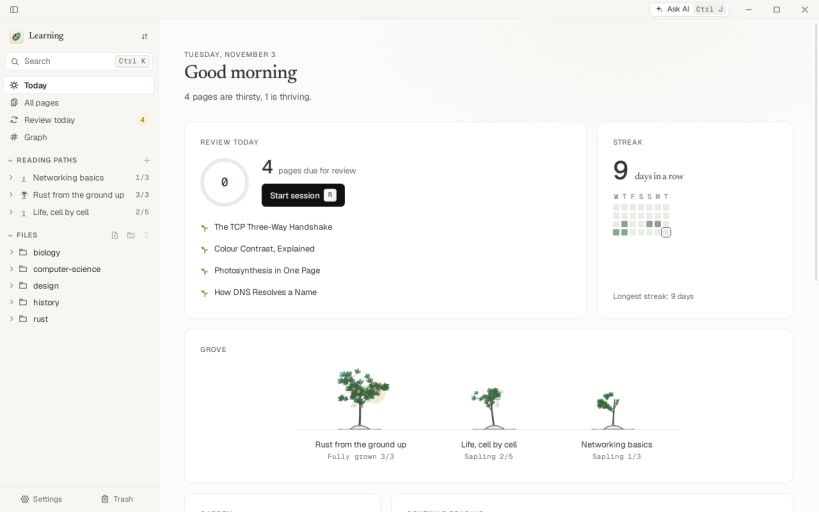
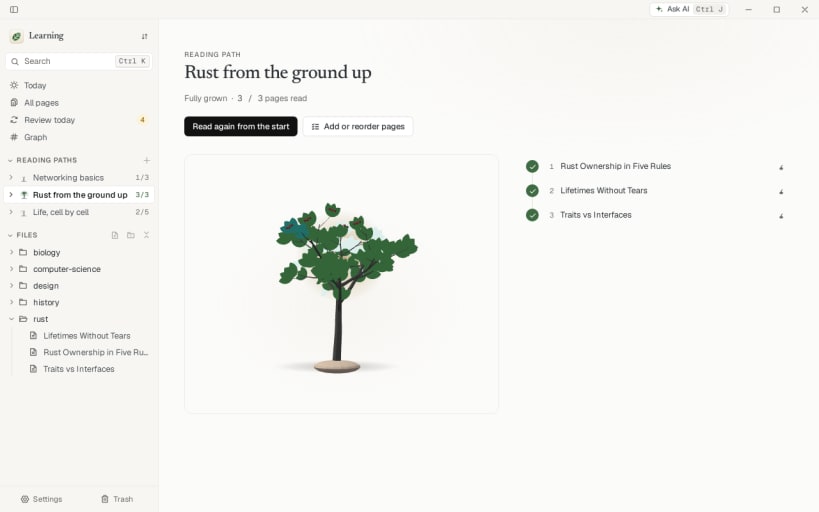
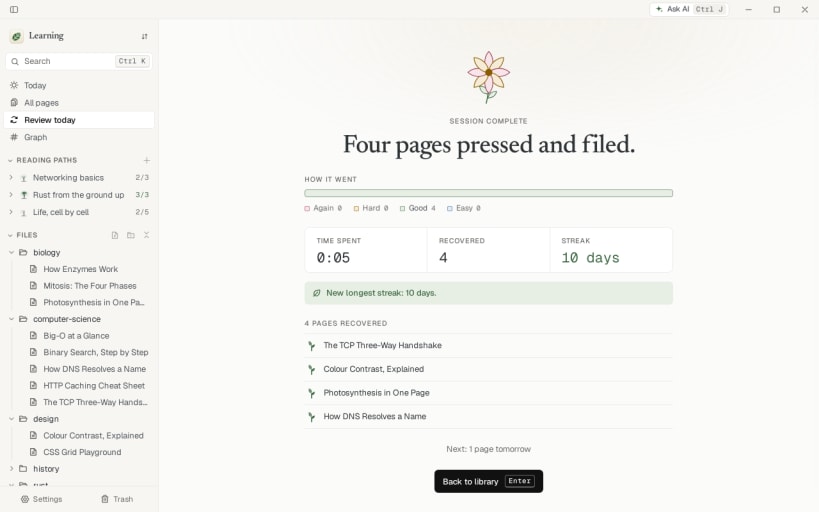
Today is a dashboard with a review ring, a garden of page vitality and a grove of reading paths. Paths grow a tree as you read them, review sessions end with a summary and a streak, and ten type styles change the app's voice. There is also a link graph, full-text search with filters, AI remix and organizing, a command palette, light and dark themes, and an English and French interface.
Your pages stay plain .html files in a folder you own. Herbarium also speaks the Model Context Protocol, so coding agents can save, search and schedule pages.
You are about to open
Do you wish to proceed?
Thank you for your report. Information you provided will help us investigate further.
There was an error while sending your report. Please try again later.
Snaps are applications packaged with all their dependencies to run on all popular Linux distributions from a single build. They update automatically and roll back gracefully.
Snaps are discoverable and installable from the Snap Store, an app store with an audience of millions.
Snap can be installed on Fedora from the command line:
sudo dnf install snapd
Either log out and back in again, or restart your system, to ensure snap’s paths are updated correctly.
To enable classic snap support, enter the following to create a symbolic link between /var/lib/snapd/snap and /snap:
sudo ln -s /var/lib/snapd/snap /snap
To install Herbarium, simply use the following command:
sudo snap install herbarium
Browse and find snaps from the convenience of your desktop using the snap store snap.
Interested to find out more about snaps? Want to publish your own application? Visit snapcraft.io now.