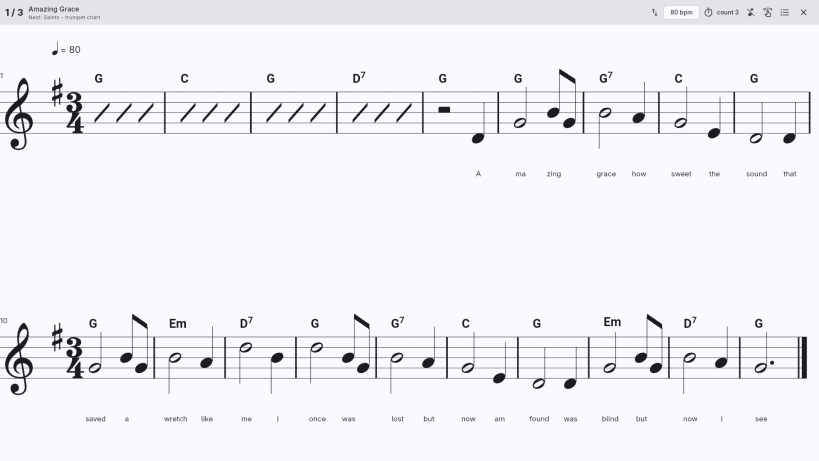
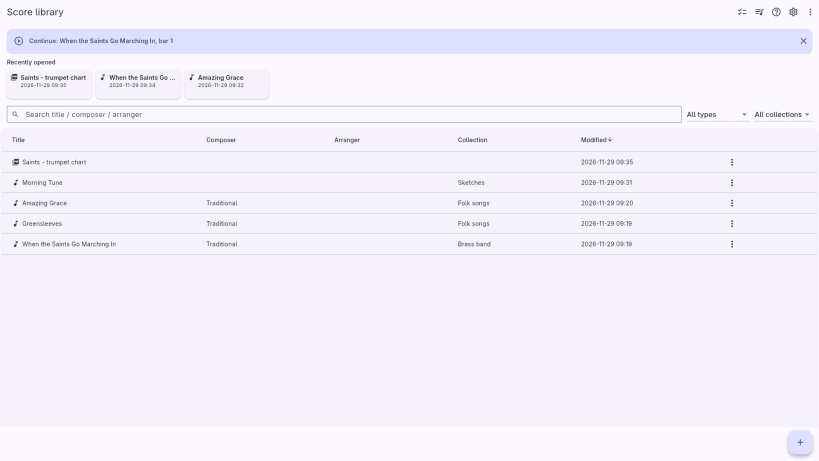
InkCore is music notation you write by hand. Write notes, rests, chord symbols and lyrics with a pen and they become real notation you can edit, hear, transpose and print. The score you write is the one you rehearse and play from.
Write
Handwriting recognition for notes, rests, chord symbols and text Full scores, lead sheets, chord charts and slash notation Parts for every instrument, in concert or transposed pitch A pen display or drawing tablet works best; touch and mouse work too Hear
Playback with sampled instruments and swing feel Chord and drum accompaniment from your chord symbols Count-in, metronome, loops and practice tempo Perform
Stage mode shows your setlist full screen, with Bluetooth page-turner pedals PDF charts sit in your setlists next to your own scores Send the charts to your bandmates' devices on the same Wi-Fi Share and sync
Import MusicXML and MIDI Export PDF, MusicXML, MIDI or audio stems, or print Encrypted Wi-Fi sync between your own devices, or sync through your own Google Drive or Dropbox No InkCore account, no ads, no analytics Free on Linux with no limits and nothing to buy.
You are about to open
Do you wish to proceed?
Thank you for your report. Information you provided will help us investigate further.
There was an error while sending your report. Please try again later.
Snaps are applications packaged with all their dependencies to run on all popular Linux distributions from a single build. They update automatically and roll back gracefully.
Snaps are discoverable and installable from the Snap Store, an app store with an audience of millions.
If you’re running Ubuntu 16.04 LTS (Xenial Xerus) or later, including Ubuntu 18.04 LTS (Bionic Beaver) and Ubuntu 20.04 LTS (Focal Fossa), you don’t need to do anything. Snap is already installed and ready to go.
For versions of Ubuntu between 14.04 LTS (Trusty Tahr) and 15.10 (Wily Werewolf), as well as Ubuntu flavours that don’t include snap by default, snap can be installed from the Ubuntu Software Centre by searching for snapd.
Alternatively, snapd can be installed from the command line:
sudo apt update
sudo apt install snapd
Either log out and back in again, or restart your system, to ensure snap’s paths are updated correctly.
To install InkCore, simply use the following command:
sudo snap install inkcore

Browse and find snaps from the convenience of your desktop using the snap store snap.

Interested to find out more about snaps? Want to publish your own application? Visit snapcraft.io now.