A lightweight Linux keyboard-first file & application quick launcher inspired
by Everything and Listary workflows.
Disclaimer: Independent open-source project, not affiliated with voidtools
(Everything) or Listary / Biao Wang.
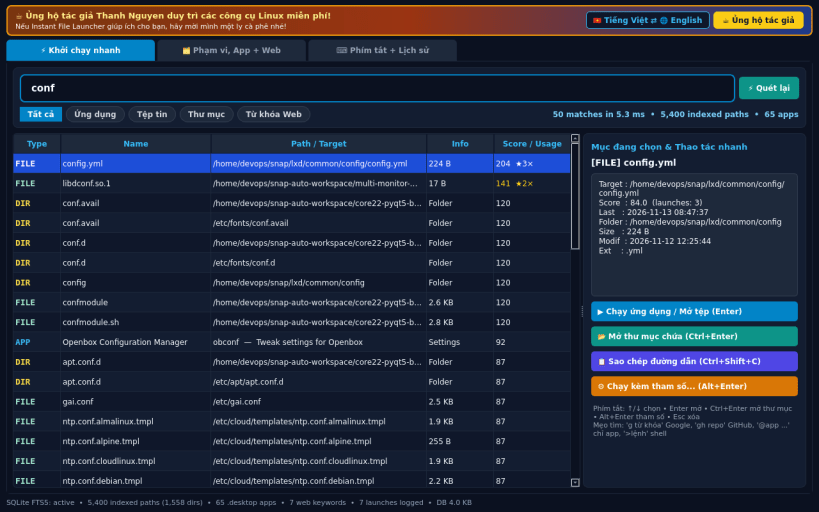
INSTANT PALETTE LAUNCHER
• Keyboard-first search bar with Up/Down/Enter/Shortcuts over two real indexes:
(1) SQLite FTS5 incremental file index tracking mtime + size under your
selected folders and real home directory, and (2) FreeDesktop .desktop
application scanner.
• Ranked by fuzzy prefix, word-initial, substring, and subsequence matching
combined with real SQLite usage frequency and recency boost.
• Quick actions: Launch App / Open File (xdg-open), Open Containing Folder,
Copy Path, Run File or Command with Custom Arguments in a working directory,
plus Custom Web-Search Keywords (g, gh, wp, py, ddg, so, apt).
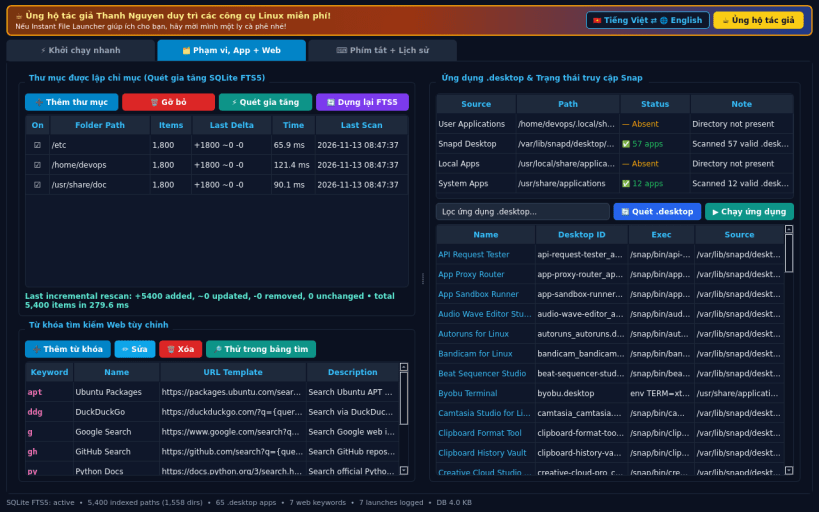
INDEX SCOPE, .DESKTOP APPS & WEB KEYWORDS
• Add/remove indexed folders and run incremental rescans showing exact
added/updated/removed file deltas and elapsed milliseconds.
• Browse all discovered .desktop entries and inspect real strict-snap host
access status; add, edit, or remove custom web-search keywords.
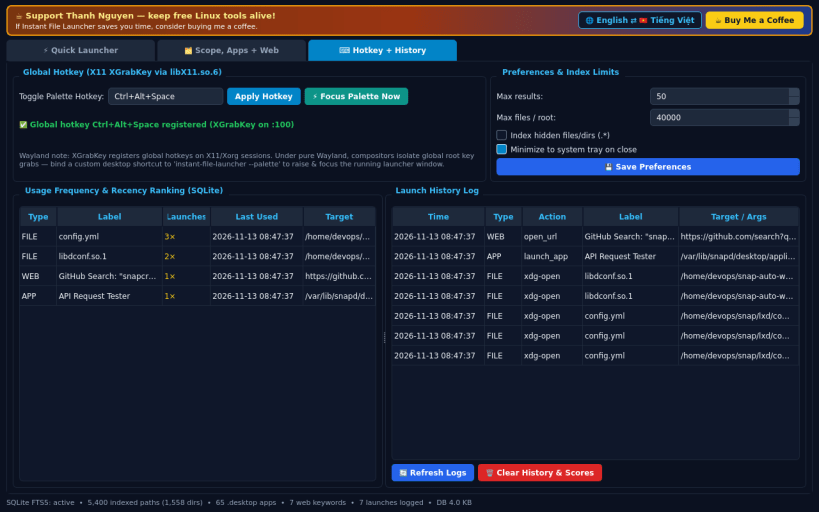
GLOBAL HOTKEY, LAUNCH HISTORY & PREFERENCES
• Global X11 toggle hotkey via XGrabKey (libX11.so.6, default Ctrl+Alt+Space)
to focus the quick launcher palette; includes Wayland shortcut fallback.
• Inspect launch history, usage frequency scores, and configure search limits.
LIMITATIONS (honest)
• Global hotkey registration uses X11 XGrabKey; on pure Wayland sessions,
compositors block global root grabs — bind a desktop shortcut to
instant-file-launcher --palette instead.
• Host .desktop directories under /usr/share/applications require the
system-backup plug (sudo snap connect instant-file-launcher:system-backup).
SUPPORT & DONATE: https://buymeacoffee.com/thanhnv128b