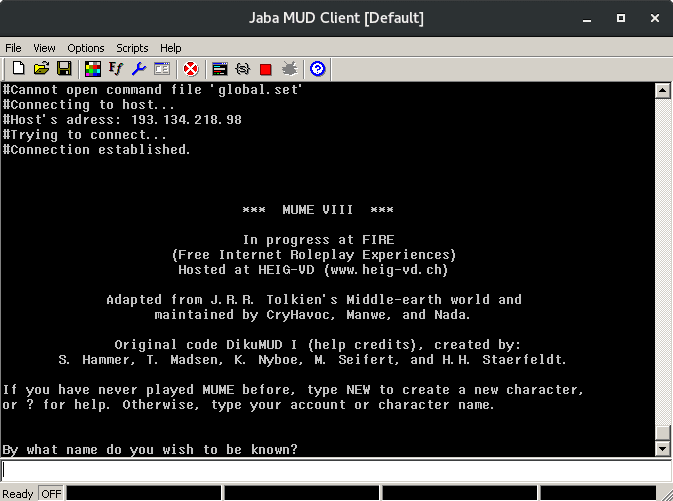
Jaba MUD Client is a powerful client for playing MUDs
This snap is for users with extensive JMC scripts. Please note that JMC has been unmaintained since 2016 and this snap works by downloading the last known working JMC binary and then using WINE to emulate Windows.
Users are highly encouraged to migrate to a maintained client.
Key features of the program:
Support for working with variables and mathematical operations, and regular expressions
Triggers, aliases, hot keys, highlights, auto-replacements, HTML logs, additional buffers and output windows
High rendering speed without effects that cause eye strain (i.e. “blinking text”)
Support for scripting languages: JScript / VBScript / Perl
Support for multiple profiles to separate groups of settings
Play sound files, launch any third-party applications
Details for Jaba MUD Client
Package name
jmc
License
unset
Last updated
8 December 2021 - latest/stable
26 May 2021 - latest/edge
This snap hasn't been updated in a while. It might be unmaintained and have stability or security issues.
(Ownership verified)
The publisher has verified that they own this domain.
It does not guarantee the Snap is an official upload
from the upstream project.
Enable snaps on Pop!_OS and install Jaba MUD Client
Snaps are applications packaged with all their dependencies to run on all popular Linux distributions from a single build. They update automatically and roll back gracefully.
Snaps are discoverable and installable from the Snap Store, an app store with an audience of millions.
Enable snapd
Snap can be installed on Pop!_OS from the command line. Open Terminal from the Applications launcher and type the following:
sudo apt update
sudo apt install snapd
Either log out and back in again, or restart your system, to ensure snap’s paths are updated correctly.
Install Jaba MUD Client
To install Jaba MUD Client, simply use the following command: