


What's new in 1.2
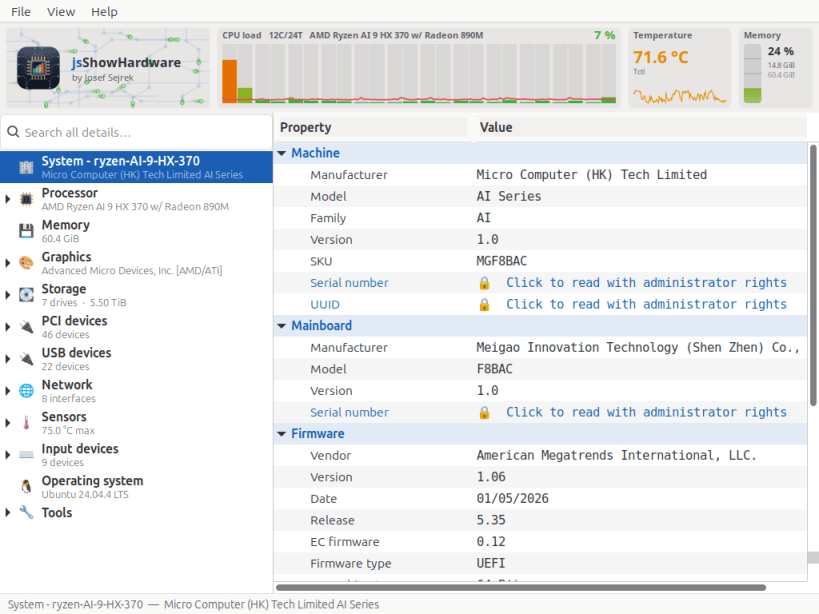
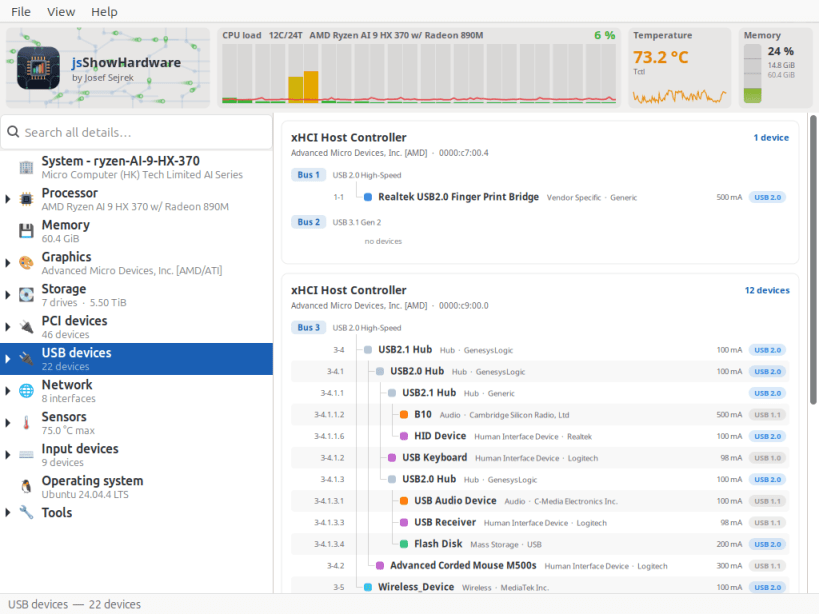
Shows every hardware detail your computer reports about itself — in one window, without a terminal.
▶ ONE-TIME SETUP
Snap packages may only see very little of the computer at first, so temperature, sensors, drives and used disk space stay empty here. One command grants read access. It downloads nothing, installs nothing and changes none of your data — the app may only see more, not do more:
sudo sh -c 'for i in hardware-observe system-observe mount-observe; do snap connect jsshowhardwareinfos:$i; done'
The app tells you the same thing on first start and offers to copy the command for you. It works without it; the affected entries simply stay empty. No restart needed — a click on Refresh is enough. To undo, use "snap disconnect" instead of "snap connect".
Supported systems:
Also available as .deb and .rpm, flatpack, AppImage at www.budbrain.de
Developed by Josef Sejrek / Budbrain Software Contact: jsshowhardwareinfos@budbrain.de | www.budbrain.de
You are about to open
Do you wish to proceed?
Thank you for your report. Information you provided will help us investigate further.
There was an error while sending your report. Please try again later.
Snaps are applications packaged with all their dependencies to run on all popular Linux distributions from a single build. They update automatically and roll back gracefully.
Snaps are discoverable and installable from the Snap Store, an app store with an audience of millions.
Snap can be installed on Pop!_OS from the command line. Open Terminal from the Applications launcher and type the following:
sudo apt update
sudo apt install snapd
Either log out and back in again, or restart your system, to ensure snap’s paths are updated correctly.
To install jsShowHardwareInfos, simply use the following command:
sudo snap install jsshowhardwareinfos
Browse and find snaps from the convenience of your desktop using the snap store snap.

Interested to find out more about snaps? Want to publish your own application? Visit snapcraft.io now.