
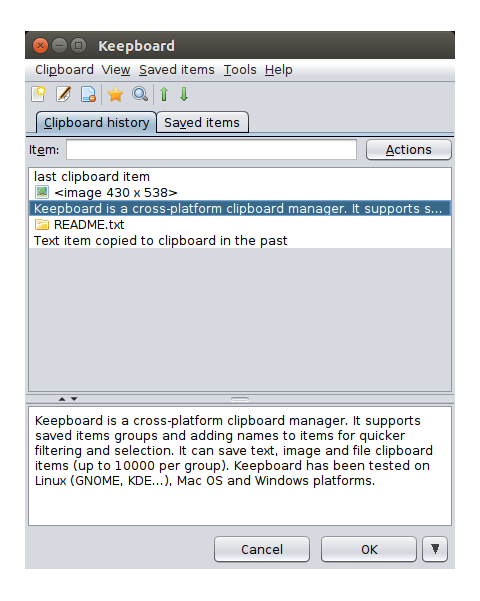
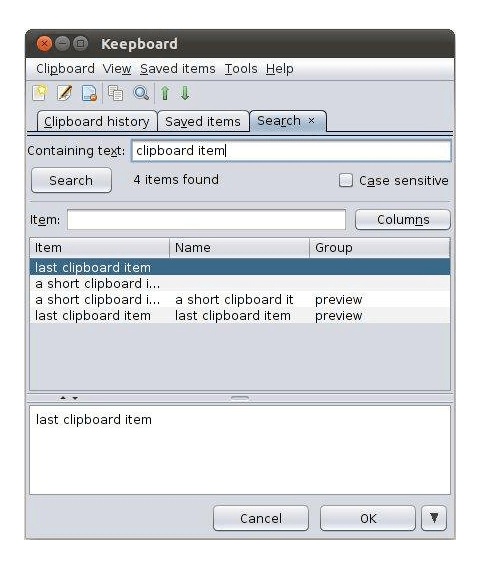
Keepboard is a free open source clipboard manager that can save clipboard history
(either automatically or on-demand) and provides the ability to quickly search
and paste clipboard items copied in the past.
It supports text, image and file clipboard items and stores all data locally
(does not require any network access nor disk access apart from its snap-confined directory).
Keepboard has been tested on Linux (GNOME, KDE...), Mac OS and Windows platforms.
After it is installed and launched, Keepboard can be activated when needed by clicking on its icon in the system tray or more handily by pressing the Ctrl + ` (back tick) global hotkey (configurable in Tools -> Shortcut keys).
Note: Tray icon might not be displayed correctly on some desktop environments/themes and can be simply removed by unticking "Show icon in system tray" in the View menu.
(Ownership verified)
The publisher has verified that they own this domain.
It does not guarantee the Snap is an official upload
from the upstream project.
Enable snaps on KDE Neon and install Keepboard Clipboard Manager
Snaps are applications packaged with all their dependencies to run on all popular Linux distributions from a single build. They update automatically and roll back gracefully.
Snaps are discoverable and installable from the Snap Store, an app store with an audience of millions.
Enable snapd
Snap can be installed from the command line. Open the Konsole terminal and enter the following:
sudo apt update
sudo apt install snapd
Install Keepboard Clipboard Manager
To install Keepboard Clipboard Manager, simply use the following command: