
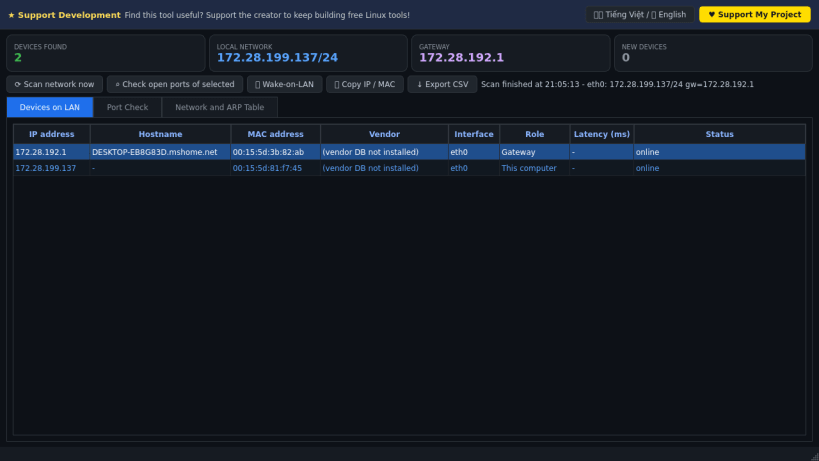
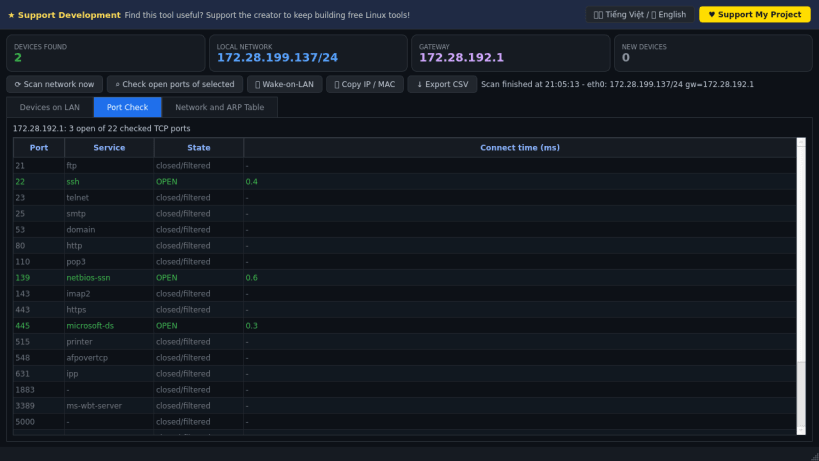
LAN Device Scanner discovers the devices connected to your local network and shows their IP address, hostname, MAC address, vendor and latency. A lightweight Linux alternative to Wireless Network Watcher for finding unknown devices on your Wi-Fi or LAN.
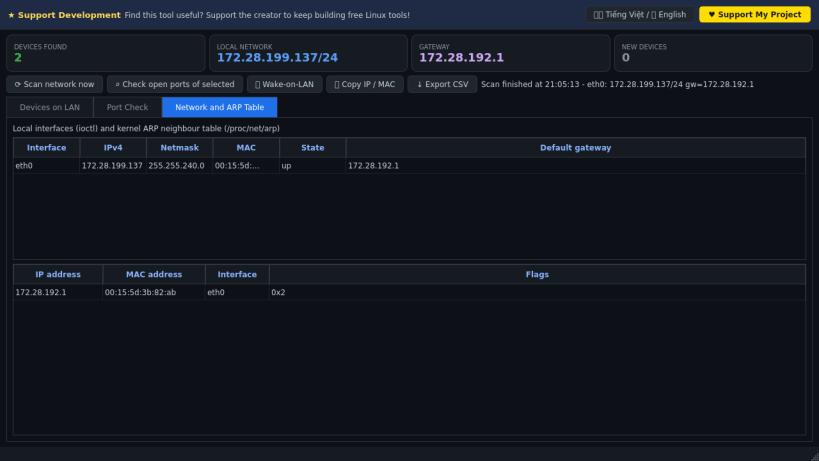
It performs a real scan of the local /24 subnet of each active interface (TCP connect and UDP probes that make the kernel resolve neighbours), then reads the kernel ARP table (/proc/net/arp), the routing table (/proc/net/route) and reverse DNS. Vendor names come from the OUI database when it is installed on the system, and randomized (private) MAC addresses are recognised.
Key Features:
Disclaimer: This project is an independent open-source tool and is not affiliated with, sponsored by, or endorsed by NirSoft.
Thank you for your report. Information you provided will help us investigate further.
There was an error while sending your report. Please try again later.
Snaps are applications packaged with all their dependencies to run on all popular Linux distributions from a single build. They update automatically and roll back gracefully.
Snaps are discoverable and installable from the Snap Store, an app store with an audience of millions.
Snap can be installed on Pop!_OS from the command line. Open Terminal from the Applications launcher and type the following:
sudo apt update
sudo apt install snapd
Either log out and back in again, or restart your system, to ensure snap’s paths are updated correctly.
To install LAN Device Scanner, simply use the following command:
sudo snap install lan-device-scanner-pro
Browse and find snaps from the convenience of your desktop using the snap store snap.
Interested to find out more about snaps? Want to publish your own application? Visit snapcraft.io now.