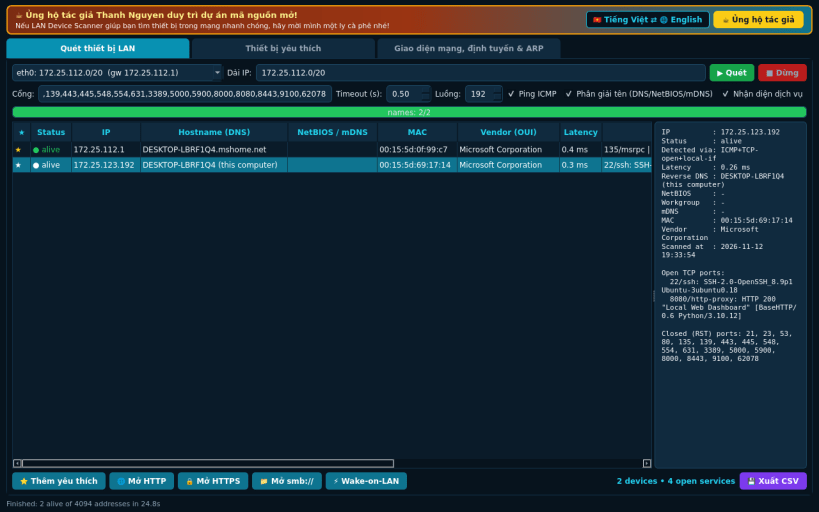
LAN Device Scanner is a Linux alternative to Advanced IP Scanner. It discovers the devices on your local network using real network probes and shows their IP, MAC address, host names and open services.
Not affiliated with or endorsed by Famatech Corp.
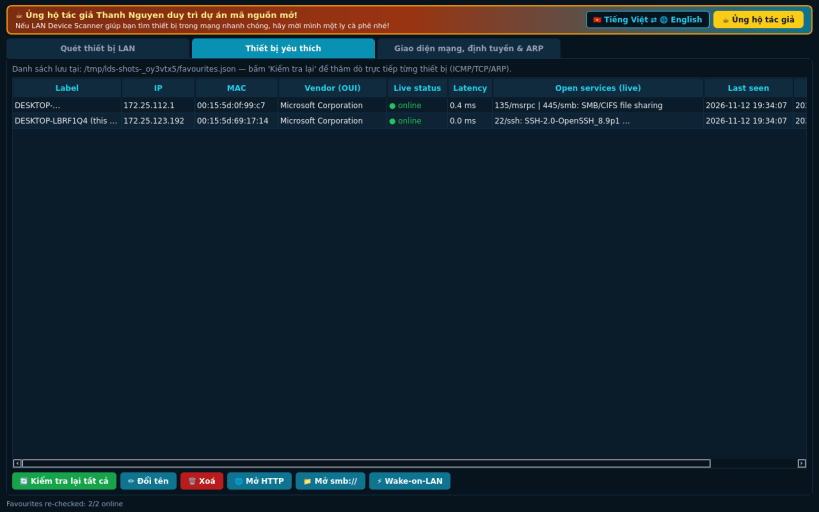
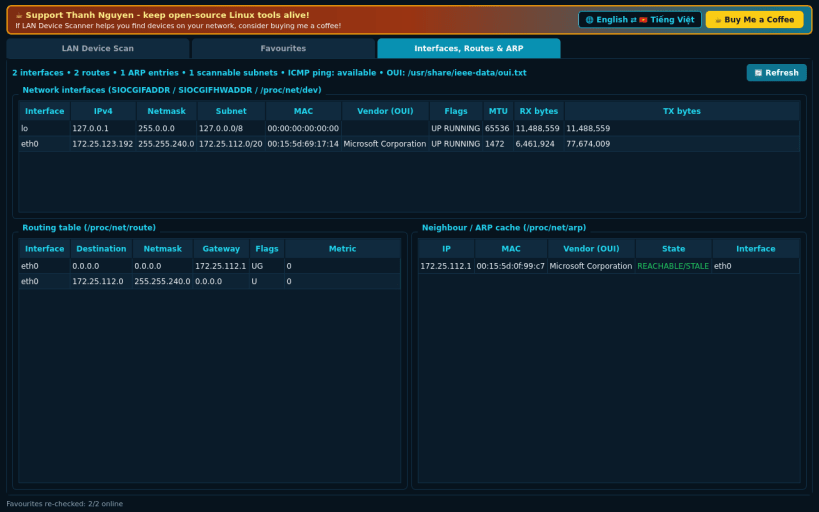
FEATURES (all implemented with real sockets, no sample data): • Auto-detects your local subnets from /proc/net/route and the interface addresses • Parallel discovery: unprivileged ICMP echo (when the kernel allows it), non-blocking TCP connect probes on configurable ports, plus the kernel ARP cache for MAC addresses (also finds hosts that drop every probe but answer ARP) • Names: reverse DNS, NetBIOS name table query (UDP 137) and mDNS unicast PTR query • Services: HTTP/HTTPS page titles and Server header, SSH/FTP/Telnet/SMTP banners, SMB 445, RDP 3389 and other open TCP ports • MAC vendor names are shown only when a real IEEE OUI file exists on the host (e.g. the ieee-data package); no built-in vendor list • Favourites with live re-check, Wake-on-LAN magic packets, CSV export • Open a device in the browser (http/https) or the file manager (smb://) via xdg-open • Interfaces, routing table and ARP/neighbour cache viewer
NOTES: ICMP ping needs net.ipv4.ping_group_range to include your group (default on Ubuntu); otherwise TCP + ARP discovery is used. Opening smb:// links depends on the desktop's URL handler; the link is always copied to the clipboard.
Support development: https://buymeacoffee.com/thanhnv128b
You are about to open
Do you wish to proceed?
Thank you for your report. Information you provided will help us investigate further.
There was an error while sending your report. Please try again later.
Snaps are applications packaged with all their dependencies to run on all popular Linux distributions from a single build. They update automatically and roll back gracefully.
Snaps are discoverable and installable from the Snap Store, an app store with an audience of millions.
On Arch Linux, snap can be installed from the Arch User Repository (AUR). The manual build process is the Arch-supported install method for AUR packages, and you’ll need the prerequisites installed before you can install any AUR package. You can then install snap with the following:
git clone https://aur.archlinux.org/snapd.git
cd snapd
makepkg -si
Once installed, the systemd unit that manages the main snap communication socket needs to be enabled:
sudo systemctl enable --now snapd.socket
If AppArmor is enabled in your system, enable the service which loads AppArmor profiles for snaps:
sudo systemctl enable --now snapd.apparmor.service
To enable classic snap support, enter the following to create a symbolic link between /var/lib/snapd/snap and /snap:
sudo ln -s /var/lib/snapd/snap /snap
Either log out and back in again, or restart your system, to ensure snap’s paths are updated correctly.
To install LAN Device Scanner, simply use the following command:
sudo snap install lan-device-scanner
Browse and find snaps from the convenience of your desktop using the snap store snap.
Interested to find out more about snaps? Want to publish your own application? Visit snapcraft.io now.