


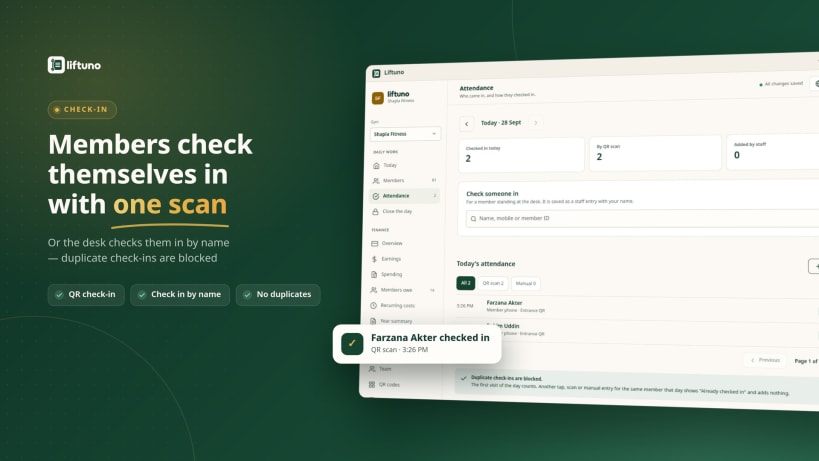


Run your gym's front desk without the paper register.
Liftuno brings memberships, payments, attendance and the day's cash into one place. Built for local gyms in Bangladesh, it supports English and Bangla and displays amounts in Bangladeshi taka.
Keep daily work organised:
Explore before getting started:
Choose “Try the demo” on the sign-in screen to explore a fictional gym without an existing account. Each visitor gets a private demo that expires after 24 hours. Demo people and amounts are fictional.
Already using Liftuno? Sign in with the mobile number your gym saved for you and your PIN. New gyms can contact us through the Liftuno website for onboarding and subscription details.
An internet connection is required. Liftuno records payments; it does not process card, bKash or bank transactions.
You are about to open
Do you wish to proceed?
Thank you for your report. Information you provided will help us investigate further.
There was an error while sending your report. Please try again later.
Snaps are applications packaged with all their dependencies to run on all popular Linux distributions from a single build. They update automatically and roll back gracefully.
Snaps are discoverable and installable from the Snap Store, an app store with an audience of millions.
Snap can be installed from the command line on openSUSE Leap 15.x and Tumbleweed.
You need first add the snappy repository from the terminal. Choose the appropriate command depending on your installed openSUSE flavor.
Tumbleweed:
sudo zypper addrepo --refresh https://download.opensuse.org/repositories/system:/snappy/openSUSE_Tumbleweed snappy
Leap 15.x:
sudo zypper addrepo --refresh https://download.opensuse.org/repositories/system:/snappy/openSUSE_Leap_15.6 snappy
If needed, Swap out openSUSE_Leap_15. for, openSUSE_Leap_16.0 if you’re using a different version of openSUSE.
With the repository added, import its GPG key:
sudo zypper --gpg-auto-import-keys refresh
Finally, upgrade the package cache to include the new snappy repository:
sudo zypper dup --from snappy
Snap can now be installed with the following:
sudo zypper install snapd
You then need to either reboot, logout/login or source /etc/profile to have /snap/bin added to PATH.
Additionally, enable and start both the snapd and the snapd.apparmor services with the following commands:
sudo systemctl enable --now snapd
sudo systemctl enable --now snapd.apparmor
To install Liftuno, simply use the following command:
sudo snap install liftuno
Browse and find snaps from the convenience of your desktop using the snap store snap.

Interested to find out more about snaps? Want to publish your own application? Visit snapcraft.io now.


