
Linlo — A Simple, Free Filesystem Finder
Read the license: Linlo is released under the EWSW 2.0 License, a free, permissive, public-domain-style license created by EclipseGMD.
https://github.com/BRANDONALT4333/Linlo/blob/main/LICENSE
Open, simple, and free.
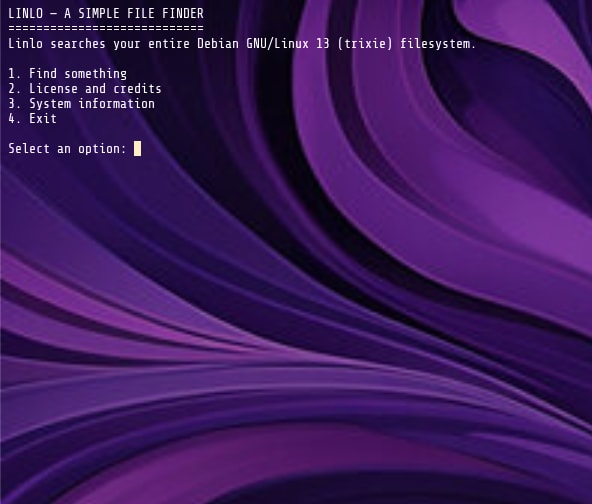
Linlo is a lightweight, terminal-based filesystem search tool designed to make finding files and directories on Linux easier. Built with Bash, Linlo provides a straightforward way to search your filesystem without having to remember complicated commands.
KNOWN BUGS ON SNAP VERSION: Debian based systems is possible to get confused with Ubuntu. If that happens, please install it the MANUAL way via: https://sites.google.com/view/linlofilefinder/downloads
Features
Interactive search menu — Find files and directories with a simple menu-driven interface.
Search by name — Find filesystem entries matching a name or search term.
Flexible search modes — Search using partial names, exact names, files only, or directories only.
Case-insensitive searching — Find matches without worrying about capitalization.
Direct command-line searching — Search instantly with commands like linlo Firefox.
System information — Use linlo --os to display operating-system information.
Version information — Check your installed version with linlo --version.
Help and guidance — Use linlo --help to see available commands.
Dependency detection — Linlo checks for the required find command.
How to Use
Launch Linlo and select an option from the interactive menu, or search directly from your terminal:
linlo Firefox
You can also use the following commands:
linlo --help — Display command usage.
linlo --version — Display version information.
linlo --os — Display operating-system information.
Free Software, Forever
Linlo is built around the belief that software should be freely available to use, share, and modify. No paid license is required.
Created by EclipseGMD and the MonroeKernelWorks Team.
Linlo — making filesystem searches simpler, one command at a time.
THANKS: Adam, Azul, Cuffy, Butterboy, Jesper, Avelyn, DeadeMMC, MittensEAS, actionjaxon23, Anthoney.
Thank you for your report. Information you provided will help us investigate further.
There was an error while sending your report. Please try again later.
Snaps are applications packaged with all their dependencies to run on all popular Linux distributions from a single build. They update automatically and roll back gracefully.
Snaps are discoverable and installable from the Snap Store, an app store with an audience of millions.
Snap is available for CentOS 7.6+, and Red Hat Enterprise Linux 7.6+, from the Extra Packages for Enterprise Linux (EPEL) repository. The EPEL repository can be added to your system with the following command:
sudo yum install epel-release
Snap can now be installed as follows:
sudo yum install snapd
Once installed, the systemd unit that manages the main snap communication socket needs to be enabled:
sudo systemctl enable --now snapd.socket
To enable classic snap support, enter the following to create a symbolic link between /var/lib/snapd/snap and /snap:
sudo ln -s /var/lib/snapd/snap /snap
Either log out and back in again, or restart your system, to ensure snap’s paths are updated correctly.
To install Linlo, simply use the following command:
sudo snap install linlo --edge
Browse and find snaps from the convenience of your desktop using the snap store snap.

Interested to find out more about snaps? Want to publish your own application? Visit snapcraft.io now.