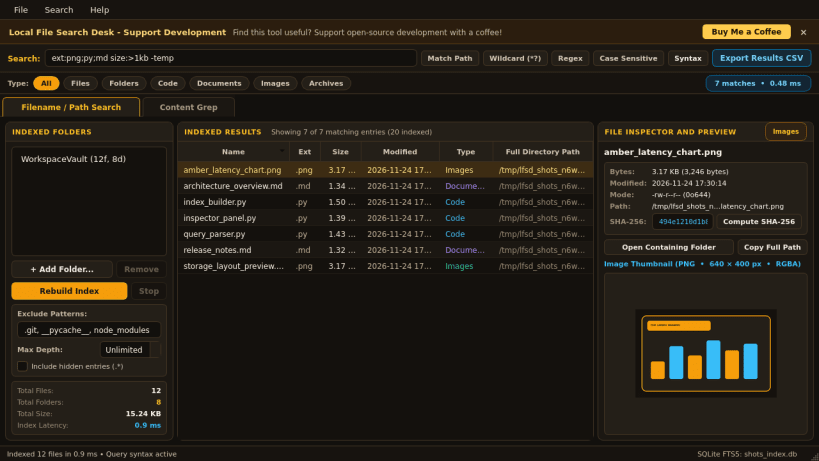
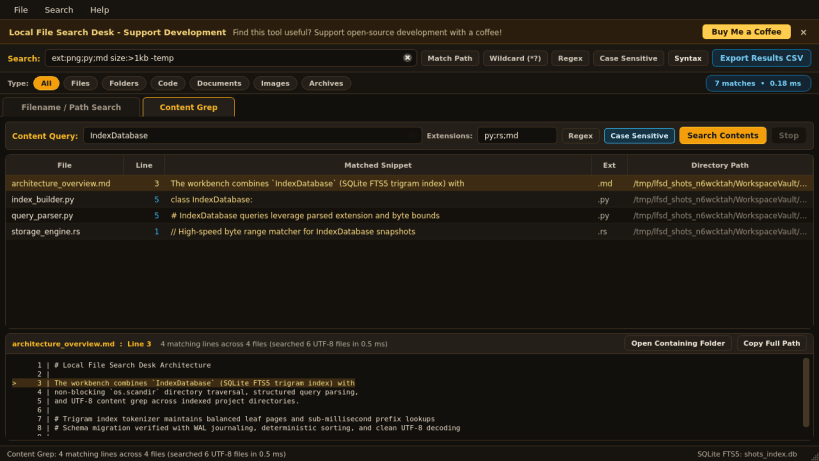
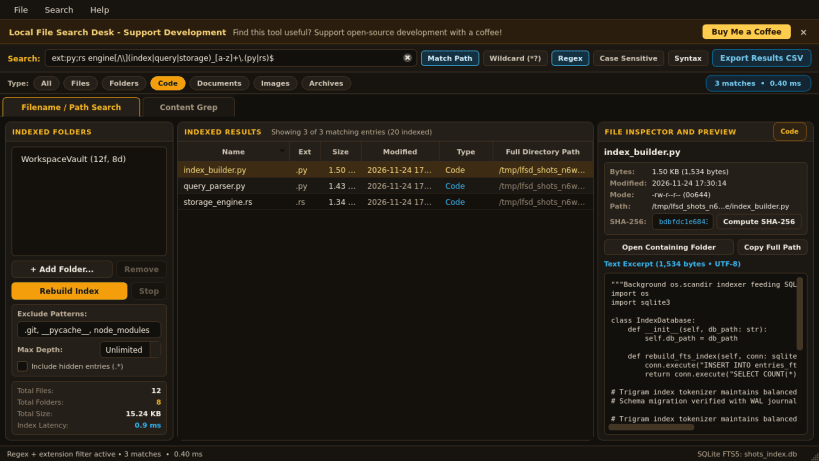
Local File Search Desk is an instant indexed local file, path, and UTF-8 content search desktop workbench for Linux. Add any project directory, document folder, or removable drive, build a compact SQLite FTS5 index in a non-blocking background thread with configurable exclusions and max depth, and filter tens of thousands of entries in milliseconds on every keystroke.
Use quick type filter pills, Match Path, Wildcard, Regex, and Case Sensitive toggles alongside structured query syntax such as ext:py;md, size:>10kb, size:<5mb, modified:7d, and term negation (-temp). Inspect real file mode, modification timestamp, exact byte count, SHA-256 checksums, 4 KB UTF-8 text excerpts, or Pillow image thumbnails in the right inspector pane, switch to Content Grep to locate matching lines inside indexed files, and export results to CSV.
You are about to open
Do you wish to proceed?
Thank you for your report. Information you provided will help us investigate further.
There was an error while sending your report. Please try again later.
Snaps are applications packaged with all their dependencies to run on all popular Linux distributions from a single build. They update automatically and roll back gracefully.
Snaps are discoverable and installable from the Snap Store, an app store with an audience of millions.
Snap can be installed on elementary OS from the command line. Open Terminal from the Applications launcher and type the following:
sudo apt update
sudo apt install snapd
Either log out and back in again, or restart your system, to ensure snap’s paths are updated correctly.
To install Local File Search Desk, simply use the following command:
sudo snap install local-file-search-desk

Browse and find snaps from the convenience of your desktop using the snap store snap.

Interested to find out more about snaps? Want to publish your own application? Visit snapcraft.io now.