Write the story only YOU can tell.
LocalProse is the sovereign writing studio that supports you from the first spark to "THE END". Discover the novel and saga writing software whose AI assistant, editorial analysis, and voice dictation run exclusively on your computer, offline: zero cloud, zero word quotas, zero subscription. Your manuscripts never leave your hard drive.
A Complete Studio, From Rough Draft to Formatted Book
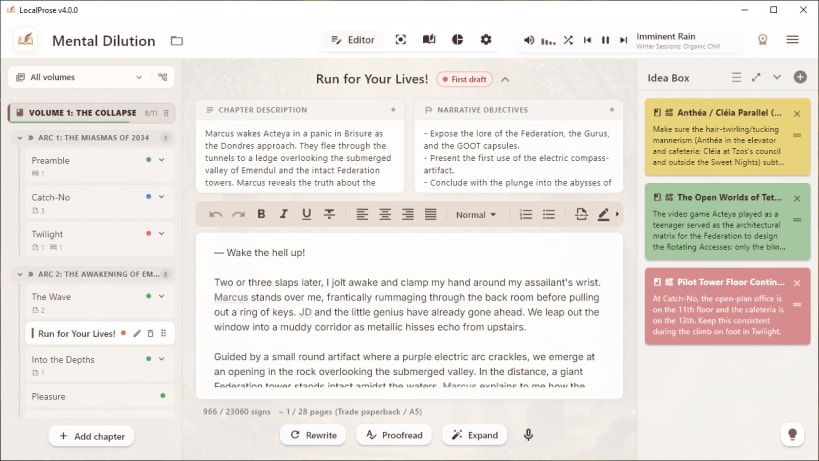
- 4-Level Architecture: Structure your novels and sagas into Volumes, Story Arcs, Chapters, and Scenes, with customizable scene separators, 5-status progress tracking, and automatic resume at your last edited chapter.
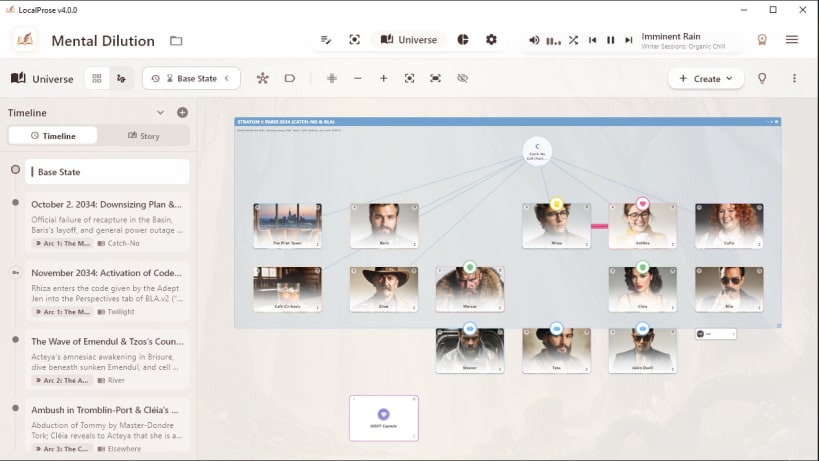
- World-Building & Timeline: Create detailed profiles (Characters, Locations, Items, Groups), map their relationships on the interactive Canvas, automatically detect first names and nicknames as you type, and toggle your Timeline between Timeline view and Story view.
- Unlimited Local AI Assistant (Pro): Full-height side-by-side rewrite studio with live word-count delta, proofreading, text expansion ("Imitate my style" option), contextual Thesaurus, assisted universe generation, and Character Interview Mode to chat live with your protagonists.
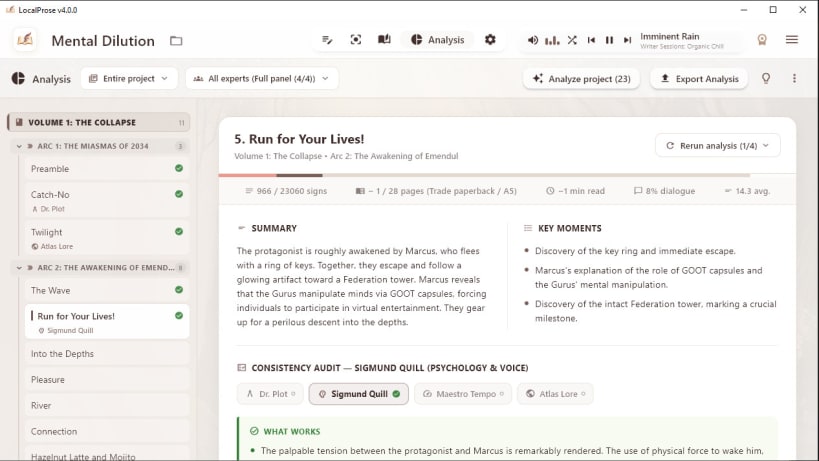
- 4-Persona AI Editorial Board (Pro): Audit your chapters, Arcs, or Volumes with Dr. Plot (structure), Sigmund Quill (psychology), Maestro Tempo (pacing), and Atlas Lore (lore), individually or as a full panel in a single pass.
- Comfort, Voice, OCR & Versions: Immersive Focus Mode (Pomodoro and ambient soundscapes), real-time offline voice dictation (Pro), OCR transcription of handwritten notes, 4-column Idea Box, local version history with visual word-by-word diff comparison, and collaborative project merging.
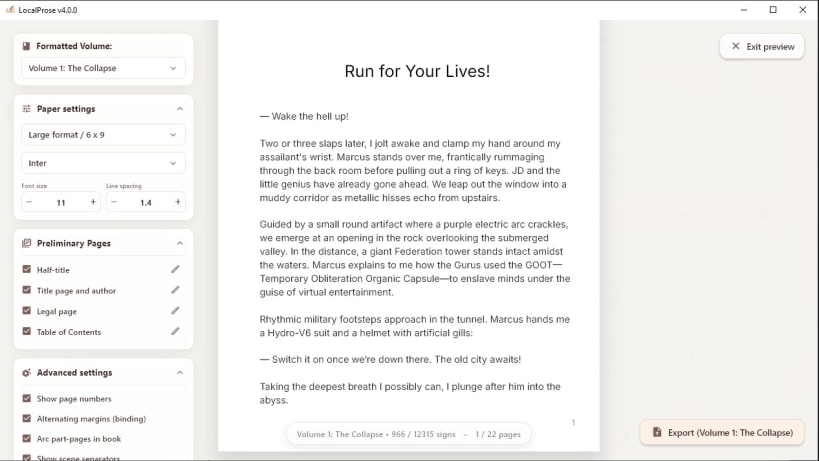
- Book Formatting & Exports: Pro Print Preview per standalone Volume or full manuscript (Pocket, Trade Paperback/A5, 6x9, preliminary pages, table of contents, pagination, page-bottom footnotes) and DOCX, PDF, EPUB (Pro), two-way Markdown (
.md), and TXT exports.
- 7 Languages & Mobile Continuity: Interface, AI, and dictation in English, French, German, Spanish, Italian, Portuguese, and Dutch. Sync your work with the mobile app (iOS/Android) over local Wi-Fi (LAN) via QR code, with zero cloud.
What's New in LocalProse 4.0
- 4-Level Saga Tracking: Drag-and-drop organization with Volume filter, customizable scene separators, and 5 editorial statuses linked to per-Volume progress bars.
- Editorial Board & Side-by-Side Rewrite: Full-panel single-pass audits with 4 AI personas and live word-count delta in the rewrite studio.
- Diff Viewer, Merge & Markdown: Auto/manual local restore points, word-by-word diff with single-chapter or full-project restore, collaborative project merging, and two-way
.md import/export.
- Per-Volume Print & Universe Upgrades: Standalone Volume exports with page-bottom footnotes, dual-view Timeline, on-demand Canvas ghost preview, and multi-nickname detection.
- 5 New Languages: Added full support for DE, ES, IT, PT, and NL alongside EN and FR, plus faster offline voice dictation.
Free Edition & 7-Day Pro Trial Included
Freely use the Free Edition with no account or time limit, or activate the 7-day free Pro trial in one click (no account or credit card required, automatically extended to mobile upon your first Wi-Fi sync) to test local AI performance on your Linux PC before choosing a Lifetime Pro License (one-time payment).
Ubuntu / Linux Permissions Note
LocalProse runs in a strict security sandbox. To enable offline voice dictation (microphone) or save projects on external drives, grant the optional permissions in your terminal (or via Ubuntu Settings > Apps > LocalProse):
- Microphone:
sudo snap connect localprose:audio-record
- External drives:
sudo snap connect localprose:removable-media
Learn more at https://www.localprose.com