
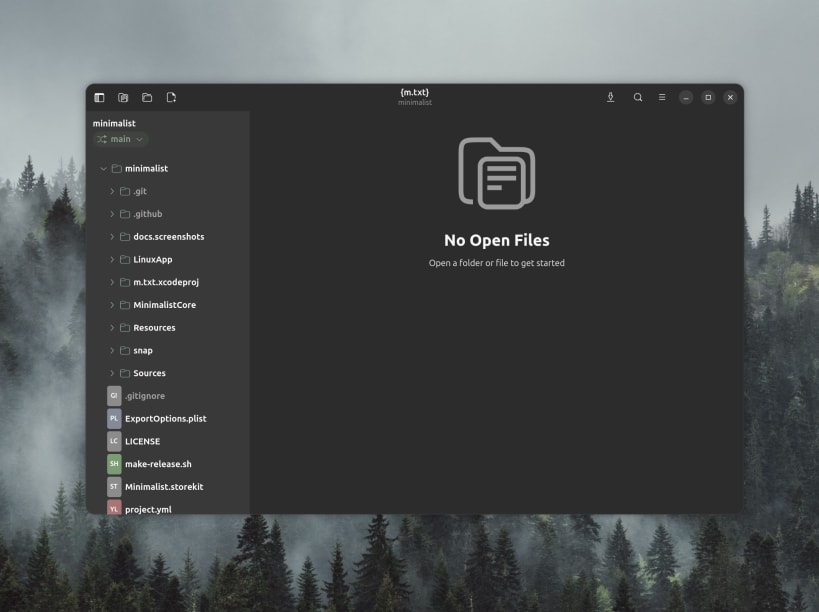


A minimalist text editor. No AI, no bs, no plugins or agents.
Syntax highlighting, multi-tab editing, a file-tree sidebar, and git branch awareness — sharing its document engine with the macOS app.
Syntax highlighting for 180+ languages, with light and dark themes A beautiful reader view for Markdown (tables, task lists, code blocks) and AsciiDoc Inline completions drawn from your own file — no cloud, no AI Line numbers, word wrap, custom fonts, and a minimap for the bird's-eye view of the source file(s)
Stay focused on the developing
Zen mode strips the window down to just your text A quick-search palette takes you straight to any file Optional glass window style and quiet background patterns — drifting sand, ripples, mist, stars
Never lose a thought with built-in revision history
Automatic revision history: autosave snapshots, plus a commit every time you save Compare revisions with a unified diff and restore any version locally before committing to git Session restore brings back your folder, tabs, and place on app or computer restart
For developers, by a developer
Open a folder and browse it in a compact file tree Switch and create git branches; browse any file's commit history Built-in viewers for PDFs, images, video, and audio — and a hex view for everything else
Yours, privately
No accounts, no tracking. Telemetry free.
m.Txt is a passion project — built to be the calm, instant editor its developer wanted every day, due to the frustration with many of the other editors out there being bloated with extras that wasn't asked for or wanted.
You are about to open
Do you wish to proceed?
Thank you for your report. Information you provided will help us investigate further.
There was an error while sending your report. Please try again later.
Snaps are applications packaged with all their dependencies to run on all popular Linux distributions from a single build. They update automatically and roll back gracefully.
Snaps are discoverable and installable from the Snap Store, an app store with an audience of millions.
On Arch Linux, snap can be installed from the Arch User Repository (AUR). The manual build process is the Arch-supported install method for AUR packages, and you’ll need the prerequisites installed before you can install any AUR package. You can then install snap with the following:
git clone https://aur.archlinux.org/snapd.git
cd snapd
makepkg -si
Once installed, the systemd unit that manages the main snap communication socket needs to be enabled:
sudo systemctl enable --now snapd.socket
If AppArmor is enabled in your system, enable the service which loads AppArmor profiles for snaps:
sudo systemctl enable --now snapd.apparmor.service
To enable classic snap support, enter the following to create a symbolic link between /var/lib/snapd/snap and /snap:
sudo ln -s /var/lib/snapd/snap /snap
Either log out and back in again, or restart your system, to ensure snap’s paths are updated correctly.
To install m-txt, simply use the following command:
sudo snap install m-txt
Browse and find snaps from the convenience of your desktop using the snap store snap.

Interested to find out more about snaps? Want to publish your own application? Visit snapcraft.io now.


