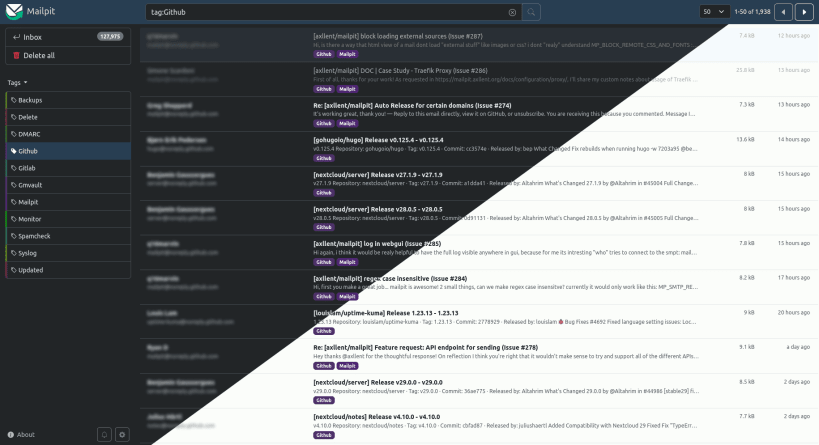
Mailpit catches the email your applications send. Its SMTP server stores every message, a web interface shows them (HTML, text, source, headers and attachments) and a REST API lets automated tests read them. It also offers message tagging, HTML and link checks, SMTP relaying and an optional POP3 server.
Getting started
The service starts right after installation and listens on this machine only: SMTP on 127.0.0.1:1025, the web interface and API on http://127.0.0.1:8025. Send a test message:
printf 'To: you@example.com\nSubject: Test\n\nHello\n' | mailpit sendmail
Settings
sudo snap set mailpit smtp-address=0.0.0.0:1025
sudo snap set mailpit http-address=0.0.0.0:8025
Other upstream settings, such as authentication, TLS, relaying and message limits, go in /var/snap/mailpit/common/mailpit.env as MP_* variables. Restart the service after editing it:
sudo snap restart mailpit.daemon
sendmail
mailpit.sendmail is a sendmail replacement that delivers to the service.
Captured mail is stored in /var/snap/mailpit/common. Updates come through snap refresh; the upstream version check is disabled.
You are about to open
Do you wish to proceed?
Thank you for your report. Information you provided will help us investigate further.
There was an error while sending your report. Please try again later.
Snaps are applications packaged with all their dependencies to run on all popular Linux distributions from a single build. They update automatically and roll back gracefully.
Snaps are discoverable and installable from the Snap Store, an app store with an audience of millions.
If you’re running Kubuntu 16.04 LTS (Xenial Xerus) or later, including Kubuntu 18.04 LTS (Bionic Beaver) and Kubuntu 18.10 (Cosmic Cuttlefish), you don’t need to do anything. Snap is already installed and ready to go.
Versions of Kubuntu between 14.04 LTS (Trusty Tahr) and 15.10 (Wily Werewolf) don’t include snap by default, but snap can be installed from the command line as follows:
sudo apt update
sudo apt install snapd
To install Mailpit, simply use the following command:
sudo snap install mailpit
Browse and find snaps from the convenience of your desktop using the snap store snap.
Interested to find out more about snaps? Want to publish your own application? Visit snapcraft.io now.