Offline Markdown notebooks, to-do checklists, tag organizer & fast search
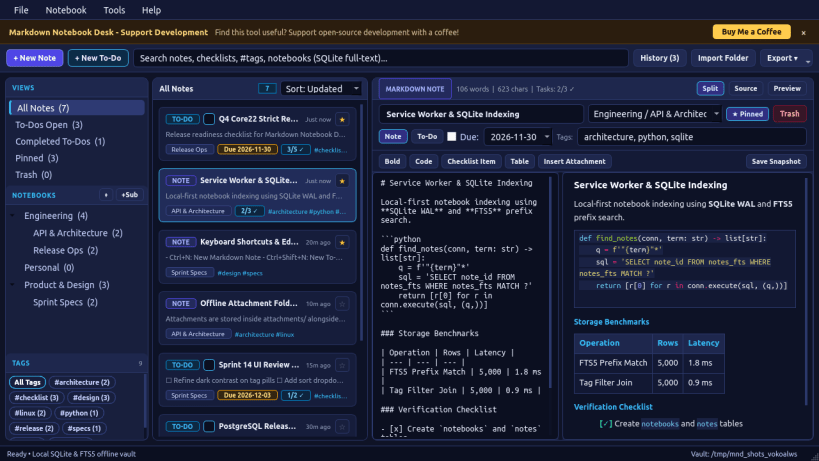
Markdown Notebook Desk is an offline-first local notebook, checklist, and
knowledge organizer built for Linux desktops. Keep structured project notes,
task lists with due dates, tagged research snippets, and file attachments in
a unified three-pane Royal Indigo Binder workspace backed by local SQLite
storage and full-text indexing.
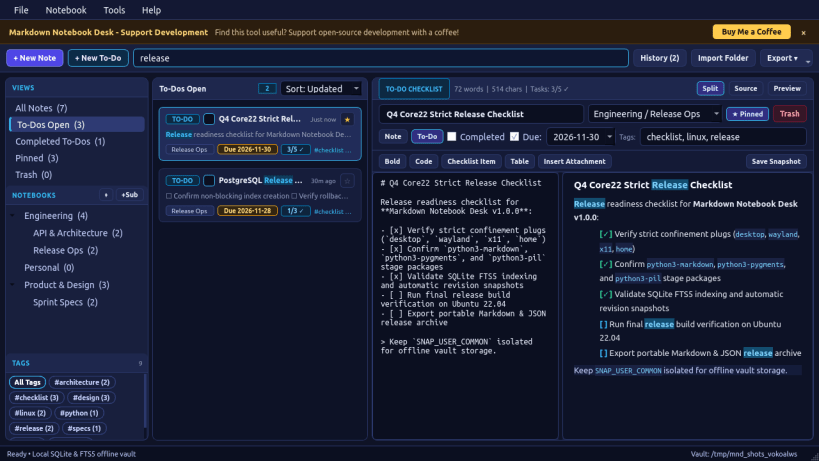
Organize entries into nested notebooks and sub-notebooks, filter instantly by
To-Dos Open, Completed To-Dos, Pinned notes, Trash, or clickable tag pills,
toggle interactive Markdown task checkboxes directly in the live rendered
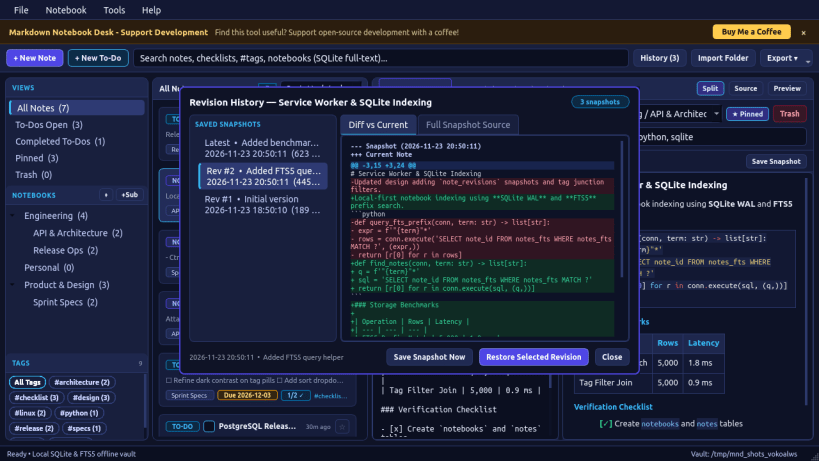
preview with syntax-highlighted code blocks and tables, inspect note revision
history diffs to restore earlier versions, and export or import Markdown
folders and portable JSON backups locally.
(Ownership verified)
The publisher has verified that they own this domain.
It does not guarantee the Snap is an official upload
from the upstream project.
Enable snaps on KDE Neon and install Markdown Notebook Desk
Snaps are applications packaged with all their dependencies to run on all popular Linux distributions from a single build. They update automatically and roll back gracefully.
Snaps are discoverable and installable from the Snap Store, an app store with an audience of millions.
Enable snapd
Snap can be installed from the command line. Open the Konsole terminal and enter the following:
sudo apt update
sudo apt install snapd
Install Markdown Notebook Desk
To install Markdown Notebook Desk, simply use the following command: