
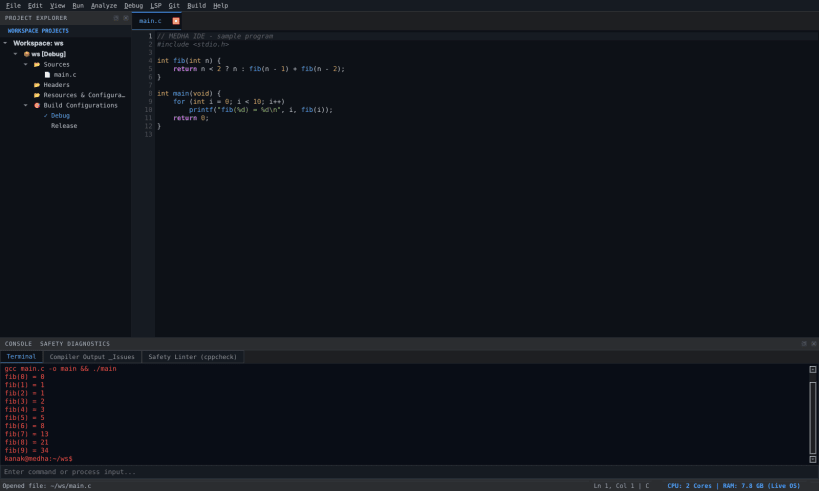
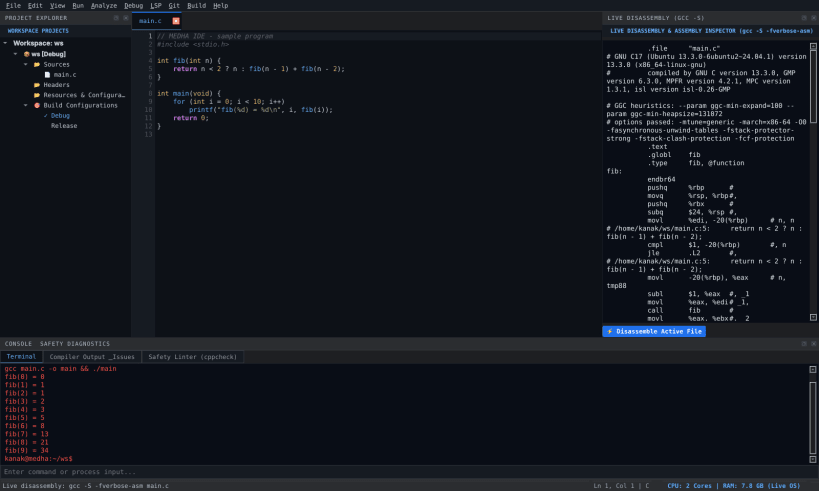
MEDHĀ (MEDHA IDE) is a native desktop IDE built with Python and Qt 6 for learning C, C++, Java and Python. GCC/G++, Eclipse Temurin JDK 25 and Python are included for offline compilation and execution.
Write, build and run
Optional connected features
The editor and bundled toolchains work offline. Extension downloads require internet access. AI assistance requires a reachable local Ollama service.
About this confined Snap
This package works with visible files in your home directory. For projects on USB/removable drives, connect the interface with:
sudo snap connect medha-ide:removable-media
GDB debugging and direct access to host-installed tools are not supported in this confined package. Git, CMake, cppcheck and external language servers are not bundled; installing them on the host with apt does not make them available inside this Snap.
Free and open source under GPL-3.0-or-later. Source code, documentation and issue reports: https://github.com/Kanak234/medha-ide
You are about to open
Do you wish to proceed?
Thank you for your report. Information you provided will help us investigate further.
There was an error while sending your report. Please try again later.
Snaps are applications packaged with all their dependencies to run on all popular Linux distributions from a single build. They update automatically and roll back gracefully.
Snaps are discoverable and installable from the Snap Store, an app store with an audience of millions.
Snap is available for CentOS 7.6+, and Red Hat Enterprise Linux 7.6+, from the Extra Packages for Enterprise Linux (EPEL) repository. The EPEL repository can be added to your system with the following command:
sudo yum install epel-release
Snap can now be installed as follows:
sudo yum install snapd
Once installed, the systemd unit that manages the main snap communication socket needs to be enabled:
sudo systemctl enable --now snapd.socket
To enable classic snap support, enter the following to create a symbolic link between /var/lib/snapd/snap and /snap:
sudo ln -s /var/lib/snapd/snap /snap
Either log out and back in again, or restart your system, to ensure snap’s paths are updated correctly.
To install MEDHĀ IDE, simply use the following command:
sudo snap install medha-ide
Browse and find snaps from the convenience of your desktop using the snap store snap.

Interested to find out more about snaps? Want to publish your own application? Visit snapcraft.io now.