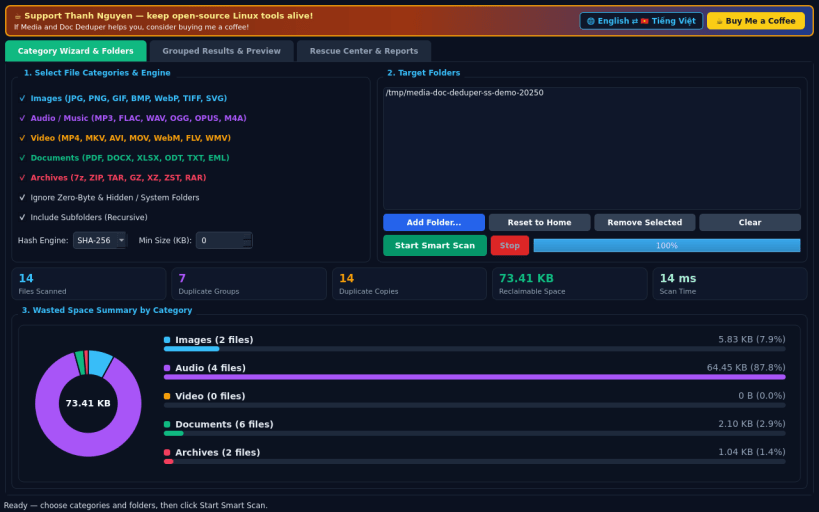
A lightweight Linux desktop utility inspired by classic Auslogics Duplicate File Finder category-based deduplication workflows. Independent open-source project, not affiliated with or endorsed by third-party vendors.
CATEGORY WIZARD & WASTED SPACE SUMMARY • Select targeted file categories before scanning: Images, Audio/Music, Video, Documents (PDF, DOCX, XLSX, ODT, TXT, EML), and Archives (7z, ZIP, TAR, RAR), with an option to ignore zero-byte and hidden/system folders. • Two-stage deduplication engine using partial file signatures followed by full streaming SHA-256, BLAKE2b, or MD5 hashing, visualized with a live category pie and horizontal bar summary of reclaimable storage space.
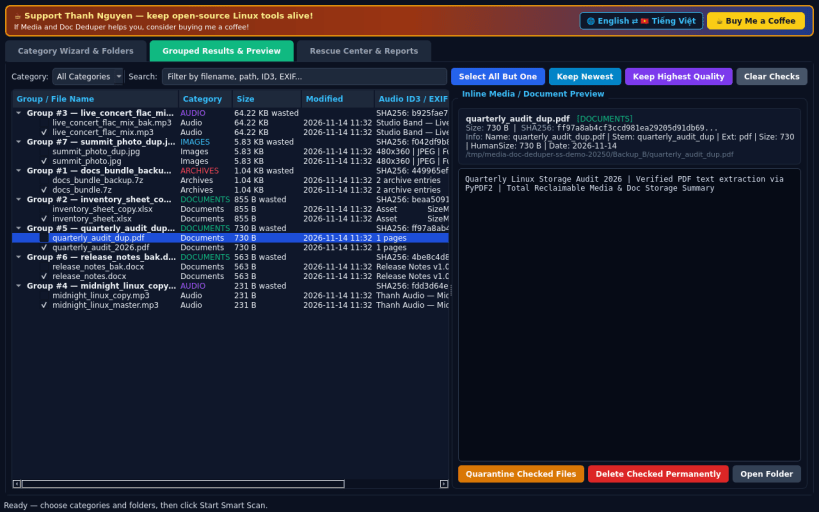
GROUPED RESULTS & INLINE MEDIA / DOC PREVIEW • Browse duplicate groups organized by category with quick selection rules (Select All But One, Keep Newest, Keep Highest Quality). • Inspect duplicates inline before cleaning: live image thumbnail previews, extracted PDF/DOCX/XLSX/TXT document text, audio ID3/FLAC/WAV metadata tags, and 7z/ZIP/TAR/RAR archive entry listings.
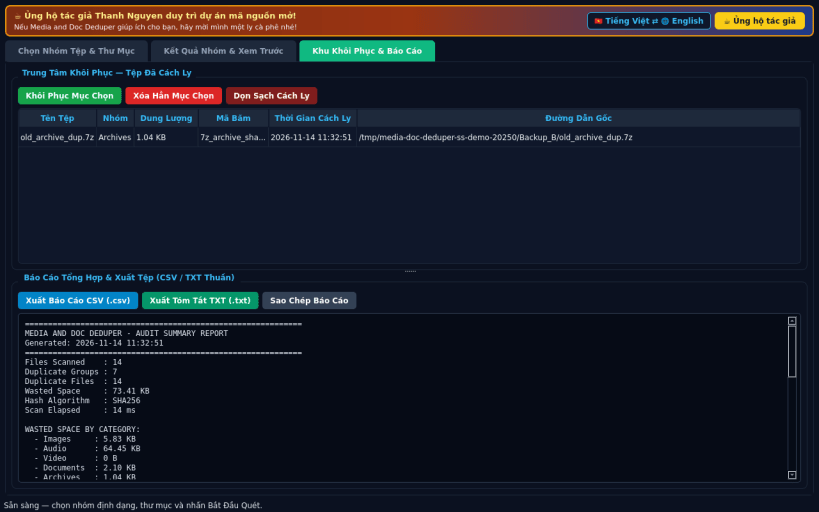
RESCUE CENTER & AUDIT REPORTS • Move duplicate copies safely into the reversible Rescue Center quarantine with one-click Restore, or export CSV and HTML-free plain TXT audit reports. • English default interface with instant Vietnamese language toggle.
SUPPORT & DONATE • Created by Thanh Nguyen — https://buymeacoffee.com/thanhnv128b
You are about to open
Do you wish to proceed?
Thank you for your report. Information you provided will help us investigate further.
There was an error while sending your report. Please try again later.
Snaps are applications packaged with all their dependencies to run on all popular Linux distributions from a single build. They update automatically and roll back gracefully.
Snaps are discoverable and installable from the Snap Store, an app store with an audience of millions.
On Debian 9 (Stretch) and newer, snap can be installed directly from the command line:
sudo apt update
sudo apt install snapd
After this, install the snapd snap in order to get the latest snapd:
sudo snap install snapd
To install Media and Doc Deduper, simply use the following command:
sudo snap install media-doc-deduper
Browse and find snaps from the convenience of your desktop using the snap store snap.
Interested to find out more about snaps? Want to publish your own application? Visit snapcraft.io now.