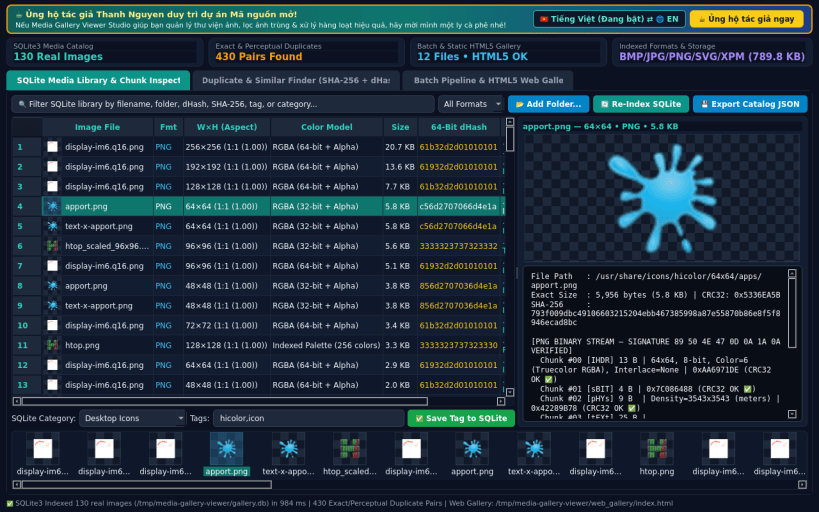
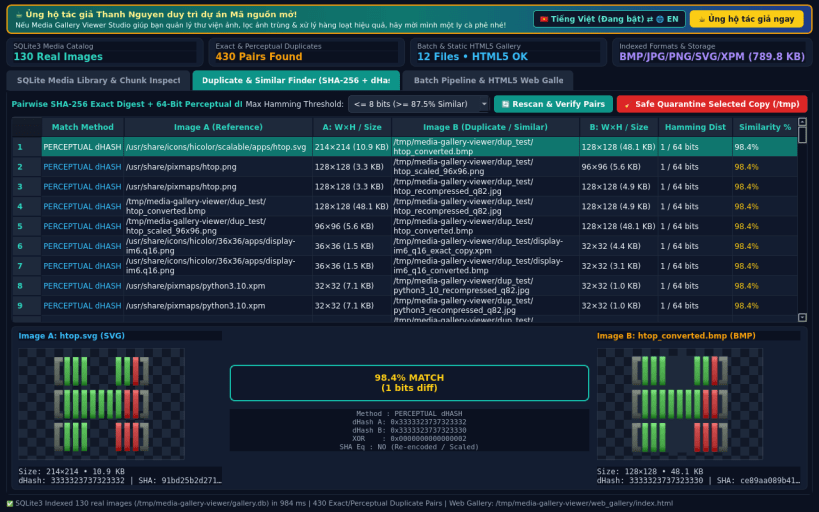
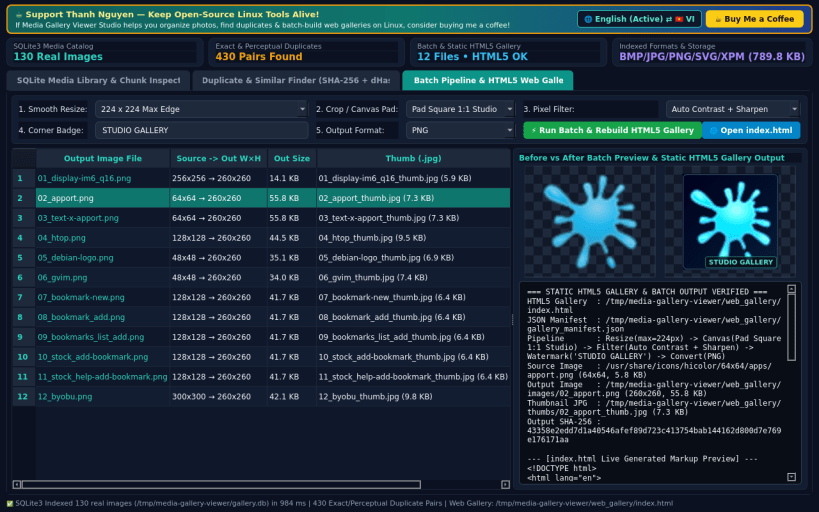
A lightweight Linux alternative to XnView MP for large image library management, visual duplicate/similar photo finding via perceptual dHash, multi-step batch processing, and static HTML web gallery generation. Disclaimer: Independent open-source project, not affiliated with or endorsed by XnSoft.
KEY FEATURES: • Multi-Folder SQLite Media Library & Binary Chunk Inspector: Index PNG, JPEG, SVG, XPM, and BMP images across Linux folders into a persistent SQLite3 catalog with real dimensions, aspect ratio, bit depth, color model, SHA-256 digest, 64-bit perceptual dHash, custom categories/tags, thumbnail strip, and binary PNG/JPEG/BMP/SVG chunk/marker inspection. • Visual Duplicate & Similar Image Finder: Detect exact byte-identical duplicates via SHA-256 and visually similar resized or recompressed photos via 64-bit perceptual dHash bitwise Hamming distance, complete with side-by-side visual previews and safe cleanup. • Multi-Action Batch Pipeline & Static HTML5 Web Gallery Generator: Run ordered batch image actions (smooth resize, square canvas pad or auto-trim, pixel color/sharpen filter, corner watermark badge, PNG/JPG/BMP conversion) and build standalone responsive HTML5 + CSS photo galleries with JSON manifests.
SUPPORT & DONATE: • Created by Thanh Nguyen — Support ongoing development: https://buymeacoffee.com/thanhnv128b
You are about to open
Do you wish to proceed?
Thank you for your report. Information you provided will help us investigate further.
There was an error while sending your report. Please try again later.
Snaps are applications packaged with all their dependencies to run on all popular Linux distributions from a single build. They update automatically and roll back gracefully.
Snaps are discoverable and installable from the Snap Store, an app store with an audience of millions.
Snap can be installed on elementary OS from the command line. Open Terminal from the Applications launcher and type the following:
sudo apt update
sudo apt install snapd
Either log out and back in again, or restart your system, to ensure snap’s paths are updated correctly.
To install Media Gallery Viewer Studio, simply use the following command:
sudo snap install media-gallery-viewer
Browse and find snaps from the convenience of your desktop using the snap store snap.
Interested to find out more about snaps? Want to publish your own application? Visit snapcraft.io now.