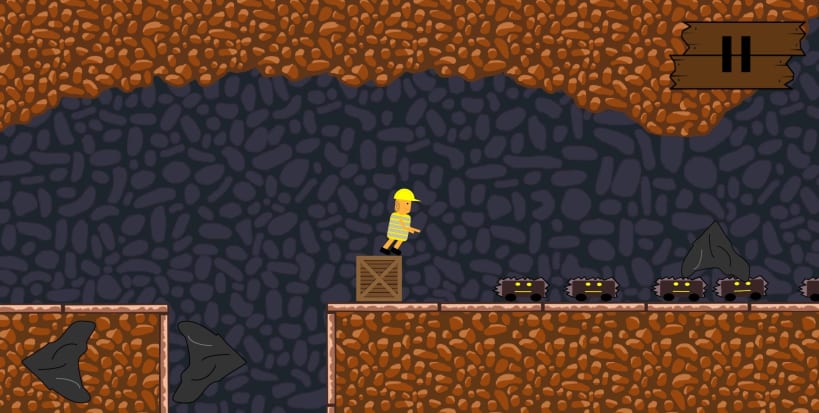


About the game:
You are a hard-working miner for about the half of your life now. It happened at a Monday afternoon, when you just wanted to end your shift and go home. A tunnel collapsed and some huge rocks block your way out. Luckily you remember the location of the next emergency exits. Now you just have to reach them. MineBoy is a modern action platformer with precise touch controls, fluid movement and smooth animations. Explore all the nine levels filled with different obstacles and secrets.
How to Play?
Like almost every Jump n Run game the controls are very simple: There are buttons to walk to the left and to the right. With the vertical buttons you can jump, and when you are on a ladder you can use them to go up and down. And that’s it…
Features:
Ads:
We decided to implement NO annoying advertisement. So, this game is completely ad-free.
What are you waiting for? Challenge yourself with this platformer game and try to reach the exit in every level. From the same developer who brought you other free games like Speed Clicker, Parking Jam, Balance, Wrong Way, Just Watch Ad and more!
Contact:
Developed with ♥ by Luca Kessler and Daniel Hiebeler
You are about to open
Do you wish to proceed?
Thank you for your report. Information you provided will help us investigate further.
There was an error while sending your report. Please try again later.
Snaps are applications packaged with all their dependencies to run on all popular Linux distributions from a single build. They update automatically and roll back gracefully.
Snaps are discoverable and installable from the Snap Store, an app store with an audience of millions.
Snap is available for CentOS 7.6+, and Red Hat Enterprise Linux 7.6+, from the Extra Packages for Enterprise Linux (EPEL) repository. The EPEL repository can be added to your system with the following command:
sudo yum install epel-release
Snap can now be installed as follows:
sudo yum install snapd
Once installed, the systemd unit that manages the main snap communication socket needs to be enabled:
sudo systemctl enable --now snapd.socket
To enable classic snap support, enter the following to create a symbolic link between /var/lib/snapd/snap and /snap:
sudo ln -s /var/lib/snapd/snap /snap
Either log out and back in again, or restart your system, to ensure snap’s paths are updated correctly.
To install MineBoy, simply use the following command:
sudo snap install mineboy
Browse and find snaps from the convenience of your desktop using the snap store snap.

Interested to find out more about snaps? Want to publish your own application? Visit snapcraft.io now.