A Linux alternative to Files App. Independent open-source project,
not affiliated with or endorsed by Files Community.
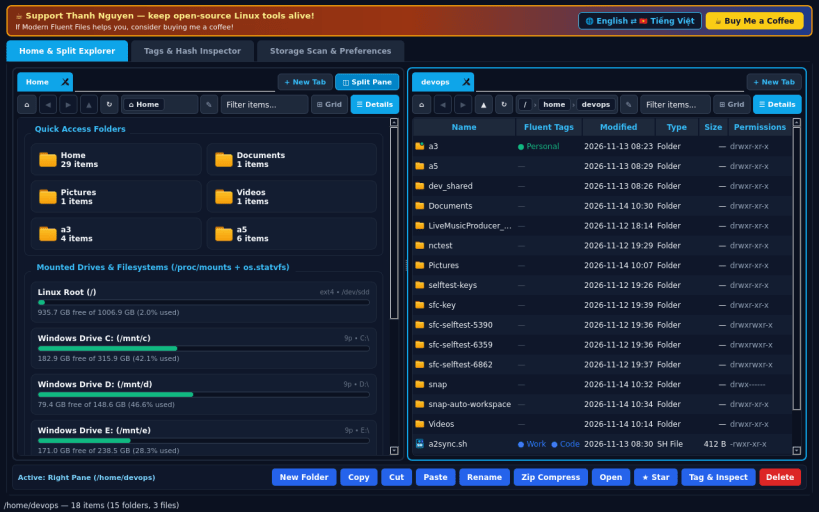
MODERN HOME DASHBOARD & TABBED SPLIT BROWSER
• Multi-tab file browsing (+ New Tab) with Back, Forward, Up, Refresh,
clickable interactive breadcrumbs, editable path bar, and instant filter.
• Switch seamlessly between Fluent Grid Cards View and Details Table View,
or toggle Dual Split-Pane mode to manage and copy files side by side.
• Home Overview presents Quick Access folders, real mounted filesystems
and drives with colored usage capacity bars (os.statvfs + /proc/mounts),
plus starred items and recent files from your real home directory.
• Real file operations: New Folder, Cut/Copy/Paste, Rename, Delete, Zip
Compress (DEFLATE), Star/Pin, and Open via xdg-open.
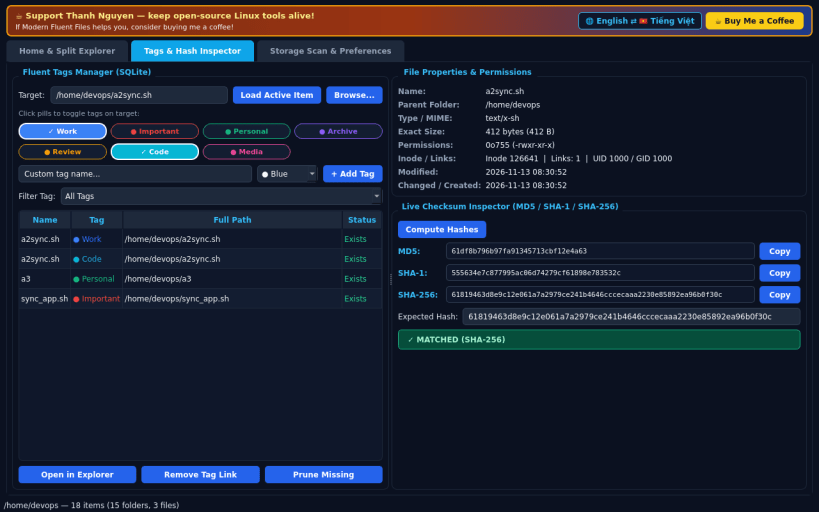
FLUENT TAGS MANAGER & CHECKSUM INSPECTOR
• Organize any file or folder with colorful Fluent pill tags stored locally
in SQLite, filter tagged items, and jump straight to their location.
• Inspect real file metadata: exact size in bytes, octal & rwx permissions,
inode, link count, timestamps, and MIME guess.
• Compute live MD5, SHA-1, and SHA-256 hashes and verify against an
expected checksum with instant match/mismatch status.
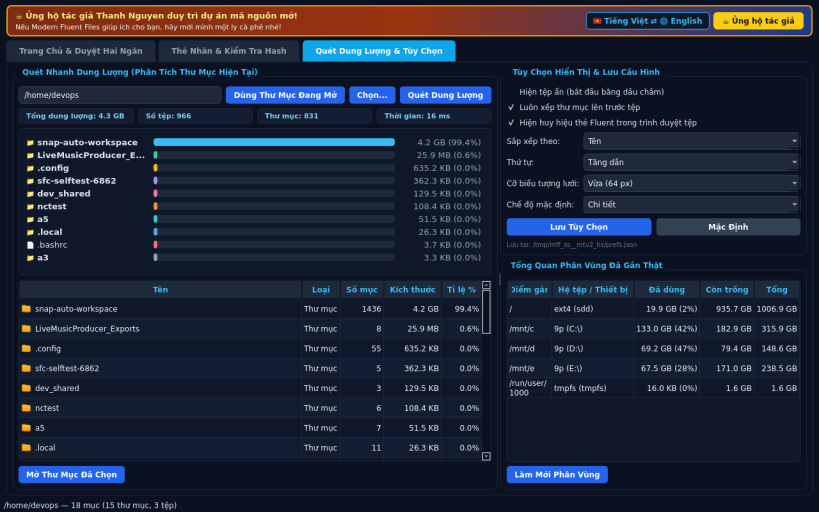
STORAGE QUICK SCAN & VIEW PREFERENCES
• Fast recursive breakdown bar chart of subfolder and file sizes inside any
active directory, plus quick navigation into top space consumers.
• Persistent view preferences saved locally: hidden dotfiles toggle,
folders-first sorting, sort column/order, and grid card icon sizes.
• Default English UI with optional full Vietnamese language toggle.
LIMITATIONS (honest)
• Under strict Snap confinement, browsing is scoped to your real home
directory, mounted media under /media or /mnt, and system paths permitted
by Snap interfaces.
SUPPORT & DONATE
• Created by Thanh Nguyen — https://buymeacoffee.com/thanhnv128b