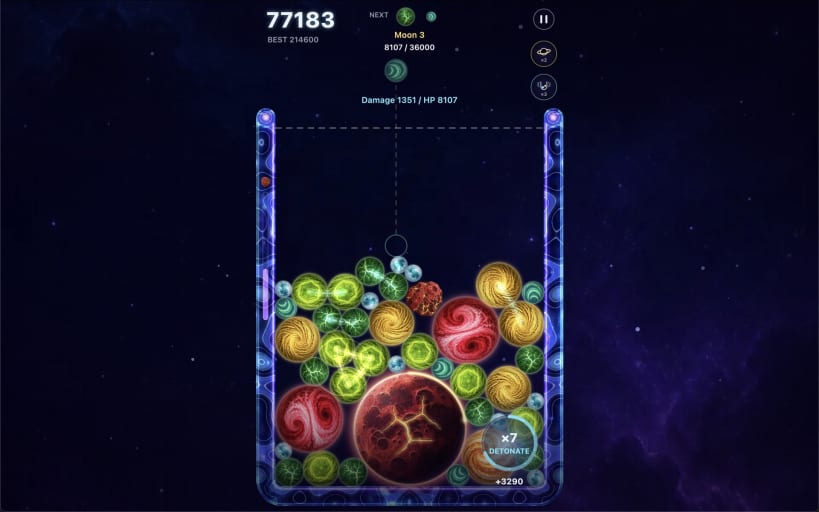
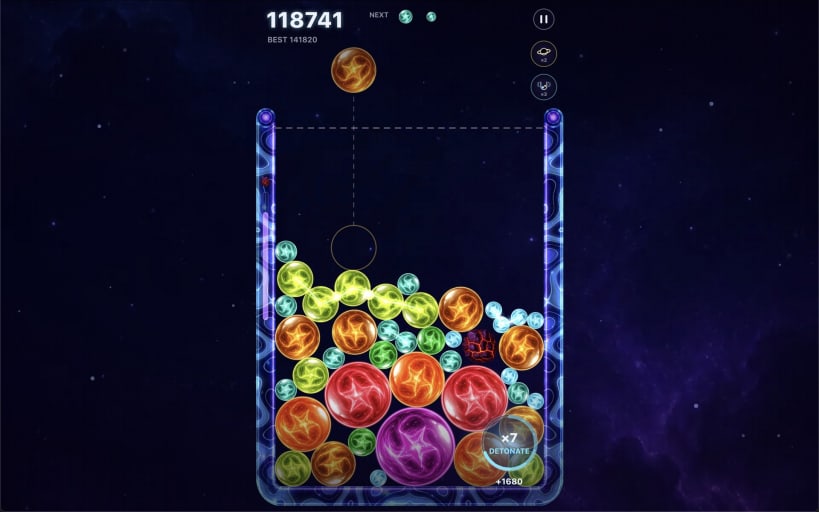
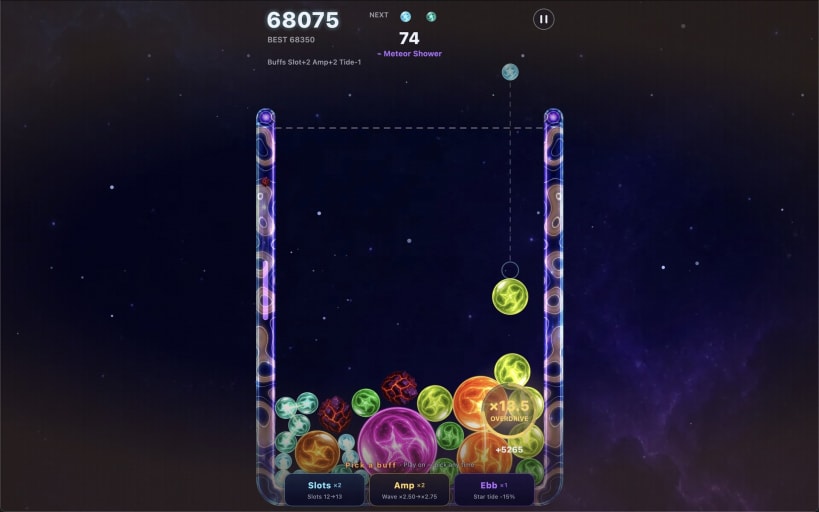
Moonshatter is a drop-and-merge game that takes away the one thing you expect: automatic merging.
When two balls of the same tier touch, they don't combine. They ring — and a glowing chord locks between them. The chord stays. So does the ball. Your cup keeps filling.
Every chord you hoard raises the multiplier. Every ball you drop pushes the pile closer to the overflow line. Detonate now and bank a safe score, or hold for one more chord and risk the whole run. That single decision is the game.
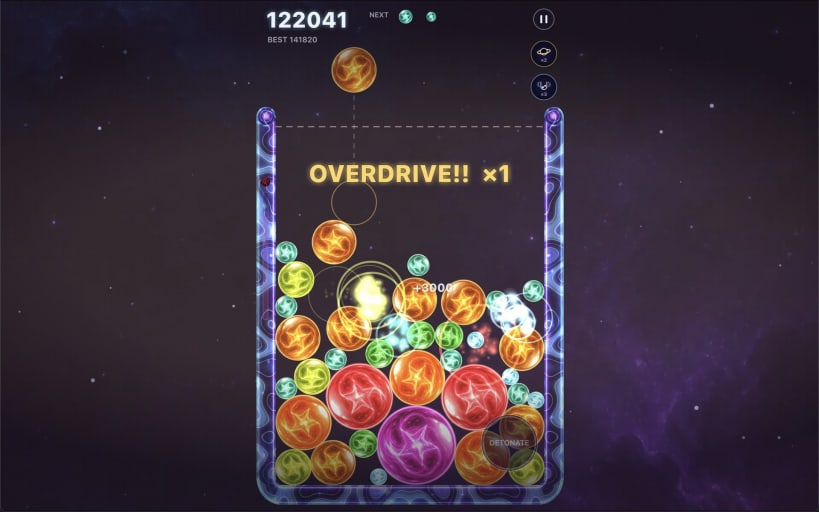
Detonate One click collapses every chord at once. The board resolves in slow motion, merges cascade, and the aftershock window keeps the chain alive — any new same-tier contact in the next 0.6 seconds fires again, one step up the scale each wave. Shockwaves shatter the meteors crowding your cup.
Overdrive Hold to eight chords and the detonation goes full-screen: every meteor on the board breaks at once, and the multiplier takes an extra step. The resonance gauge caps at ten, so there is a real ceiling to greed — and finding your own number is the whole skill curve.
Three modes
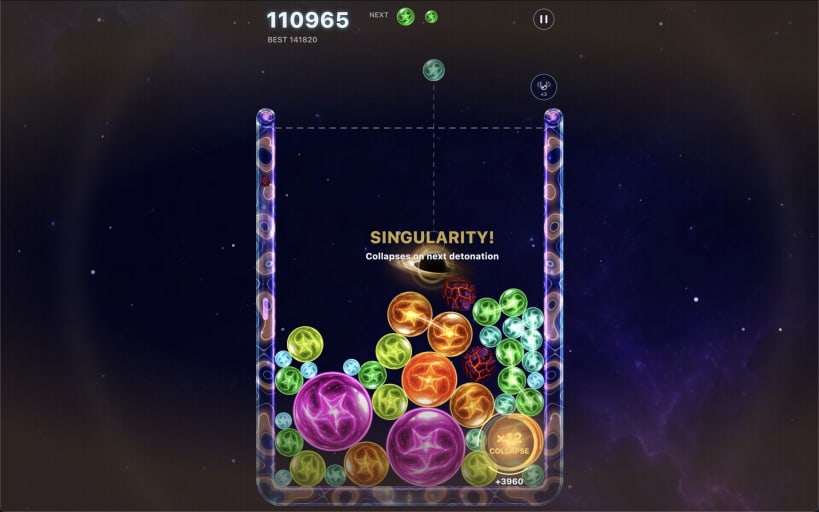
Singularity Bring two top-tier cores together and they annihilate into a singularity. It hangs where it was born and collapses on your next detonation, swallowing the meteors and loose balls around it.
Deterministic to the tick Fixed 120 Hz physics and seeded randomness mean a run is fully described by your inputs. Replays are a few kilobytes and reproduce the board exactly.
Leaderboards Optional global boards for all three modes. Your name starts as a random codename, and you can change it after joining. You can leave at any time, which deletes your scores from the server.
Moondust, items and cosmetics Moondust is earned by playing — shattering moons, the daily run, new personal bests, milestones. It buys three optional in-run items for Moonhunt and Startide: Ebb (one more go after the cup overflows), Singularity Capsule (swap the ball in hand for a singularity) and Starquake (rattle the cup and shake the pile loose). It also buys cosmetics: moon skins, two core sets and instrument packs. Items cannot be used in Daily Blitz, and scores made with items are marked on the leaderboard.
13 languages.
You are about to open
Do you wish to proceed?
Thank you for your report. Information you provided will help us investigate further.
There was an error while sending your report. Please try again later.
Snaps are applications packaged with all their dependencies to run on all popular Linux distributions from a single build. They update automatically and roll back gracefully.
Snaps are discoverable and installable from the Snap Store, an app store with an audience of millions.
Snap is available for Red Hat Enterprise Linux (RHEL) 8 and RHEL 7, from the 7.6 release onward.
The packages for RHEL 7, RHEL 8, and RHEL 9 are in each distribution’s respective Extra Packages for Enterprise Linux (EPEL) repository. The instructions for adding this repository diverge slightly between RHEL 7, RHEL 8 and RHEL 9, which is why they’re listed separately below.
The EPEL repository can be added to RHEL 9 with the following command:
sudo dnf install https://dl.fedoraproject.org/pub/epel/epel-release-latest-9.noarch.rpm
sudo dnf upgrade
The EPEL repository can be added to RHEL 8 with the following command:
sudo dnf install https://dl.fedoraproject.org/pub/epel/epel-release-latest-8.noarch.rpm
sudo dnf upgrade
The EPEL repository can be added to RHEL 7 with the following command:
sudo rpm -ivh https://dl.fedoraproject.org/pub/epel/epel-release-latest-7.noarch.rpm
Adding the optional and extras repositories is also recommended:
sudo subscription-manager repos --enable "rhel-*-optional-rpms" --enable "rhel-*-extras-rpms"
sudo yum update
Snap can now be installed as follows:
sudo yum install snapd
Once installed, the systemd unit that manages the main snap communication socket needs to be enabled:
sudo systemctl enable --now snapd.socket
To enable classic snap support, enter the following to create a symbolic link between /var/lib/snapd/snap and /snap:
sudo ln -s /var/lib/snapd/snap /snap
Either log out and back in again or restart your system to ensure snap’s paths are updated correctly.
To install Moonshatter, simply use the following command:
sudo snap install moonshatter

Browse and find snaps from the convenience of your desktop using the snap store snap.

Interested to find out more about snaps? Want to publish your own application? Visit snapcraft.io now.