

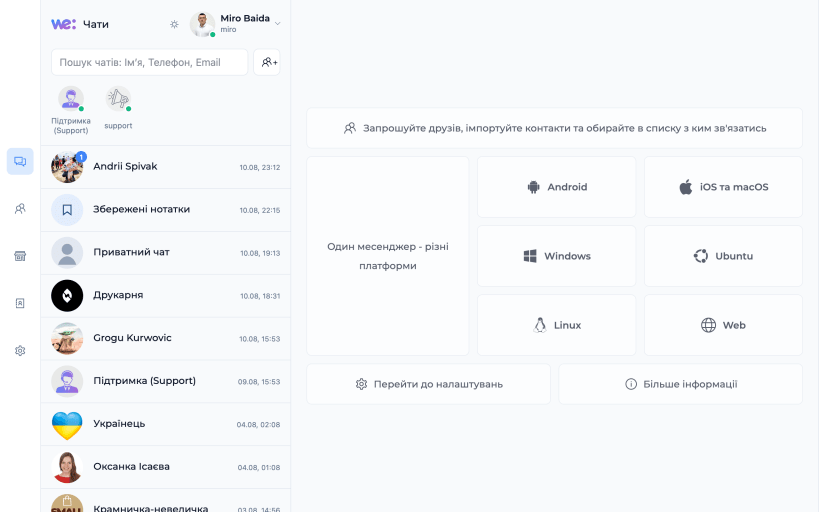
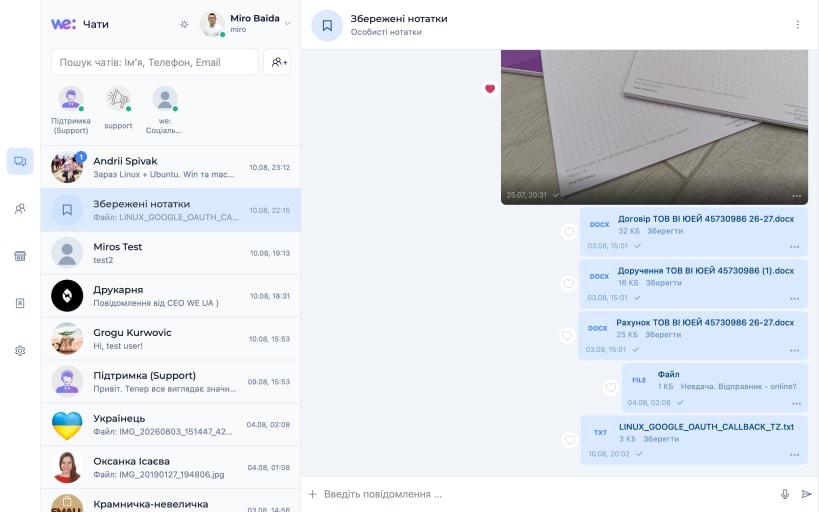


MSG.WE.UA — месенджер від WE.UA для щоденного спілкування, роботи та важливих розмов. Він поєднує швидкі чати, аудіо- й відеодзвінки, обмін файлами та наскрізне шифрування, щоб особисте листування залишалося особистим.
Увійдіть у свій обліковий запис WE.UA, відкрийте діалог і продовжуйте розмову з будь-якого свого пристрою.
МОЖЛИВОСТІ
ПРИВАТНІСТЬ ЯК ОСНОВА
Текст повідомлення шифрується на пристрої відправника до передавання в мережу та розшифровується лише на пристроях учасників чату, які мають відповідний ключ. На серверах месенджера не зберігаються розшифровані тексти повідомлень і відкриті ключі чатів.
Для кожного чату створюється окремий випадковий 256-бітний ключ. Вміст повідомлень захищається AES-256-GCM, а ключ чату окремо шифрується для кожного авторизованого пристрою за допомогою ECDH P-256.
Для аудіо- та відеодзвінків використовується WebRTC. MSG.WE.UA створений для тих, кому важливі швидкість, доступність і повага до приватних даних.
You are about to open
Do you wish to proceed?
Thank you for your report. Information you provided will help us investigate further.
There was an error while sending your report. Please try again later.
Snaps are applications packaged with all their dependencies to run on all popular Linux distributions from a single build. They update automatically and roll back gracefully.
Snaps are discoverable and installable from the Snap Store, an app store with an audience of millions.
Snap can be installed from the command line on openSUSE Leap 15.x and Tumbleweed.
You need first add the snappy repository from the terminal. Choose the appropriate command depending on your installed openSUSE flavor.
Tumbleweed:
sudo zypper addrepo --refresh https://download.opensuse.org/repositories/system:/snappy/openSUSE_Tumbleweed snappy
Leap 15.x:
sudo zypper addrepo --refresh https://download.opensuse.org/repositories/system:/snappy/openSUSE_Leap_15.6 snappy
If needed, Swap out openSUSE_Leap_15. for, openSUSE_Leap_16.0 if you’re using a different version of openSUSE.
With the repository added, import its GPG key:
sudo zypper --gpg-auto-import-keys refresh
Finally, upgrade the package cache to include the new snappy repository:
sudo zypper dup --from snappy
Snap can now be installed with the following:
sudo zypper install snapd
You then need to either reboot, logout/login or source /etc/profile to have /snap/bin added to PATH.
Additionally, enable and start both the snapd and the snapd.apparmor services with the following commands:
sudo systemctl enable --now snapd
sudo systemctl enable --now snapd.apparmor
To install Messenger MSG.WE.UA, simply use the following command:
sudo snap install msg-we-ua
Browse and find snaps from the convenience of your desktop using the snap store snap.

Interested to find out more about snaps? Want to publish your own application? Visit snapcraft.io now.


